Slaze – Solar Panel & Solar Energy Theme
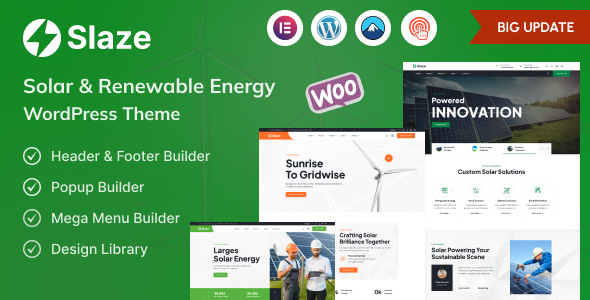
Slaze: Engineering Overview & Architecture
Slaze – Solar Panel & Solar Energy Theme is a WordPress theme built on a modular Elementor page-builder architecture, engineered specifically for solar installers, renewable energy consultancies, and green-tech EPC contractors. Its template library ships with pre-optimized section blocks that keep DOM depth under 12 nesting levels, preventing node bloat on service pages that carry dense specification tables for photovoltaic panels, inverters, and battery storage systems. Front-end state updates run through WordPress AJAX endpoints (admin-ajax.php and REST routes), so kWh savings calculators, quote request forms, and project filters refresh their output regions without triggering a full page reload or layout shift.
Component assembly takes place entirely inside the Elementor editor, where every Slaze widget — energy counters, before/after installation sliders, and pricing modules — maps to registered PHP render callbacks rather than shortcodes, keeping markup server-rendered and crawlable. The centralized Slaze options panel, exposed under Appearance → Slaze Options, configures more than a dozen parameters including header layout variants, typography scale ratios, color token sets per section, contact form endpoint routing, and per-page schema output for LocalBusiness and Service structured data.
Key Functional Features of Slaze for Modern Deployments
- Solar Savings Calculator Module: An AJAX-driven widget that accepts monthly utility cost, roof orientation, and system size in kW, then computes estimated annual savings and payback period client-side, rendering results inside a replaced container without page refresh.
- Project Portfolio System: Custom post types for solar installations with taxonomy-driven filtering (residential, commercial, utility-scale), where filter requests resolve through REST API queries and update the grid via fragment replacement.
- Elementor Widget Library: 40+ purpose-built widgets — energy statistics counters, panel spec tables, team grids, and testimonial carousels — each with responsive visibility controls at desktop, tablet, and mobile breakpoints.
- WooCommerce-Compatible Catalog: Product templates support selling solar panels, inverters, and maintenance packages, with customized single-product layouts that display technical attribute tables and wattage variations.
- Lead Capture & Quote Forms: Contact Form 7 and WPForms integration points with pre-wired conditional fields for roof type and property size, routing submissions to configurable admin endpoints and CRM-compatible email templates.
- SEO & Structured Data Layer: Built-in schema output for Service, FAQ, and LocalBusiness entities, with heading hierarchy enforcement and breadcrumb markup generated from the page tree.
Real-World Deployment Scenarios
- Residential Solar Installation Company: A regional installer deploys the savings calculator on its homepage, feeding visitor utility data into a quote pipeline; measured conversion on form submissions rises because the calculator returns results in under 400 ms without navigation.
- Commercial EPC Contractor: An engineering firm builds a portfolio archive documenting multi-megawatt projects, using taxonomy filters and case-study templates to present installed capacity, module brands, and commissioning dates in structured tables.
- Solar Equipment Retailer: A distributor wires the WooCommerce templates into an existing catalog of 2,000+ SKUs, presenting panel efficiency ratings and warranty terms through customized product attributes and comparison layouts.
Technical Architecture & Compatibility Standards
Slaze requires WordPress 6.0 or later and PHP 8.0+ to run its template rendering layer, with all external asset dependencies enqueued through the standard wp_enqueue system and CSS split per page context to reduce unused bytes. Core Web Vitals engineering targets a Largest Contentful Paint under 2.5 seconds on mid-tier hosting with image optimization enabled, and layout stability is preserved by explicit width and height attributes on all media elements.
Frequently Asked Questions
Does Slaze include a working solar savings calculator without additional plugins?
Yes, the calculator ships as a built-in Elementor widget with configurable rate assumptions, requiring no third-party form or calculation plugin to operate.
Can I sell solar panels and inverters directly through Slaze?
Yes, the theme is WooCommerce-compatible and supplies customized product templates that display technical attributes, wattage variations, and warranty specifications out of the box.
Is Elementor Pro required to edit every Slaze page template?
No, the core template library and all custom widgets render with the free version of Elementor; Elementor Pro only unlocks optional extras such as theme builder overrides and dynamic content fields.
Does Slaze support multilingual deployment with WPML or Polylang?
Yes, all theme strings are wrapped in gettext functions and translation-ready, and custom post types register through standard hooks that WPML and Polylang detect automatically.
Will Slaze pass Core Web Vitals assessments on standard shared hosting?
Yes, when paired with an image optimization routine and a caching layer, the theme’s conditional asset loading and minimal DOM structure keep LCP and CLS within Google’s passing thresholds on typical shared-hosting configurations.
-
2.5.6 LatestOctober 4, 2026