ServiceDesk – Repair & Work Order Manager for Perfex CRM
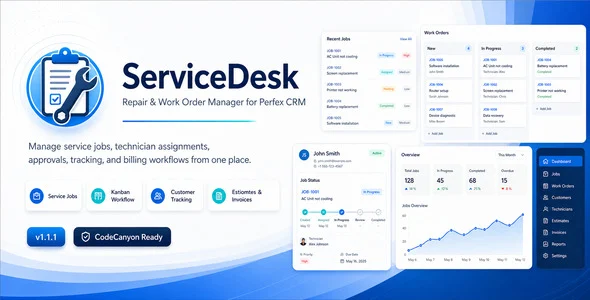
ServiceDesk Repair & Work Order Manager Overview & Functional Engine
ServiceDesk Repair & Work Order Manager is a CodeIgniter-based PHP module for Perfex CRM that consolidates repair requests, service jobs, and work order operations into one administrative workflow. It resolves the fragmentation that repair shops, service centers, and field teams encounter when job intake, technician assignment, diagnosis records, approvals, and billing references are scattered across disconnected tools. In production it functions as an installed extension of Perfex CRM, extending customer profiles, staff permissions, and the native calendar with service-oriented data structures.
Technical Specifications & Deployment Matrix
| Engineering Metric | Deployment Specification |
|---|---|
| Base Technology / Framework | CodeIgniter (PHP); distributed files include PHP, JavaScript JS, HTML, and CSS |
| Runtime / Language Requirements | PHP 8.x, matched to the version required by the host Perfex CRM installation |
| Database / Persistence Footprint | MySQL or MariaDB through the Perfex CRM schema; fresh-installation schemas and upgrade migrations ship with each release |
| Deployment Platform | Perfex CRM 3.0 or higher, installed via the module-based structure |
| Compatible Browsers | Firefox, Chrome, Edge |
| Current Release | Version 1.4.0 |
Service Job Lifecycle & Execution Pipeline
The engine routes every job through intake, assignment, diagnosis, approval, and billing reference inside the Perfex CRM data layer. Job records link directly to Perfex customers and contacts, appear in a dedicated customer profile tab with a job count badge, and remain visible to customers through the customer area when access is granted. Staff access is governed at view, view own, create, edit, delete, and manage permission levels; for teams that also rotate shared system credentials across technician roles, Team Password for Perfex CRM operates alongside it within the same installation.
Architectural & Functional Highlights
- Public Intake & Service Packages: Customers submit service requests through a public-facing form, select service packages, and add checkout items during submission; version 1.4.0 structures packages into milestones with per-stage checklists, signature acceptance, and progress tracking that staff and customers can both follow — a model suited to recurring and long-term work orders.
- Kanban & Status Workflow Control: Configurable statuses and status workflow rules govern state transitions, while the Kanban board renders jobs as movable cards for visual tracking. Quick status changes execute directly from the Service Jobs list, and due-date plus estimated-completion ranges map onto the main Perfex calendar with status filtering and an option to hide completed jobs.
- Approval, Signature & Tracking Layer: A public job tracking page exposes status to customers, and approval links collect accept or reject decisions before work continues. The signature pad on the public approval page — configurable as optional or required — captures a digital signature stored with the approval record and rendered on the job detail page and printable job sheet.
- Documentation & Billing Reference: Each job carries item, asset, or equipment details, a diagnosis summary, fault found, suggested solution, internal notes, attachments, and reusable checklist templates with industry presets. Estimates, invoices, and multiple open Perfex projects (since version 1.3.0) attach as billing and delivery references, while printable job sheets and equipment labels support QR tracking, configurable label sizes, and visibility toggles for logo, company details, serial number, due date, and tracking URL.
Production Deployment & Implementation Considerations
Deployment requires Perfex CRM 3.0 or higher running a compatible PHP version, with MySQL or MariaDB beneath it; the package installs through the CRM’s module mechanism rather than as a standalone application. Fresh-installation schemas and upgrade migrations accompany releases 1.2.0 through 1.4.0, so existing job data carries forward when migrations execute during an upgrade. When reporting defects, the documented baseline is the Perfex CRM version, PHP version, a screenshot, the exact error message, and reproduction steps.
Implementation boundaries are anchored to the host platform: customer, contact, staff, and lead-source structures originate in Perfex CRM — the Lead Source field, for instance, consumes the CRM’s lead sources where available. Customization scope covers configurable job statuses, service categories, checklist templates, custom fields, customer-facing field visibility settings, and label layout parameters, which lets the same codebase serve electronics repair, HVAC, vehicle workshops, appliance, watch, furniture, and industrial maintenance operations without code changes.
For businesses that also need a public-facing repair or auto-service website outside the Perfex environment, Autoace exists as an independent Elementor Template Kit — a parallel front-end design path on WordPress that shares no runtime with this backend module.
Frequently Asked Questions
Can ServiceDesk operate without an existing Perfex CRM installation?
No, the module is not a standalone system. It installs inside Perfex CRM 3.0 or higher and depends on that platform’s customer, contact, staff permission, and calendar structures to function correctly.
Can customers submit service requests through a public form without admin-area access?
Yes, version 1.4.0 introduced public intake forms. Customers submit requests, select service packages, and choose add-on or checkout items during submission, generating structured jobs with milestones and progress tracking.
Can a single service job reference multiple Perfex CRM projects?
Yes, since version 1.3.0 a Related Projects multi-select field on the create/edit form links one job to multiple active projects, with customer-based filtering and clickable project links on the job detail page.
Are customer digital signatures stored with the approval record?
Yes, the signature pad on the public approval page captures the signature during approval. It is stored with the approval record and displayed on both the admin job detail page and the printable job sheet.
-
v1.3.0 Latest