
 My Account
Product Description
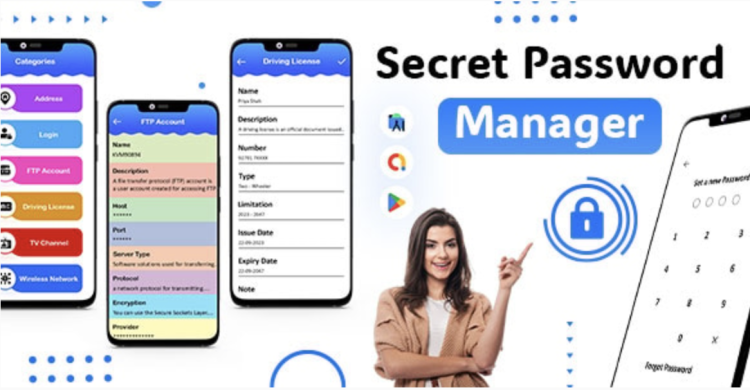
Secret Password Manager is the ultimate Password Keeper – Password Safe – Save Password – PassCode Manager designed to bring enterprise-level security directly into your WordPress dashboard. This powerful, self-hosted plugin is an ideal solution for freelance developers, digital agencies, and business owners who need to securely manage an ever-growing list of credentials without relying on third-party cloud services. It provides a private, encrypted vault for all your sensitive information, from website logins to API keys and secure notes.
The complete Secret Password Manager – Password Keeper – Password Safe – Save Password – PassCode Manager integrates seamlessly with your existing WordPress environment, creating a familiar and easily accessible interface. By centralizing credential management within your own website, you retain full ownership and control over your data. This approach eliminates the monthly subscription fees associated with many commercial password managers and removes the risks of storing sensitive information on external servers, giving you complete peace of mind.
Key Features
- Military-Grade Encryption: All your stored data, including passwords and secure notes, is protected with AES-256 encryption, ensuring your sensitive information remains completely confidential and secure from unauthorized access.
- Powerful Password Generator: Create strong, unique, and complex passwords with a single click. Customize the length and character types (uppercase, lowercase, numbers, symbols) to meet any security requirement.
- Unlimited & Organized Entries: Store an unlimited number of credentials. Keep everything neatly organized using customizable categories and tags, making it easy to find exactly what you need in seconds.
- Custom Fields for Flexibility: Go beyond standard username and password fields. Add custom fields to store related information like security questions, server IP addresses, or license keys for ultimate flexibility.
- Secure Note Storage: Keep sensitive information that isn’t a password—such as private notes, configuration details, or confidential memos—safely stored within your encrypted vault.
- Granular User Role Management: Control exactly who can see or edit credentials. Assign access permissions based on WordPress user roles, making it perfect for teams and agencies.
- Effortless Data Portability: Easily import existing passwords from other managers or export your entire vault for backup purposes, ensuring you’re never locked into a single system.
Use Cases
As a versatile Password Keeper – Password Safe – Save Password – PassCode Manager, this plugin is invaluable for web developers and agencies juggling numerous client projects. Instead of using insecure spreadsheets or scattered text files, you can create a centralized, encrypted database for all client website logins, hosting credentials, FTP details, and API keys. This organized approach simplifies project handoffs and ensures that your team always has secure access to the information they need.
The Secret Password Manager also serves as a central hub for small business teams needing to share internal access credentials securely. Store and manage logins for company-wide tools, social media accounts, software licenses, and even Wi-Fi passwords. With user role management, you can define who has access to what, ensuring that sensitive information is only shared with authorized personnel. It’s a professional alternative to sending passwords over email or messaging apps.
Benefits
By implementing the Secret Password Manager – Password Keeper – Password Safe – Save Password – PassCode Manager, you drastically reduce the risk of security breaches caused by weak or reused passwords. The built-in password generator encourages the use of strong, unique credentials for every service. By keeping everything within your own WordPress installation, you minimize your digital footprint and protect your most valuable data from the vulnerabilities inherent in third-party platforms.
Beyond security, this tool is a massive productivity booster. The frustration of forgotten passwords and time-consuming reset processes becomes a thing of the past. With features like one-click copy and a powerful search function, you can find and use the credentials you need in seconds. This streamlined workflow allows you and your team to focus on more important tasks, saving valuable time and reducing daily friction.
Choosing a self-hosted solution offers unparalleled long-term value. You avoid recurring subscription costs that add up over time, making it a budget-friendly investment. More importantly, you maintain complete sovereignty over your data. In an era of constant data breaches, knowing your most critical information is stored on your own server, under your control, provides a level of security and confidence that cloud-based services simply cannot match.






There are no reviews yet.