Roofia – Roofing Services Elementor Template Kit
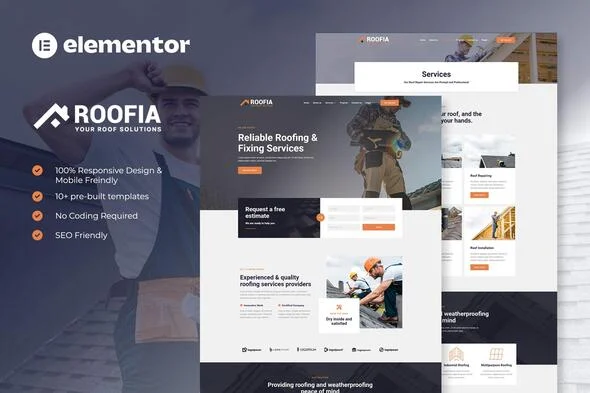
Roofia Roofing Services Elementor Template Kit Overview & Layout Delivery Architecture
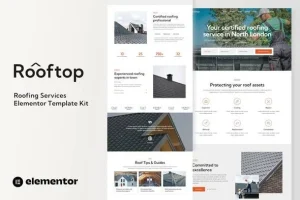
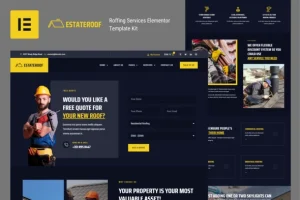
Roofia Roofing Services Elementor Template Kit is an Elementor 3.10.x layout package engineered for roofing contractors and delivery agencies to publish roof repair, roof coating, roof inspection, and roof renovation service sites without assembling page structures widget by widget. The kit removes the structural design bottleneck of hand-building service, pricing, and project showcase pages by shipping more than twelve pre-built templates whose layout data imports as JSON payloads through the Envato Elements plugin. Within production workflows, it operates as a drop-in design layer optimized for the Hello Elementor theme, covering marketing pages, blog routing, error states, and three operational form blocks for booking, contact, and newsletter capture.
Technical Specifications & Deployment Matrix
| Engineering Metric | Deployment Specification |
|---|---|
| Base Technology / Framework | Elementor 3.10.x page builder; tuned for the Hello Elementor theme |
| Runtime / Environment Requirements | WordPress installation with the Envato Elements plugin for kit import |
| Data Exchange / Communication Protocol | JSON template payloads parsed directly by the Elementor editor |
| Front-End / Engine Dependencies | Elementor, ElementsKit Lite, and MetForm, all installed with the kit |
| Database / Persistence Footprint | Design data only; form submissions and entries route through MetForm |
JSON Layout Pipeline & Template Execution Flow
Roofia’s core mechanism is JSON design data imported into the Elementor editor, not a WordPress theme installation. Because the kit carries no theme files, it never overrides the native template hierarchy; instead, the Envato Elements plugin or Elementor’s direct import path reads each template’s JSON structure — containers, widget trees, and design token references — and reconstructs it as editable elements inside the builder. Once parsed, sections inherit typography and color values from global tokens, so changing a palette or font pairing propagates across the Home, Home Two, About Us, Services, Service Details, Pricing Plan, Projects, Team, FAQ, Contact, Blog, Single Post, and Error 404 templates from one control surface.
Agencies running parallel home-service verticals often deploy Roofia alongside Plumberia, an HVAC repair service kit built on the identical import pipeline, so a single WordPress stack serves both roofing and climate-system client briefs without divergent deployment steps.
Core Technical Capabilities of Roofia
- 12+ pre-built JSON page templates: the set spans marketing surfaces (Home, Home Two), conversion paths (Services, Service Details, Pricing Plan, Contact), trust assets (Projects, Team, About Us, FAQ), content routing (Blog, Single Post, Error 404), and global chrome (Header, Footer), letting teams skip structural assembly entirely.
- MetForm payload pipeline: three form blocks — Booking, Contact, and Newsletter — ship as separate importable templates; each is wired by opening the page, enabling the Navigator, selecting the MetForm widget, and inserting the imported form template, after which submissions route through MetForm rather than any custom handler.
- Global header and footer architecture: ElementsKit Lite’s Header Footer module binds the imported chrome site-wide; creating a new header entry with Entire Site selected and Activation toggled on replaces per-page header placement without touching theme files.
- Cross-theme rendering compatibility: although tuned for Hello Elementor, the JSON structures render under any theme whose templates expose Elementor content areas, letting teams retain an existing theme while adopting the kit’s layouts.
- Responsive container behavior: layouts are fully responsive and mobile-friendly, with breakpoint-level adjustments handled through Elementor’s responsive editing modes rather than external stylesheet overrides.
Production Implementation & Operational Resilience
For agency staging environments, the primary operational threshold is server memory: batch-importing multiple JSON payloads through the Envato Elements plugin raises wp_memory_limit consumption sharply, so lifting that limit — 256 MB is a practical floor on shared hosting — before importing the full template set prevents partial imports and silent failures. When automated import stalls, Elementor’s direct kit-import path acts as the fallback route, reading the same template files without the Envato Elements round trip.
Error-state handling follows defined boundaries. Elementor Pro holders can skip MetForm installation and the form-block templates entirely, routing forms and global chrome through the Pro Theme Builder instead — a documented divergence, not a defect. The Error 404 template covers broken-route rendering, and troubleshooting escalates through the Elementor menu’s Get Help entry inside the WordPress dashboard.
Asset boundaries matter at delivery time: the kit’s demo images load from Envato Elements and require separate licensing, so production launches must either license those files or substitute owned photography before client handover. Because the kit is a static layout package, customization stays within style-token overrides — Elementor’s global color and typography panels — plus widget-level edits; no hook layer or child-theme mechanism exists to extend beyond that surface. Teams that also service creative-sector accounts typically pair this kit with Krativa to reuse the same JSON-import workflow across agency-style deliverables.
Frequently Asked Questions
Does Roofia require Elementor Pro to run its pages and forms?
No, the kit runs on the free Elementor builder with ElementsKit Lite and MetForm installed alongside it; Elementor Pro is optional and only changes the workflow by allowing Theme Builder headers and native form handling instead of MetForm blocks.
Can the header and footer be applied across the whole site using only bundled addons?
Yes, ElementsKit Lite’s Header Footer module handles global chrome; after importing the header template, create a new entry, keep Entire Site selected, toggle Activation on, load the template through the Edit Content builder, and repeat the sequence for the footer.
Will the templates render correctly under a theme other than Hello Elementor?
Yes, any theme supporting Elementor content areas can render the imported JSON layouts, since the kit depends on the page builder rather than theme-specific template files; Hello Elementor is simply the reference environment the layouts were tuned against.
Are the demo images included and cleared for production use?
No, the preview imagery comes from Envato Elements and stays unlicensed with the kit; production deployments must license those files separately through Envato Elements or replace them with owned assets before the site goes live.
Can the three MetForm blocks be customized after insertion into a page?
Yes, once a form template is inserted through the Navigator and the My Templates tab, its fields open in the MetForm builder for editing, and Update and Close commits the changes back into the widget inside the page layout.