RISE Quick Menu Finder – Smart Sidebar Search for RISE CRM
Product Description
The RISE Quick Menu Finder dramatically enhances navigation within your RISE CRM, transforming how users interact with their daily tasks. This Smart Sidebar Search for RISE CRM is an essential, intuitive plugin designed to empower a diverse range of professionals, including businesses, project managers, sales teams, and client support specialists. Anyone relying on RISE CRM will find their workflow significantly streamlined. It transforms the often-cumbersome task of locating specific menu items into a swift, efficient experience, making it an indispensable tool for organizations with extensive CRM configurations or those looking to boost team productivity.
Navigating intricate CRM systems can frequently become a significant time sink, especially when dealing with numerous projects, clients, and modules. This innovative solution directly addresses these challenges. It empowers users to instantly locate any desired menu item without tedious scrolling or clicking through multiple hierarchical levels. Fundamentally, this means the entire process of finding information or functionality is optimized, ensuring that the RISE Quick Menu Finder – Smart Sidebar Search for RISE CRM provides immediate, precise access directly at your fingertips, fostering a more responsive and agile working environment.
Key Features
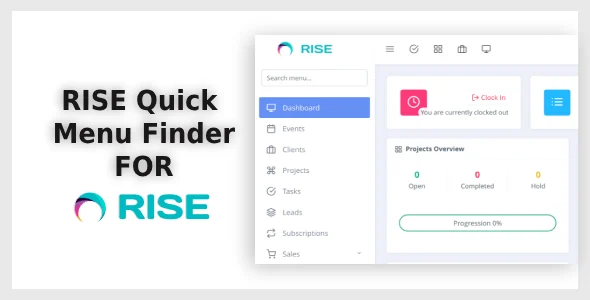
- Instant search functionality, seamlessly integrated directly into the RISE CRM sidebar.
- Real-time results displayed dynamically as you type, ensuring immediate visual feedback.
- Seamless integration without altering core CRM functionality or requiring complex setup.
- User-friendly interface, meticulously designed for simplicity and efficiency.
- Lightweight and highly optimized for performance, ensuring no system slowdowns.
- Toggleable visibility, offering users flexibility to activate or deactivate the search box as needed.
- Operates with zero page reloads, providing a smooth, uninterrupted workflow within the CRM.
Use Cases
For enterprises utilizing the full spectrum of RISE CRM’s robust capabilities, the RISE Quick Menu Finder – Smart Sidebar Search for RISE CRM quickly becomes an indispensable asset. It significantly facilitates onboarding for new team members, allowing them to rapidly familiarize themselves with the system’s layout and effortlessly find necessary sections without extensive training sessions. Beyond new users, existing users also benefit immensely from the unparalleled speed and convenience, enabling them to bypass traditional navigation to jump straight to their desired module or function with remarkable efficiency.
Consider, for instance, a project manager urgently needing to access a specific project’s tasks, review associated expenses, or locate critical client files. Instead of the conventional multi-step process, they can now simply type a few characters of the project name directly into the intelligent sidebar search box. Similarly, a sales professional can instantly pull up a specific client’s comprehensive profile, review pending proposals, or access historical invoices. This dramatically cuts down on administrative time, allowing them to reallocate valuable energy towards more impactful activities, such as direct client engagement.
Benefits
The primary and most compelling advantage of integrating the RISE Quick Menu Finder into your CRM environment is the profound boost in both individual productivity and overall organizational operational efficiency. By drastically reducing the time users spend on cumbersome navigation, this powerful tool enables them to dedicate significantly more energy and cognitive focus to their core, value-adding tasks. This enhanced concentration and streamlined access inevitably lead to higher quality work output and greater job satisfaction, culminating in substantial time savings for the entire organization over time.
Beyond the tangible benefits of raw speed and efficiency, the inherently intuitive nature of this Smart Sidebar Search for RISE CRM profoundly elevates the overall user experience. It effectively mitigates the frustration often associated with navigating complex interfaces, empowering users to feel a greater sense of control and mastery over their digital workspace. This improvement in usability also plays a crucial role in significantly decreasing the learning curve for new employees, enabling them to transition into productive and confident team members much faster, fostering quicker integration and sustained engagement.
-
v1.0.1 LatestOct 15, 2026