Revolution Multimedia Gallery
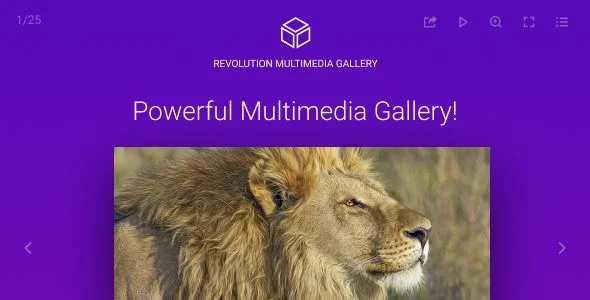
Revolution Multimedia Gallery Overview & Embedded Media Display Engine
Revolution Multimedia Gallery is a JavaScript and CSS-based multimedia display engine, engineered for front-end developers and digital agencies that must consolidate images, video, audio, and live-streamed media into a single responsive gallery component. The package addresses the architectural bottleneck of stitching together separate image lightbox, video player, and audio playback libraries by unifying all media types behind one configuration-driven runtime. In production agency workflows, it functions as a self-hosted include that drops into static HTML, custom templates, or CMS-driven pages and renders category-filtered, deeplinked media collections across desktop browsers and touch devices.
Technical Specifications & Deployment Matrix
| Engineering Metric | Deployment Specification |
|---|---|
| Base Technology / Framework | Vanilla JavaScript, CSS, HTML; includes SWF/FLV legacy assets |
| Runtime / Language Requirements | Client-side browser execution; compatible with IE9 through IE11, Edge, Firefox, Safari, Opera, and Chrome |
| Data Exchange / Communication Protocols | HTTP progressive media, HLS (.m3u8), DASH MPEG (.mpd), Shoutcast, Icecast, YouTube and Vimeo embeds, Google Drive and Dropbox cloud sources |
| Front-End / Engine Dependencies | Easy Video Player serves as the internal video and audio engine, including IMA SDK and VAST/VMAP ad-tag handling |
| Database / Persistence Footprint | None; configuration is declared per instance, with .vtt files powering thumbnail previews and subtitles |
Media Routing, Type Detection & Rendering Pipeline
The core mechanism is a URL-driven media router that inspects each declared item source and assigns its display type automatically. When a gallery initializes, the runtime parses the category data model, maps every URL to its detected handler — image, video, audio, YouTube, Vimeo, HLS, DASH, Google Maps, PDF, iframe, or raw HTML — and defers heavy assets through lazy loading so posters and images load in the background without blocking first paint. Display layout is selected from three modes: responsive, fluid-width, or fullscreen, each adapting the same media collection without reconfiguring items. Deeplinking generates a unique, shareable URL fragment per opened item, which allows inbound traffic to land directly on a specific video or image inside a category.
Core Technical Capabilities of Revolution Multimedia Gallery
- Automatic media type detection: The parser examines the URL of each item — extension, host, and protocol signature — and binds the correct playback handler, eliminating per-item type declarations across images (.jpg, .webp, .png, .svg, and others), audio (.mp3, .m4a), video (.mp4, .webm, .ogv), and streaming endpoints.
- Advanced video advertising layer: VAST and VMAP ad playlists plus Google AdSense IMA SDK and DoubleClick tags route through the embedded player engine, enabling pre-roll and mid-roll ad scheduling directly inside gallery-hosted video items.
- Chromecast handoff: MP4 video, MP3 audio, and HLS streams can be cast to a TV screen, at which point the browser session becomes the remote control and the player interface continues issuing transport commands to the receiving device.
- Private media authorization: Video and audio items — including YouTube and Vimeo sources — can be gated behind MD5-encrypted passwords, providing an access-control path for gated client deliverables without server-side session logic.
- Slideshow state machine: A configurable interval loop, expressed in milliseconds, drives slide transitions with a circular progress animation, optional autoplay on load, and autostop behavior when the final slide renders.
Interaction input is normalized across pointer and touch environments: drag gestures navigate slides on both input classes, keyboard bindings expose transport control (arrow keys for seeking or slide changes, F for fullscreen, M for mute, space for play/pause), and double click or tap triggers image maximize with a configurable zoom factor. For teams evaluating a WordPress-native alternative that installs as a plugin rather than an embedded JS include, Essential Grid – Gallery WordPress Plugin occupies the same display niche inside the WP template hierarchy.
Production Implementation & Operational Resilience
Deployment consists of copying the JavaScript, CSS, and HTML includes into the project and declaring gallery instances against the documented configuration schema; sample demo pages ship with the package as working reference implementations, and video tutorials supplement the written documentation for onboarding handoff within agency teams. Because execution is entirely client-side, the component carries no server persistence footprint — media sources can live on origin storage, Google Drive, Dropbox, or third-party CDNs, with the runtime resolving each endpoint at load time. Subtitle tracks in .txt, .srt, or .vtt formats attach to video and audio items, and video thumbnail previews are either declared through a .vtt sprite file or generated live from the source stream.
Operational boundaries worth noting before rollout: browser support extends back to IE9, which constrains the CSS techniques available when authoring custom caption styles; caption formatting is CSS-based with two animation types (opacity and motion) and three placement zones (top overlay, bottom overlay, or below the item). Autoplay of video and audio functions on both desktop and mobile, though mobile operating systems enforce their own muted-autoplay policies that no client-side engine can override. The share window exposes nine social platforms whose buttons can be reordered or removed, and gallery chrome auto-hides after a configurable inactivity window. When visual customization beyond the provided options is required, CSS overrides against the rendered markup are the sanctioned path — no server templates or PHP layer exist to modify. For decoupled Elementor implementations outside this standalone script architecture, Pixel Gallery Pro offers a widget-based media-grid path built for that page-builder runtime.
Frequently Asked Questions
Can video and audio items be protected with a password?
Yes, private media items can be secured with an MD5-encrypted password, and this protection extends to YouTube and Vimeo sources in addition to self-hosted files, giving gated client collections an access layer without backend code.
Does the gallery support subtitles for video and audio playback?
Yes, subtitle tracks load in .txt, .srt, or .vtt formats and attach to media items handled by the embedded player engine, allowing captioned video and audio content to render inside the gallery without external subtitle libraries.
Can gallery media be cast to a television screen?
Yes, MP4 video, MP3 audio, and HLS .m3u8 streams support Chromecast output, and once casting begins the browser session acts as a remote while playback controls remain active inside the player interface.
Does the keyboard provide playback and navigation control?
Yes, arrow keys seek ten seconds forward or backward during video playback or change slides otherwise, F toggles fullscreen, M toggles mute, up and down arrows adjust volume, and space toggles play or pause.