Restaurant App Online Store web add-on
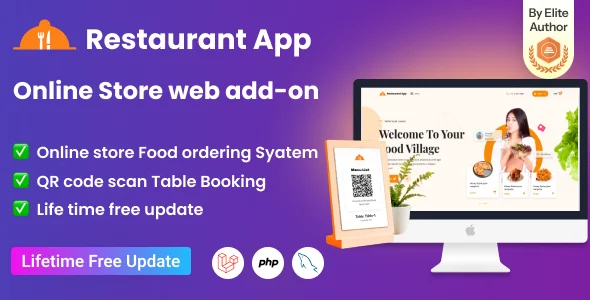
Restaurant App Online Store Web Add-on Overview & SaaS Storefront Extension
Restaurant App Online Store Web Add-on is a Laravel-powered storefront extension, engineered for SaaS operators and development agencies to give the Restaurant App SaaS platform a browser-based ordering surface. The parent platform serves diners primarily through its Flutter mobile client, which leaves desktop visitors and browser-only guests without a direct ordering channel. In production, the module closes that gap by feeding web storefront orders into the existing Laravel admin panel, kitchen module, and thermal printer workflow that restaurant staff already operate daily.
Technical Specifications & Deployment Matrix
| Engineering Metric | Deployment Specification |
|---|---|
| Base Technology / Framework | Laravel framework; LESS-compiled stylesheets with JavaScript JS and JSON front-end assets |
| Runtime / Language Requirements | PHP 8.x server runtime; requires a deployed Restaurant App SaaS (Flutter + Laravel) installation |
| Data Exchange / Communication Protocols | Structured JSON payloads exchanged between the web storefront and the Laravel backend controllers |
| Front-End / Engine Dependencies | HTML, CSS, LESS, JS; browser coverage from IE6 through IE11 plus Chrome, Firefox, Safari, Opera, and Edge |
| Database / Persistence Footprint | Orders, table bookings, and KOT records persist within the parent SaaS database; invoices print to 58mm and 80mm thermal printers |
Order-to-Kitchen Execution Pipeline & Storefront Mechanism
Web orders enter the same Laravel execution pipeline that serves the mobile client. A guest session — arriving directly or through a scanned QR code that resolves the digital menu — requests catalog data, which the backend validates and returns as structured JSON for the JavaScript rendering layer. Menu items carrying multiple variations are resolved server-side, so a single dish with size or modifier combinations renders as selectable configurations rather than duplicated records. Once an order is confirmed, the backend persists it and dispatches a Kitchen Order Ticket to the kitchen module, where dedicated section support routes each ticket to the correct preparation station. Chefs work the KOT listing from their own panel, waiters track fulfillment through a role-scoped view, and an invoice print job is emitted on sale completion.
Architectural & Functional Highlights
- Web Ordering & Table Booking Pipeline: Browser sessions submit orders through the same Laravel controllers that serve the Flutter client, keeping web and mobile order records inside a single datastore with one unified invoice trail.
- QR Code Menu Resolution: Tables expose scannable QR codes that open the digital menu in the guest’s browser, removing app installation from the ordering path and shortening the time between seating and first order.
- Kitchen Module & KOT Dispatch: The v1.1 kitchen module assigns tickets to dedicated sections, and the optimized KOT listing presents chefs with a station-filtered queue instead of an undifferentiated feed.
- Multiple Variation Handling: Products with size, add-on, or modifier options render as configurable choices, and each selected variation travels intact through the order payload into the kitchen ticket.
- Thermal Invoice Printing: Two-click invoice printing targets 58mm and 80mm thermal printers; Bluetooth thermal printers receive new sales invoices automatically, and historical invoices stay reprintable from the sales report.
For agencies assessing a decoupled e-commerce codebase outside the restaurant vertical, BinaryEcom – Ecommerce Based MLM Platform ships as a separate self-hosted application and does not share this module’s Laravel runtime or data layer.
Production Implementation & Operational Resilience
Deployment begins with an operational Restaurant App SaaS installation; this package attaches to that Laravel backend rather than running as an isolated codebase. Agency staging environments typically mirror the six documented roles — super admin, admin, manager, restaurant, chef, and waiter — so role-based access control can be verified before client handover. Browser coverage reaching back to legacy Internet Explorer versions keeps the storefront usable on older hardware still common in restaurant back offices, while the v1.3 release reworked the navbar design and responsive behavior for current mobile viewports. The v1.2 patch resolved a language issue, so multilingual menus should deploy on the latest release only.
Customization boundaries sit at the asset layer: the shipped LESS sources permit color and typography overrides at stylesheet compile time, while the included PHP controllers and JSON configuration files remain editable for storefront logic adjustments. Printing resilience is handled at the invoice layer — if an automatic Bluetooth job is missed at the point of sale, the invoice can be recovered and reprinted from the sales report instead of being regenerated. For teams needing a standalone payment gateway on separate, non-restaurant web properties, PayMoney – Secure Online Payment Gateway operates as an independent product outside this Laravel stack.
Frequently Asked Questions
Does the add-on operate as a standalone web application without the parent platform?
No, the package is an extension for the Restaurant App SaaS platform built on Flutter and Laravel. A deployed parent installation with its admin panel is a hard prerequisite before the web storefront can accept and route orders.
Can historical sales invoices be reprinted after checkout has completed?
Yes. Every new sale invoice prints automatically on a connected thermal printer, and previous invoices remain accessible for reprint directly from the sales report, which removes the need to reconstruct past transactions manually.
Does the kitchen module route tickets to separate preparation sections?
Yes. Version 1.1 introduced the kitchen module with dedicated section support and an optimized KOT listing, so chefs receive a station-filtered ticket queue instead of a single undifferentiated order feed across the kitchen display.
Are both 58mm and 80mm thermal printers supported, including Bluetooth models?
Yes. The two-click invoice printing workflow targets both 58mm and 80mm printer widths, and Bluetooth thermal printers receive every new sales invoice automatically without manual triggering at the point of sale.
-
1.1 LatestOct 28, 2026