Project Task Manage For Perfex CRM
Product Overview
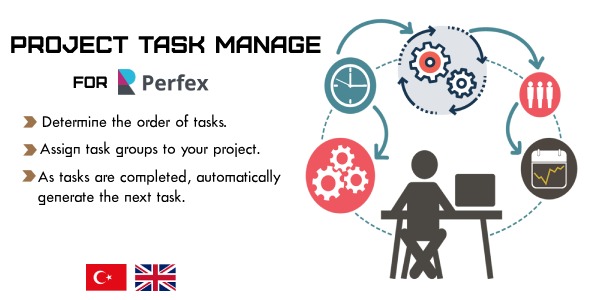
The Project Task Manage For Perfex CRM is an essential add-on for businesses already leveraging Perfex CRM for client and project management. This tool specifically addresses the need for more granular task control within your projects, enabling detailed planning and execution tracking. It’s designed for project managers, team leads, and anyone needing a clearer, more organized view of project task dependencies and progress directly within their existing CRM environment.
Activating this module extends Perfex CRM’s native project functionality. Instead of just a simple task list, you gain access to a dedicated task management interface within each project. When you navigate to a specific project, a new tab or section becomes visible, typically labeled “Tasks” or “Project Plan,” where the enhanced features reside. This integration feels seamless, not like a separate application tacked on, which is crucial for maintaining a consistent workflow.
Highlights & Value
- Task Dependencies: You can link tasks so one cannot start until another is completed. On the task editing screen, a dropdown lets you select prerequisite tasks, visually indicating the flow.
- Subtasks & Checklists: Each primary task can have multiple subtasks or a checklist, breaking down larger items into manageable steps. A progress bar often updates automatically as checklist items are marked complete.
- Drag-and-Drop Reordering: Within the task list, you can grab and move tasks to quickly adjust their sequence. The changes save without a full page reload, offering a fluid experience.
- User Assignment & Milestones: Assign tasks to specific team members and link them directly to project milestones. This clarifies who is responsible for what and how each task contributes to the larger timeline.
- Visual Progress Tracking: The task view usually includes progress indicators, often color-coded, giving an immediate sense of project health and bottlenecks.
Real-World Use Cases
- Web Development Projects: Structure your entire website build process, from design mocks (Task A) to content creation (Task B), front-end development (Task C, dependent on A), and testing (Task D, dependent on C).
- Marketing Campaign Management: Organize a multi-channel campaign by setting up tasks for creative brief approval, ad copy writing, graphic design, and platform scheduling, with clear dependencies.
- Client Onboarding Processes: Detail every step of bringing a new client into your system, such as contract signing, initial consultation, account setup, and kick-off meeting, ensuring no step is missed.
- Internal Operations Workflows: For recurring internal projects like quarterly reports or software updates, define a repeatable sequence of tasks to ensure consistency and efficiency.
Technical & Compatibility
This module requires an active installation of Perfex CRM, typically version 2.9.x or newer, to function correctly. Before deploying Project Task Manage For Perfex CRM, always verify your current Perfex CRM version matches the recommended compatibility noted by the developer. It installs like any standard Perfex module; you upload the zip file, activate it from the “Setup > Modules” section, and then a quick database migration script usually runs automatically in the background, adding the necessary tables for task dependencies and subtasks.
Once activated, the module seamlessly integrates with your existing Perfex CRM database structure without altering core files, which is a good practice for module development. If you encounter any unexpected behavior, clearing your browser cache and Perfex CRM’s internal cache (if available) often resolves minor display issues. The module typically uses Perfex CRM’s existing styling, so its interface elements — buttons, forms, and task lists — maintain a consistent look and feel with your CRM theme.