Point of Sale System for WooCommerce (POS Plugin)
Point of Sale System for WooCommerce Overview & Counter-Checkout Architecture
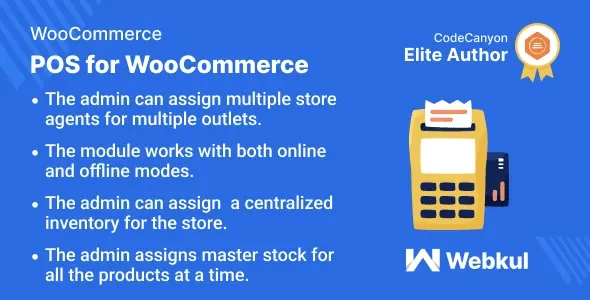
Point of Sale System for WooCommerce is a PHP/JavaScript WordPress plugin that converts a WooCommerce store into a browser-based retail point of sale for physical outlets. It resolves the operational split between online and in-store commerce by persisting catalog, customer, and stock data locally on the terminal device, so cashiers keep processing sales during internet outages while orders, inventory decrements, and customer records resync to WooCommerce once connectivity returns. In production delivery, it functions as the counter engine for grocery, fashion, and electronics retailers running one or many outlets, with every terminal, cashier, and drawer managed from a single WordPress admin.
Technical Specifications & Deployment Matrix
| Engineering Metric | Deployment Specification |
|---|---|
| Base Technology / Framework | WordPress plugin (PHP, JavaScript JS, HTML, CSS) built on the WooCommerce e-commerce layer |
| Runtime / Version Requirements | WordPress 6.7.x through 7.0.x; WooCommerce 9.x–10.x; HPOS-compatible order storage; multisite-compatible |
| Front-End / Engine Dependencies | PWA-installable browser terminal (no native app); Firefox, Safari, Chrome, Edge |
| Data Exchange / Communication | Improved product/order/customer APIs between the POS terminal and the WooCommerce data layer |
| Database / Persistence Footprint | Local device storage for offline transactions; resync and reset controls for products, orders, and customers |
Multi-Outlet Retail Engine & Execution Pipeline
The plugin binds every counter transaction to an outlet, a cashier session, and a drawer, all defined in the WordPress admin. Administrators register each physical location as an outlet, assign one or more sales agents, map product and category availability, and configure master stock centrally. The POS terminal then pulls an outlet-scoped catalog through improved loading APIs, so agents only see stock assigned to their location. A sale proceeds through search, SKU lookup, or barcode scan into the cart; discounts, WooCommerce coupons (restriction rules enforced at the POS since v7.0.0), fixed or percentage cart fees, and customer selection follow; payment completes via cash, card-recording, or split transactions across configured methods; and the order is written back with a custom POS prefix that distinguishes counter sales from website orders. Stock decrements follow order-status behavior, keeping inventory aligned across channels.
Core Technical Capabilities of Point of Sale System for WooCommerce
- Offline transaction queue: Eligible sales are captured and stored locally during disconnection, then reconciled to WooCommerce when the device reconnects, with manual resync and reset controls available for recovery scenarios.
- Drawer and shift ledger: Each cashier opens and closes a drawer tied to their agent account, records notes plus credit/debit cash movements, and prints drawer reports and Z-Reports for end-of-shift reconciliation, with admin email notification on drawer close.
- Split-payment and fee engine: One bill can be divided across multiple configured payment methods, a fixed or percentage checkout fee can be appended, and coupon restriction rules from WooCommerce apply at the counter; stores automating coupon distribution by email can operate YITH WooCommerce Coupon Email System Premium as a separate marketing-layer plugin on the same coupon data.
- Barcode and variation handling: The core plugin generates barcodes from product ID or SKU for scanner-driven entry, and variable products render in List, Table, or Card view layouts with variation-wise stock quantities.
- Multi-pricing and stock reporting: Products support multiple price points, bulk master-stock assignment, and low-stock, out-of-stock, and high-stock reporting with optional hiding of out-of-stock items at the terminal.
Production Implementation & Operational Resilience
Before go-live, the exact offline workflow — catalog size, browser, payment process, and receipt hardware — should be rehearsed on a staging environment, particularly on stores running custom plugins or complex checkout rules, because offline receipt printing has required compatibility fixes across releases and printer behavior varies by operating system, browser, and device. Hardware boundaries are explicit: the terminal runs in the browser, so credit/debit swipe terminals cannot communicate with it directly and require a compatible connector or separate extension; cash drawers operate through a compatible POS/receipt printer workflow; and thermal printer output should be verified per model. The terminal itself installs as a PWA on desktop, tablet, and mobile home screens, with dark/light modes, keyboard shortcuts, outlet-wise notification tones, and custom CSS plus JavaScript fields for terminal-side code-level customization. Reporting spans date ranges (Today, Week to Date, Last Year, custom), with filtering by product, category, coupon code, cashier, and tax, plus customer spend analytics. Restaurant table management sits outside the core and requires a separate extension; businesses layering service bookings onto a retail site can instead deploy MotoPress Appointment Booking as an independent WordPress scheduling layer.
Frequently Asked Questions
Can cashiers complete sales while the internet connection is down?
Yes. Eligible transactions are captured through local device storage and synchronized back to WooCommerce when connectivity returns, though the specific payment, printing, and custom-plugin workflow should be tested in staging before relying on offline mode.
Does the core plugin include restaurant table management?
No. The core terminal handles general counter sales, so a food outlet can ring up till orders, but table-based service workflows require the separate optional restaurant extension rather than the base plugin package.
Can one bill be divided across multiple payment methods?
Yes. Split-payment checkout lets a cashier divide a single transaction across the configured payment methods, including cash and card-recording, and a fixed or percentage checkout fee can be appended during the same checkout flow.
Do multiple cashiers working the same outlet get separate drawers?
Yes. Multiple sales agents can be assigned to one outlet, and each opens and closes an individual drawer with opening notes, credit/debit cash entries, printable drawer reports, and a Z-Report for end-of-shift reconciliation.
Is the plugin compatible with WooCommerce HPOS order storage?
Yes. The plugin is declared HPOS-compatible and supports WooCommerce 9.x and 10.x alongside WordPress 6.7.x through 7.0.x, but version metadata and the changelog should be checked when running newer releases.
-
v6.6.0 LatestOct 18, 2026