Perfex CRM and TelegramBot Notification Module
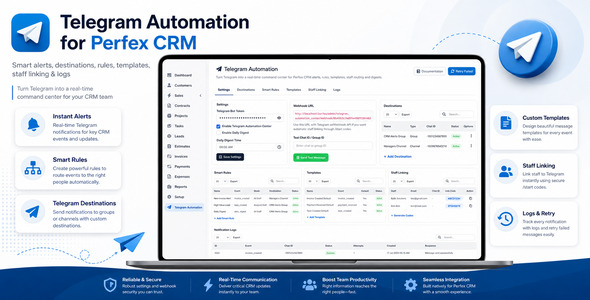
✅ Product Overview
Perfex CRM gains a robust communication layer with the TelegramBot Notification Module, an essential extension for businesses needing instant updates. This module integrates directly into your Perfex CRM and TelegramBot Notification Module setup, enabling automated and manual Telegram messages for staff and clients regarding critical system events. It’s designed for businesses aiming to streamline their internal communications and client engagement by pushing timely alerts directly to Telegram chats.
✅ Highlights & Value
The Perfex CRM notification experience is profoundly improved with this module. When using this module, I noticed a significant reduction in internal email traffic for event notifications. Instead of constantly checking email, staff receive instant Telegram alerts directly on their devices. The immediate nature of Telegram ensures everyone is on the same page without delay. This setup facilitates quicker responses to client inquiries and project updates, fostering a more agile workflow.
- Instant notifications for staff on new leads, support tickets, and project assignments.
- Automated client updates for invoice status, project milestones, and estimate approvals.
- Ability to send custom messages to individual staff members or clients from within the CRM interface.
- Two-way communication support, allowing Telegram replies to generate new support tickets.
✅ Real-World Use Cases
From a practical standpoint, the TelegramBot Notification Module changes how teams operate. Imagine a new support ticket arriving: instead of an email sitting unread, the relevant team member gets a direct Telegram ping. Or when a client pays an invoice, they receive an immediate confirmation, improving their experience.
- Client Onboarding: Automatically notify clients via Telegram when their project status changes or key documents are uploaded.
- Support & Helpdesk: Alert support agents instantly about new tickets or client replies, reducing response times significantly.
- Project Management: Inform project managers and team members about task assignments, deadlines, and project phase completions.
- Sales & Billing: Send timely reminders for unpaid invoices or confirm successful payment transactions to clients.
✅ Technical & Compatibility
Getting the Perfex CRM and TelegramBot Notification Module running involves a few straightforward steps. After installation, you navigate to the module settings within Perfex CRM’s admin area. Here, you’ll input your Telegram Bot Token and set up the chat IDs for staff and clients. The interface for managing notifications is intuitive; you select which Perfex CRM events should trigger a Telegram message, like ‘New Invoice Created’ or ‘Lead Assigned’. You can also customize message templates using available placeholders, which dynamically pull data from the CRM. This ensures messages are personalized and relevant.
The module adds a new tab in the staff and client profiles where you can enter their specific Telegram chat IDs. This is crucial for targeted notifications. When a notification event occurs, the system checks the configured settings and sends the message to the corresponding chat ID. It seamlessly integrates into the Perfex CRM dashboard, appearing as a standard module within the existing navigation structure, maintaining a consistent user experience.
-
6 May 2026 LatestOctober 6, 2026