Osteo Syntax Highlighter for Elementor
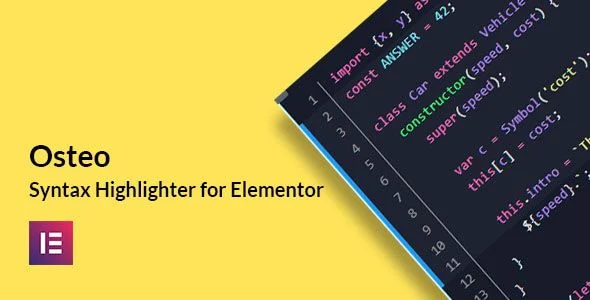
Osteo Syntax Highlighter for Elementor Overview & Code Rendering Architecture
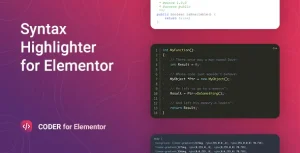
Osteo Syntax Highlighter for Elementor is a WordPress plugin add-on built on the PrismJS highlighting engine, engineered for developers and content agencies that publish source code inside Elementor-built pages. The module resolves a structural bottleneck in the page builder: native text widgets escape markup, strip indentation, and cannot tokenize programming languages, forcing engineers to hand-write CSS for every snippet. In production workflows, the widget drops configurable code blocks into documentation sites, API references, and programming tutorials in a few clicks, with the rendering engine handling tokenization, theming, and clipboard behavior automatically.
Technical Specifications & Deployment Matrix
| Engineering Metric | Deployment Specification |
|---|---|
| Base Technology / Framework | PrismJS syntax highlighting library packaged as an Elementor widget module |
| Runtime / Language Requirements | WordPress 4.9 through 6.3.x (tested); Elementor 2.5 and higher |
| Data Exchange / Communication Protocols | Client-side rendering only; no external API calls or remote data exchange |
| Front-End / Engine Dependencies | Elementor page builder; ships JavaScript JS, CSS, and PHP files |
| Database / Persistence Footprint | No custom database schema declared; widget configuration persists through standard WordPress content storage |
PrismJS Tokenization Engine & Rendering Pipeline
The module registers a dedicated Elementor widget that delegates tokenization to the PrismJS engine. Once an editor drags the widget onto an Elementor canvas, the pasted source string is stored as widget configuration and passed to the front-end highlighting routine at render time. PrismJS matches the raw string against the selected language grammar — covering more than 210 languages — and emits class-annotated span elements for keywords, strings, comments, and operators. The active theme stylesheet, chosen from a library of more than 70 presets, maps those token classes to foreground and background colors, which is how a single snippet can switch from Dracula to Tokyo Night without touching the underlying markup.
Optional rendering layers are computed in sequence: line numbering wraps each rendered row, the line highlighter applies a background band to user-selected row ranges, and the treeview option formats hierarchical directory listings. A copy-to-clipboard button binds a click listener that writes the original source string to the browser clipboard, giving readers a one-click extraction path that bypasses manual selection. For teams assembling tutorial landing pages inside the same Elementor authoring workflow, animated headline treatments are available through Motionger as a same-stack heading module.
Core Technical Capabilities of Osteo Syntax Highlighter for Elementor
- 210+ Language Grammars: The PrismJS grammar registry tokenizes nearly every mainstream programming and markup language, so a single widget instance covers mixed-language documentation without swapping tools.
- 70+ Themes with Monthly Expansion: Presets mirror popular editor palettes including Atom One Dark, Monokai Pro, Night Owl, Nord, Synthwave 84, Shades of Purple, and Visual Studio Code, with monthly releases and requestable entries from the VS Code themes library.
- Line Numbers & Targeted Row Highlighting: Row-based numbering and configurable line-range backgrounds let authors direct reader attention to specific statements inside longer listings.
- Copy-to-Clipboard Event Handler: A bound click listener writes the unmodified source string to the visitor clipboard, preserving formatting exactly as authored.
- Per-Token Color Overrides: Every color and background value can be redefined per instance, allowing a preset theme to match a client brand palette without editing stylesheet files.
Production Implementation & Operational Resilience
Deployment requires an active Elementor installation at version 2.5 or higher on a WordPress site running 4.9 through 6.3.x, and the widget operates with any theme built on the Elementor page builder. Rendering is verified across Chrome, Firefox, Safari, Opera, and Edge, and the output adapts to mobile viewports by design. Because highlighting runs client-side through PrismJS, no external API calls or third-party data exchange occur during page load, keeping the network footprint limited to locally served JS and CSS assets.
International delivery is supported through a bundled .pot file, allowing translation teams to produce localized strings with standard WordPress tooling. Customization boundaries sit within the widget controls themselves: color and background values are exposed per instance, so restyling never requires stylesheet surgery on the package internals. Monthly theme releases extend the visual inventory across the product lifecycle, and search-engine friendliness is maintained since highlighted output renders as crawlable markup rather than opaque media. For editorial teams maintaining decoupled WPbakery builds outside the Elementor runtime, Osteo Timeline for WPbakery exists as an independent presentation path for chronological content rather than a mergeable component of this package.
Frequently Asked Questions
Can this add-on be used in the WordPress block editor (Gutenberg)?
No, the package is built for the Elementor widget framework and is not optimized for Gutenberg, so block editor layouts cannot host the widget without the Elementor runtime active on the page.
Can additional editor themes be requested beyond the 70+ included presets?
Yes, theme releases ship on a monthly cycle, and requests can be submitted against the VS Code themes library, which extends the available palette inventory over time without waiting for arbitrary rollouts.
Is the codebase prepared for translation into other languages?
Yes, a .pot file is included in the package, so translators can generate localized .po and .mo files using standard WordPress localization workflows without modifying the core JS, CSS, or PHP source files.