Order Delivery for WooCommerce

Order Delivery for WooCommerce Overview & Checkout Scheduling Engine
Order Delivery for WooCommerce is a WordPress fulfillment-scheduling extension engineered for store operators who must control when orders leave the warehouse, kitchen, or production line. It resolves the operational bottleneck of unmanaged delivery timing—orders arriving faster than preparation capacity can absorb—by injecting a date and optional time-frame selector directly into the checkout experience. In production and agency deployments, the module acts as the scheduling layer of record: it captures customer-selected or system-estimated dates, enforces preparation lead times, and pushes those values into order records and the administrative dashboard where fulfillment decisions are made.
Technical Specifications & Deployment Matrix
| Engineering Metric | Deployment Specification |
|---|---|
| Base Technology / Framework | WordPress plugin built on the WooCommerce extension architecture |
| Runtime / Language Requirements | WooCommerce 3.7.0 or higher running on a WordPress-supported PHP environment |
| Front-End / Engine Dependencies | WooCommerce checkout block (version 3.0+), legacy checkout shortcode, and CheckoutWC checkout implementations |
| Data Exchange / Communication Protocols | Standard WooCommerce checkout payload fields and native template hierarchy |
| Database / Persistence Footprint | Delivery and pickup metadata persisted on native WooCommerce order records |
Fulfillment Date Resolution & Execution Pipeline
The extension resolves a valid fulfillment date through a multi-stage pipeline that begins at checkout rendering and ends as persisted order metadata. When the checkout form loads, the date interface is rendered through standard WooCommerce templates, so the presentation layer inherits the store’s existing theme structure rather than introducing an isolated markup island. The selection engine then validates each candidate date against the configured fulfillment calendar: a lead-time calculator adds the store’s preparation window, expressed in days, to the current order timestamp to compute the earliest selectable date, while capacity counters reject any date that has already reached its configured order limit. Once a customer confirms a date and optional time frame, the values enter the checkout payload, attach to the order record, and surface everywhere the details matter—administrative dashboards, order views, and customer-facing confirmations. For operations that also need scheduled WooCommerce orders mirrored into external calendar clients such as Apple, Google, Office365, Outlook, or AOL, RnBCal operates as an independent companion layer that pushes order schedules outward without custom synchronization code.
Core Technical Capabilities of Order Delivery for WooCommerce
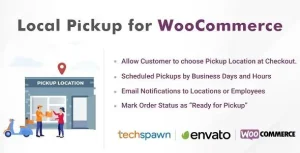
- Fulfillment mode matrix: The module can enable delivery, pickup, or both simultaneously, with per-mode scheduling configuration defining when orders can be dispatched or collected.
- Lead-time arithmetic: Preparation windows are defined in days, and the engine applies that offset to every order so the earliest selectable date accurately reflects real fulfillment velocity.
- Capacity governance: Order limits per date prevent overbooked fulfillment days, allowing the store to cap volume and keep warehouse, kitchen, or made-to-order production within operational bounds.
- Slot-based fee attachment and tipping: Specific time frames can carry additional fees, monetizing peak-demand windows, while an optional tipping field captures gratuities for delivery or pickup orders at checkout.
- Advanced delivery ranges: Multiple shipping speeds are supported with distinct estimated date ranges, so expedited and standard fulfillment display accurate, differentiated projections.
For teams evaluating a decoupled, app-first grocery and pharmacy commerce runtime outside the WordPress stack entirely, eGrocery exists as a standalone Laravel-administered platform with a dedicated delivery application—an architectural path that runs parallel to, and cannot be merged into, a WooCommerce installation.
Production Implementation & Operational Resilience
Deployment begins with the fulfillment mode decision—delivery, pickup, or both—followed by calendar configuration, lead-time entry, and capacity thresholds, all managed from the WooCommerce dashboard without code. Because the rendering layer uses standard WooCommerce templates, agencies can override those templates in the active theme (or a child theme) to gain full layout control over how dates and time frames appear at checkout, a critical requirement when checkout markup must match a client’s design system. The package supports two distinct selection strategies that can be tuned per store: customers either choose a delivery or pickup date themselves, or the store displays estimated dates calculated from the configured ranges and lead times. Date selection can additionally be toggled between required and optional, which determines whether checkout completion is blocked until a date is captured.
For restaurant operators running contactless dine-in ordering alongside a scheduled pickup operation, FoodBook In-Restaurant Orders Add-on functions as an independent QR-based ordering layer that coexists with this scheduling engine inside the same WordPress environment. The documented minimum runtime is WooCommerce 3.7.0, so pre-deployment staging checks should verify the store’s core version before activation. Since all scheduling data persists on native order records, the metadata survives standard order-processing workflows and remains queryable through the dashboard.
Frequently Asked Questions
Does Order Delivery for WooCommerce function with the WooCommerce checkout block?
Yes. As of version 3.0+, the extension renders within the WooCommerce checkout block while continuing to support the legacy checkout shortcode and third-party checkout implementations such as CheckoutWC, covering all current checkout rendering paths.
Can the store display estimated dates instead of forcing customers to pick one?
Yes. Operators can configure estimated delivery or pickup date display, letting customers view a projected fulfillment date at checkout without actively selecting a date themselves. Alternatively, a full customer-driven picker mode is available.
Is checkout completion blocked when no delivery date is chosen?
Yes, but only when configured that way. The date field supports both required mode, which prevents order placement until a date is selected, and optional mode, which preserves a faster checkout path when the store’s fulfillment model does not depend on a customer-supplied date.