Nursery digital mockup in living room with a yellow wall
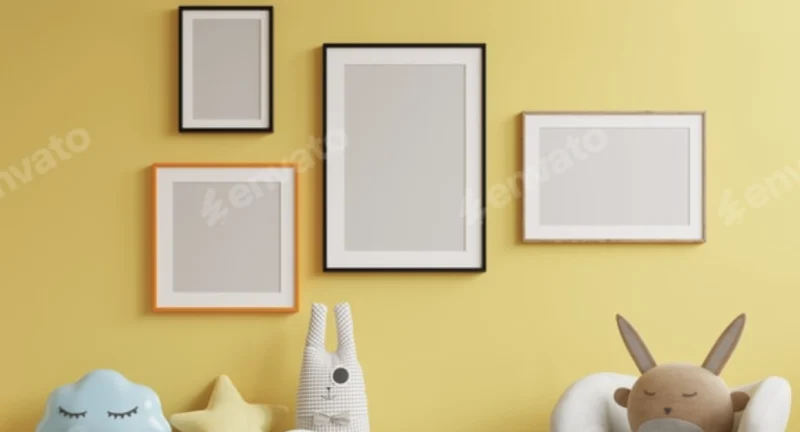
Nursery Digital Mockup in Living Room with a Yellow Wall: Overview & Photographic Presentation Asset
Nursery Digital Mockup in Living Room with a Yellow Wall is a high-resolution photographic design asset engineered for artists, illustrators, and online sellers to present artwork inside a realistic interior context. The package resolves the core presentation bottleneck of flat, context-free artwork previews by embedding flat designs into a styled, professionally photographed living-room scene through a smart object layer. Within agency and independent production workflows, it functions as the visualization stage for marketplace listings, client proofs, portfolio pages, and social media promotion on visual-first channels.
Technical Specifications & Deployment Matrix
| Engineering Metric | Deployment Specification |
|---|---|
| Base Technology / Framework | Layered photographic composite file with a dedicated smart object layer for artwork insertion |
| Runtime / Language Requirements | Desktop image editor with smart object support (Adobe Photoshop or compatible raster editor) |
| Data Exchange / Communication Protocols | Flat artwork imported into the smart object layer; rendered output exported as standard raster imagery |
| Front-End / Engine Dependencies | None — the deliverable is a static photographic asset with no runtime execution layer |
| Database / Persistence Footprint | None — all state is stored inside the layered composite file itself |
Smart Object Composite Pipeline & Artwork Rendering Workflow
The mockup renders inserted artwork through a smart object layer that non-destructively maps flat designs onto the photographed interior composition. Because the insertion mechanism operates as an embedded sub-document, the original artwork file remains untouched while the composite re-renders its perspective, scale, and framing automatically on save. The execution sequence is direct: open the composite file, double-click the smart object layer, paste the artwork into the generated workspace, save the sub-document, and the parent scene updates with the design positioned in its frame. Lighting, textures, and shadow behavior are baked into the photographic plate, so the engine applies these properties to the inserted artwork without manual retouching. The surrounding composition — a bright yellow wall, a cozy chair, a plush toy, and greenery — establishes spatial context while keeping the artwork as the visual anchor of the scene, which flat product photographs cannot achieve on their own.
Core Technical Capabilities of the Nursery Digital Mockup
- Smart Object Artwork Insertion: The dedicated smart object layer accepts flat PNG, JPG, or layered artwork files and re-renders them inside the framed position without destructive pixel edits, preserving the source file for repeated reuse across listings.
- Photographic Lighting and Shadow Mapping: Realistic lighting, surface textures, and cast shadows are captured in the photographed plate and applied to the composite, removing the need to simulate indoor illumination manually.
- High-Resolution Raster Output: The file supports full-detail exports suitable for marketplace hero images, portfolio galleries, and high-DPI social posts without visible degradation at standard display sizes.
- Fixed Styled Scene Composition: The yellow-wall interior with its décor elements is delivered as a finished photographic environment, guaranteeing consistent, repeatable presentation across an entire product catalog.
Production Implementation & Operational Resilience
In production listing pipelines, the asset is consumed as a repeating template: each artwork in a catalog is inserted, saved, and exported as an individual product image, which keeps visual styling uniform across an entire shop. This consistency matters on crowded marketplaces where thumbnail presentation directly influences click-through behavior, and it carries over to Instagram and Pinterest promotion where the rendered scenes double as feed-ready creative. For agencies managing client presentation decks, the same pipeline produces proofing visuals that show a design in a believable domestic setting rather than on an abstract canvas. On the WordPress delivery side, Metech – Multipurpose Creative Agency And Digital Marketing Elementor Theme operates as an independent presentation layer that displays the exported imagery as uploaded media assets, with the mockup itself remaining a static design-stage deliverable outside the theme’s runtime.
Operationally, the asset carries no server-side footprint: no database writes, no cron routines, no CORS handling, and no dependency conflicts, since every deployment operation happens inside the desktop editor. The principal operational boundary is scope of modification. Because the interior is a fixed photographic plate rather than a parametric 3D scene, the wall color, furniture placement, and shadow direction cannot be repositioned or re-rendered; customization is confined to the artwork placed inside the smart object region. Shops running WordPress storefronts can supply these rendered scenes as primary product imagery — Linoor – Digital Agency Services WordPress Theme, for example, handles the gallery and portfolio layout stage as a separate front-end concern, while the mockup exports feed into it strictly as finished image files. Exports should be generated at full resolution and then resized per channel, since downscaling from the high-resolution source preserves detail that upscaling cannot recover.
Frequently Asked Questions
Does the final exported image contain any watermarks or overlay markings?
No, the delivered product produces watermark-free final output, so rendered scenes can be published directly to marketplaces, portfolios, and social channels without retouching or masking work.
Can the mockup be used for listings on Etsy and a self-hosted WordPress shop simultaneously?
Yes, the rendered exports are standard raster images with no platform lock-in, so the same scenes can be reused across Etsy listings, an independent WordPress storefront, and social promotion without re-rendering.
Does the mockup execute or display artwork dynamically inside a web browser?
No, it is a static layered composite that requires a desktop editor with smart object support; the browser only displays the final exported image files, not the editable composite pipeline.