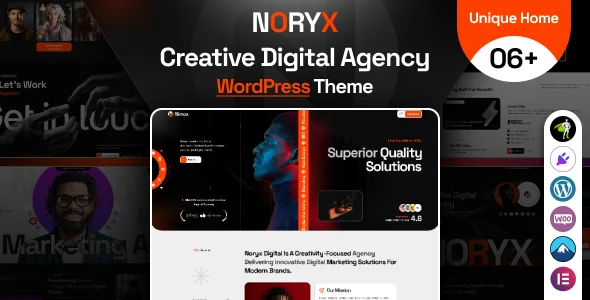
Noryx – Digital Agency & Creative WordPress Theme
Product Overview
Noryx, a Digital Agency & Creative WordPress Theme, provides a solid foundation for digital agencies, creative studios, and freelance professionals needing a robust online presence. This theme is built for showcasing portfolios, detailing services, and presenting team members with a clean, modern aesthetic, making it ideal for those who prioritize visual impact and ease of content management.
When you start building with Noryx, the experience feels intuitive. The theme integrates directly with Elementor, allowing for real-time page adjustments. You can drag and drop sections, resize elements, and preview changes instantly, which streamlines the layout process considerably compared to themes relying solely on custom shortcodes or a less visual builder. It feels like you’re shaping the page directly, not just inputting parameters.
Highlights & Value
- Elementor Integration: What makes Noryx – Digital Agency & Creative WordPress Theme stand out is its native support for Elementor. This isn’t just a basic integration; the theme offers custom Elementor widgets specifically designed for portfolios, team members, and service listings. This means you’re not fighting the builder; you’re using tools purpose-built for its design language.
- Responsive Design Behavior: The layouts adjust fluidly across devices. I’ve observed how portfolio grids automatically reflow from three columns on desktop to a single column on mobile, maintaining image aspect ratios and text readability without needing manual tweaks. This attention to detail ensures your content looks good everywhere.
- Granular Customization: Working with Noryx, you’ll notice the depth of control available through the WordPress Customizer. Beyond basic colors and fonts, you can adjust header layouts, toggle sticky headers, modify footer content areas, and even fine-tune blog archive settings, all with live previews. This avoids the need for external CSS for common style changes.
- Portfolio Layouts: The theme offers several distinct portfolio display options, from classic grids to masonry and slider formats. Each layout gives you control over column count, spacing, and hover effects, allowing you to present your work in a way that best suits your creative style.
Real-World Use Cases
- Digital Marketing Agency Website: Perfect for agencies wanting to highlight case studies, team expertise, and service packages through dedicated sections and dynamic portfolio grids.
- Freelance Designer or Developer Portfolio: Allows individual creatives to present their best work, client testimonials, and contact information with a polished, professional online presence.
- Creative Studio Showcase: Ideal for photography studios, video production houses, or design collectives looking to feature high-resolution imagery and video in engaging layouts.
- Small Business Service Site: Any service-based business can leverage its structured content sections to clearly outline offerings, benefits, and client successes.
Technical & Compatibility
The Noryx Digital Agency & Creative WordPress Theme is particularly well-suited for modern WordPress installations, typically requiring PHP 7.4 or higher for optimal performance. It’s built on a lean codebase that feels responsive during development and on the front end. Compatibility with essential plugins like Contact Form 7, Yoast SEO, and WooCommerce (for any service add-ons) is solid. The theme respects standard WordPress coding practices, which helps in avoiding conflicts with well-maintained third-party extensions.
-
1.0 LatestOct 24, 2026