Neon Shot HTML5 Game – Construct 3 Source-code
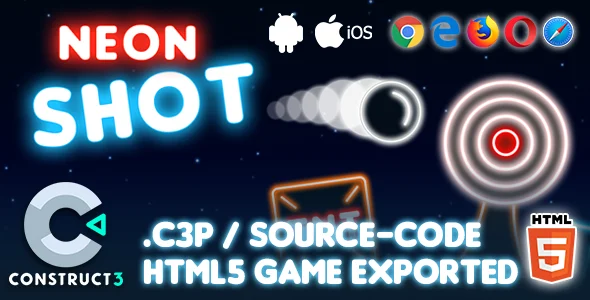
Neon Shot Overview & Physics-Driven HTML5 Casual Game Architecture
Neon Shot is a Construct 3 HTML5 casual game source package, engineered for web publishers and indie studios to deploy a physics-based, target-knocking title that runs identically across desktop and mobile browsers. The project resolves a specific production bottleneck: porting an Angry Birds-style drag-and-drop elastic-launch mechanic into one codebase that handles both touch input and mouse input without separate platform branches. Within an agency or solo-developer delivery pipeline, it operates as a ready-to-reskin production asset — open the .c3p project file, replace the sprite images, and export to the target channel.
Technical Specifications & Deployment Matrix
| Engineering Metric | Deployment Specification |
|---|---|
| Base Technology / Framework | Construct 3, Release r210.2; HTML5 output target |
| Runtime / Language Requirements | JavaScript, HTML, CSS; runs in IE10, IE11, Chrome, Firefox, Safari, Opera, and Edge |
| Rendering Resolution | 1280 × 720 high-definition canvas |
| Input Layer | Dual control scheme — touch events (mobile) and mouse click (PC) |
| Project Composition | 87 events; up to 7 layers per layout; home menu and level-select scenes included |
| Deliverables | .c3p Construct 3 project file with full source, JS/HTML/CSS runtime files, documentation |
| Persistence / Monetization Footprint | AdMob mobile advertising supported through Construct 3 export (ad implementation not bundled in source) |
Elastic Launch Mechanics & Execution Pipeline
The core mechanic is a drag-and-drop elastic system that converts pointer input into a projectile launch vector. On each level, the player drags the ball, stretching a visual elastic band; the engine records the drag delta, resolves it into force and angle values, and releases the ball into the physics simulation. The ball then travels through the layout, colliding with targets that must be knocked down to clear the stage. Scoring is economy-driven: fewer balls consumed per level translates into more points, which pushes players to plan trajectories rather than spam shots.
The project also implements an explosive chain-reaction layer. TNT crates placed in the layouts can be popped mid-flight, applying area damage that destroys multiple targets simultaneously and conserving the player’s ball supply. Level flow is managed through a home menu, a level-select scene, and per-layout event logic distributed across 87 events and up to 7 layers, which keeps UI, gameplay objects, and background art separated for easier editing. Studios expanding an HTML5 arcade catalog with additional Construct 3 titles can position Kingdom Survivor as a separate standalone survival entry built on the same engine ecosystem.
Core Technical Capabilities of Neon Shot
- Dual-input abstraction: The event system maps touch and mouse pointer events to a single drag pipeline, so the same 87-event logic drives both mobile WebView sessions and desktop browser play without conditional branching per platform.
- File-swap reskin workflow: Every visual element is referenced as a replaceable image file, meaning a full graphic rebrand requires no event-sheet surgery — only image substitution inside the Construct 3 editor.
- Browser-spanning compatibility: The HTML5 export is verified against IE10, IE11, Firefox, Safari, Opera, Chrome, and Edge, covering legacy enterprise browsers alongside modern evergreen engines.
- Scene-level architecture: Home menu, level select, and gameplay layouts each maintain isolated layer stacks (up to 7 layers), preventing cross-scene object leakage and simplifying level additions.
Production Implementation & Operational Resilience
Deployment follows the standard Construct 3 export chain: the .c3p project compiles to a static HTML/JS/CSS bundle that can be hosted on any web server or embedded in portals that accept HTML5 games. For native distribution, the engine’s export pipeline wraps the runtime in a native WebView container targeting Android and iOS — a capability gated behind a paid Construct 3 subscription, so verify licensing of the editor before planning store releases. Mobile optimization is applied at the project level, keeping the 1280 × 720 canvas performant on handset GPUs.
Two operational boundaries must be respected before commercial deployment. First, publishing to app stores or reselling the game requires a completed reskin — the default graphics cannot ship unchanged to the Play Store or App Store, while publication on non-reselling HTML5 game portals is permitted as-is. Second, the deliverable contains no layered design files (no PSD, AI, JPEG, or PNG source assets), so art teams must produce replacement sprites at matching dimensions rather than editing original graphics. Teams evaluating parallel puzzle formats for the same publishing channel can review Draw Parking as a decoupled Construct 3 alternative with a distinct logic-puzzle mechanic. Ad integration, when needed, is wired through Construct 3’s built-in AdMob support during export rather than through hand-written SDK code in the source.
Frequently Asked Questions
Does the package include layered design files such as PSD or AI documents?
No. The deliverable ships the .c3p project, JavaScript, HTML, and CSS files only. All graphics are handled through direct image-file replacement inside Construct 3, so replacement sprites must be authored externally at matching dimensions.
Can the game be exported to Android or iOS using the free Construct 3 edition?
No. Native mobile export requires a paid Construct 3 subscription. Additionally, the graphics must be fully reskinned before any Android or iOS store submission; exporting the default artwork unchanged for store distribution is explicitly disallowed.
Is AdMob advertising code already implemented inside the source files?
No. The project is compatible with AdMob mobile advertising through Construct 3’s supported export options, but the ad implementation itself is not included in the source code and must be configured during your own export cycle.
Does the exported build run in legacy Internet Explorer browsers?
Yes. The compatibility matrix confirms operation in IE10 and IE11, alongside Firefox, Safari, Opera, Chrome, and Edge, which makes the game viable for older enterprise desktop environments.