Neon Horns Devils Face Makeup Editor – Neon Horns Devil Face
✅ Product Overview
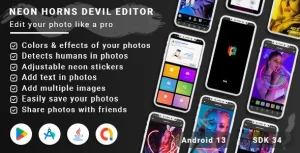
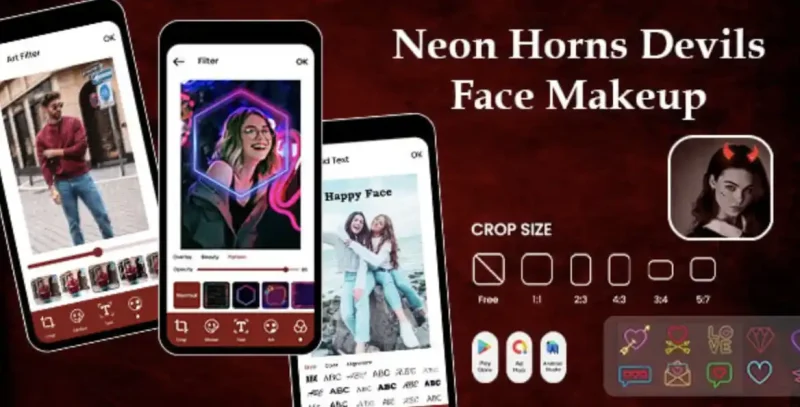
Neon Horns Devils Face Makeup Editor is a tailored Neon Horns Devil Face Android application template built for developers who want to launch a specialized photo editor with distinct neon-glowing stickers, dark fantasy elements, and face-tracking alignment features. The main purpose of this code package is to provide an interactive, lightweight mobile application where users can snap a photo or upload one from their device gallery and overlay neon-styled devil horns, glowing mask outlines, and spooky cosmetic filters. It caters directly to app developers looking for an easy-to-skin niche photo editing project targeting social media enthusiasts.
With the Neon Horns Devils Face Makeup Editor – Neon Horns Devil Face, developers receive a complete project containing pre-defined layer positions for face overlays. When a user interacts with the editor, the app handles scale, rotation, and opacity gestures directly on the device screen so that stickers align with varying facial shapes. The layout incorporates a clean bottom sliding sheet where stickers are categorized by theme, allowing users to scroll through different neon designs without blocking their primary photo view.
✅ Highlights & Value
Developing a custom photo editor becomes far more practical when starting with the Neon Horns Devil Face framework. The package includes customizable image processing activities that manage photo compression and canvas rendering in the background. This ensures that when a user applies heavy glowing overlays, the device memory remains stable and avoids application crashes.
- Interactive sticker rendering layers that support pinch-to-zoom, dragging, and smooth rotation.
- Optimized local image saving routines that output high-quality files directly to the device directory.
- Clean UI categorized sliding bar for fast sticker navigation and filter switching.
- Pre-integrated ad unit layouts ready for configuration in the main resource files.
✅ Real-World Use Cases
By customizing the Neon Horns Devils Face Makeup Editor – Neon Horns Devil Face, developers can target seasonal trends, such as Halloween promotions or festival-themed filter launches. The source files make it easy to swap out the default sticker library for neon wings, cyberpunk glasses, or glowing alien antennas. This flexibility lets you quickly rebrand the application for different demographics or niche visual styles.
- Creating quick seasonal photo tools for holiday social media promotions.
- Deploying specialized aesthetic filters targeting neon-themed and dark fantasy fanbases.
- Adding a simple mini-game or interactive portrait modifier to an existing entertainment hub.
✅ Technical & Compatibility
Neon Horns Devils Face Makeup Editor is built with clean Java or Kotlin architecture, making it highly compatible with modern Android Studio environments. The code features modular classes where image-saving paths, storage permissions, and third-party advertising SDKs are clearly isolated in dedicated configuration files. Developers can adjust build configurations or target newer Android API levels without having to rewrite complex graphic-rendering routines.
The layout files use standard constraint structures to ensure consistent behavior on different screen aspect ratios. Whether open on a compact smartphone or a widescreen tablet, the canvas area scales dynamically to prevent image distortion. This clean responsive layout keeps the primary edit buttons accessible at all times.