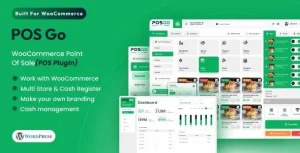
MultiPOS – Point of Sale for WCFM Marketplace | MultiVendor POS System

MultiPOS Point of Sale for WCFM Marketplace Overview & Multivendor Retail Terminal Architecture
MultiPOS Point of Sale for WCFM Marketplace is a React-based WooCommerce POS plugin, engineered for marketplace administrators and WCFM vendors to run in-person sales that stay synchronized with their online storefront. It resolves the structural gap in WCFM deployments where physical counter transactions remain disconnected from WooCommerce order records, product stock levels, and customer data. Within agency delivery workflows, it operates as the cashier-facing terminal for multivendor retail, grocery, restaurant, cafe, salon, gym, bar, and supermarket builds, scaling across unlimited products, outlets, orders, and customers.
Technical Specifications & Deployment Matrix
| Engineering Metric | Deployment Specification |
|---|---|
| Base Technology / Framework | React SPA front end delivered by a WordPress PHP plugin core |
| Runtime / Version Requirements | WordPress 5.0.x through 7.0.x; WooCommerce 5.x through 10.x; WCFM Marketplace platform |
| Data Exchange / Communication | Native WooCommerce REST API connectivity between terminal and store database |
| Front-End Delivery | Installable desktop and mobile PWA, responsive layouts, RTL support, Gutenberg-optimized markup |
| Persistence Footprint | Orders, stock, and customer records written directly to the WooCommerce database; bulk custom stock via WooCommerce Products Import (CSV) |
REST-Driven Data Synchronization & Outlet Execution Pipeline
MultiPOS routes every transaction through native WooCommerce REST API endpoints, keeping the terminal and the store database aligned as a single source of truth. Cashiers and administrators authenticate at a dynamically generated POS endpoint, then select an assigned outlet — Grocery/Retail or Restaurant/Cafe — which loads that outlet’s catalog, custom stock, and table map into the React state layer. Barcode lookups resolve against product IDs, SKUs, or administrator-assigned custom codes, and each scanned item enters the cart with an audible confirmation tone.
When connectivity drops, the terminal continues creating orders in offline mode and pushes them to WooCommerce automatically once the connection returns, producing records identical to any front-end checkout, including stock decrements and customer data writes. Restaurant outlets add a table-management layer: vacant tables accept held orders, dine-in and take-away flows branch the workflow, and held tickets dispatch to a kitchen view that opens on any system without login. For ticketed event commerce running on the same WooCommerce stack, WooCommerce Event QR Code Email Tickets operates as a parallel fulfillment channel that emails scannable tickets to registered attendees.
Core Technical Capabilities of MultiPOS Point of Sale for WCFM Marketplace
- Dual inventory model: each outlet runs either centralized WooCommerce stock or outlet-specific custom stock, with bulk CSV assignment executed through the WooCommerce Products Import pipeline.
- Split payment settlement: administrators enable multi-method payments per order, while static payment methods are created globally and mapped to individual outlets for checkout flexibility.
- Programmable receipts and barcodes: invoice templates are edited per outlet with configurable printer page sizes and margins, and barcode sheets print horizontally or vertically in administrator-selected quantities.
- Admin and vendor analytics: store owners and WCFM vendors review POS sales reports, order registers, and transaction histories scoped to individual outlets and cashiers, with each vendor configuring their own settings from the WCFM dashboard.
Production Implementation & Operational Resilience
Deployment requires an active WCFM Marketplace installation on top of WooCommerce, and each WCFM vendor endpoint requires its own activation credential provisioned by the marketplace administrator before the terminal goes live at the vendor’s side. The React build carries a reported 90+ performance score, and the included .pot file supports custom translations for multilingual locales alongside native RTL rendering. Layout theming stays configurable through POS-level color and font-size controls rather than code edits.
Error recovery operates at the outlet layer: a Reset control reloads backend changes into the terminal without reauthentication, Switch Outlet moves a cashier between assigned registers mid-shift, and outlet data purging on logout guarantees fresh state at the next session. Daily statistics — opening drawer amount, cash sales, total sales, and expected drawer value — provide a cash-reconciliation checkpoint, while refunds and returns process directly at the terminal. Marketplaces layering audience growth onto POS-driven catalog expansion can deploy Easy Social Share Buttons for WordPress to distribute vendor products across social networks with automated share layouts and counters.
Frequently Asked Questions
Can a customer settle one order using two different payment methods?
Yes, administrators can enable split or multiple payment methods at the POS end, and several static payment methods can be created globally and then assigned to individual outlets for terminal checkout.
Are orders deleted at the terminal automatically cleared from the kitchen display?
Yes, hold orders deleted at the POS end are removed from the kitchen view automatically, while prepared orders are cleared by kitchen staff, keeping the preparation queue aligned with the terminal at all times.
Can the POS login screen and its endpoint URL be reconfigured after installation?
Yes, the store owner creates the POS endpoint dynamically and configures the login page from the backend, so the terminal entry point and authentication screen can be adjusted without touching template files.
Are variable products with multiple variations supported at the terminal?
Yes, both simple and variable products are supported, and variations can be displayed as separate products on the POS screen so cashiers add specific variants directly without opening a nested selector.