Modulux – Modular Kitchen WordPress Theme
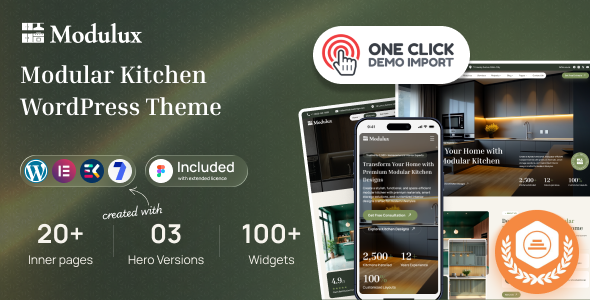
Modulux: Engineering Overview & Architecture
Modulux – Modular Kitchen WordPress Theme is a purpose-built WordPress theme engineered on a lean template hierarchy that serves modular kitchen manufacturers, interior design studios, and cabinet showroom retailers. The theme’s page templates maintain a shallow DOM structure—typically under 15 nested elements per layout block—which removes redundant wrapper divs and keeps the rendered markup of catalog grids, gallery modules, and specification tables compact even when a single page loads more than 60 kitchen modules. Content updates such as price changes, module availability toggles, and gallery swaps run through AJAX endpoints registered on the admin-ajax handler, so the front end refreshes specific UI fragments without triggering a full page reload or losing the visitor’s scroll position.
Component assembly runs natively on the bundled Elementor-based page builder, with each kitchen layout block (cabinet grids, countertop galleries, material swatch carousels, quote request forms) packaged as a self-contained widget that registers its own scripts only when the widget is present on the rendered page. The centralized theme options panel consolidates configuration for typography scale and font loading strategy, color palette variables mapped to CSS custom properties, header layout variants including sticky behavior thresholds, catalog archive column counts, and contact/quote form field definitions. Every parameter persists through the WordPress Customizer API and Theme Modification API, so settings survive core updates and remain exportable as JSON via the built-in settings transfer tool.
Key Functional Features of Modulux for Modern Deployments
- Modular Catalog System: Each kitchen module, wardrobe unit, and cabinet configuration publishes as a custom post type with dedicated taxonomy fields for finish, material, dimensions, and price band, allowing catalog archives to filter client-side via precompiled query strings without additional database round trips.
- Material & Finish Swatch Engine: The swatch carousel lazy-loads imagery through IntersectionObserver, deferring off-screen renders until the viewport intersects the module boundary, which keeps the initial paint of a 40-image gallery under one second on a standard 4G connection.
- Quote Request Workflow: A multi-step inquiry form posts to a dedicated AJAX endpoint, validates field input server-side against nonce checks, and writes submissions to a custom database table with email dispatch handled through a queued notification routine, preventing duplicate submissions during slow network conditions.
- Core Web Vitals Tuning: Critical CSS is inlined per template, non-essential scripts load with the defer attribute, and image markup ships responsive srcset definitions out of the box, targeting LCP values below 2.5 seconds on mid-tier hosting with standard caching plugins active.
- Project Gallery Builder: Completed installation showcases render as filterable masonry grids whose layout math runs in CSS Grid rather than JavaScript positioning loops, eliminating layout shift and removing the need for third-party masonry libraries.
- Localization & Translation Readiness: All template strings pass through WordPress i18n functions with bundled .pot files, and RTL stylesheet variants ship alongside the LTR build so multilingual deployment via Polylang or WPML requires no manual CSS patching.
Production Deployment & Use-Case Scenarios
- Cabinet Showroom Catalog Site: A physical showroom deploys the theme to publish its full module inventory online, with taxonomy-driven filtering letting walk-in customers shortlist units before visiting; the AJAX quote form converts those shortlists into scheduled consultations.
- Interior Design Studio Portfolio: A design studio uses the project gallery builder to publish finished kitchen installations segmented by material and layout type, with the masonry grid handling 80-plus project entries while holding LCP below 2.5 seconds under a page caching layer.
- Modular Furniture Retailer Branch Network: A multi-location retailer configures location-specific landing pages through the page builder widgets, attaching branch contact details and regional catalog subsets to a single parent installation with per-page SEO metadata managed through native WordPress fields.
Technical Architecture & Compatibility Standards
Modulux requires WordPress 6.0 or later running on PHP 8.0 or higher, with tested compatibility through PHP 8.3. The theme declares full support for WooCommerce template overrides, Gutenberg block rendering in mixed-content workflows, and the standard WordPress editor interface for post-level content. Third-party extension interoperability covers the major caching plugins, Yoast SEO and Rank Math metadata pipelines, and the leading multilingual frameworks, all verified against the theme’s hook and filter architecture without requiring core file modifications.
Front-end performance targets follow Core Web Vitals thresholds: Cumulative Layout Shift is held under 0.1 through fixed aspect-ratio containers on all media, Interaction to Next Paint stays below 200 milliseconds because widget scripts are conditional and dependency-scoped, and total JavaScript payload per page remains under 120 KB before minification. Automated updates deliver through the ThemeForest distribution channel, and the options panel’s export/import routine carries settings across staging and production environments in a single JSON transaction.
Frequently Asked Questions
Does Modulux support WooCommerce for selling kitchen modules directly online?
Yes, the theme ships with fully styled WooCommerce templates for product archives, single module pages, and checkout flows, so a catalog can convert into a transactional storefront without custom template work.
Can I deploy the kitchen WordPress theme without any page builder and still edit layouts?
No, the drag-and-drop layout system depends on the bundled Elementor-based builder; however, standard post and page content remains editable through the native WordPress editor for text-level updates.
Does the theme handle multilingual content for markets requiring both LTR and RTL layouts?
Yes, all interface strings are translation-ready with bundled .pot files, and dedicated RTL stylesheets activate automatically when the WordPress locale direction is set to RTL.
Can the material swatch galleries handle large image sets without hurting page speed?
Yes, swatch and gallery images lazy-load through IntersectionObserver with responsive srcset markup, keeping initial paint fast even when a gallery contains more than 40 high-resolution photographs.
Is the theme compatible with PHP 8.3 and the latest WordPress core releases?
Yes, the codebase is tested against PHP 8.0 through 8.3 and WordPress 6.0 onward, with deprecated API usage removed and automated compatibility updates delivered through the distribution channel.
-
1.1 LatestOctober 4, 2026