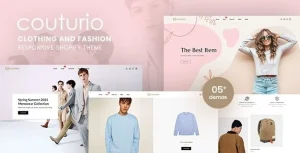
MICHELIE – Minimal & Clean Fashion Shopify Theme

MICHELIE Fashion Shopify Theme Overview & Storefront Architecture
MICHELIE is a minimal fashion storefront theme built on the Shopify Online Store 2.0 architecture, engineered for fashion retailers and agency delivery teams to launch category-driven commerce sites without authoring custom Liquid templates from scratch. The package collapses the recurring configuration workload of a retail build — mega menu wiring, variant quickview, layered collection filtering, and multi-currency display — into prebuilt, editor-configurable sections. In production workflows, it operates as the presentational layer over a merchant catalog, moving from staging to a live storefront through a documented one-click demo import.
Technical Specifications & Deployment Matrix
| Engineering Metric | Deployment Specification |
|---|---|
| Base Technology / Framework | Shopify Online Store 2.0; compatible with Bootstrap 4.x; HTML5, CSS3, and Sass CSS sources |
| Runtime / Language Requirements | Liquid templating; JavaScript handlers for Ajax cart, quickview, and paging; FontAwesome icon set |
| Data Exchange / Communication Protocols | Asynchronous Ajax requests for add-to-cart, wishlist, layered navigation, grid/list view toggling, and toolbar actions |
| Front-End / Engine Dependencies | High-resolution, retina-ready responsive layout; 4+ column grids; sticky header; unlimited Google Fonts |
| Database / Persistence Footprint | No local persistence layer — all catalog, customer, and order data remains inside the native Shopify hosted platform |
Liquid Section Rendering & Commerce Execution Pipeline
The rendering pipeline is section-driven: store admins compose pages by arranging drag-and-drop Liquid sections — sliders, tabbed product blocks, brand logo carousels, newsletter capture blocks — while header and footer style options plus a site identity panel govern global chrome. Product interaction follows an asynchronous path. When a shopper selects a variant, the automatic price-change logic rewrites the displayed price in place, and the color-swatch system swaps visual assets without a page reload.
Cart operations dispatch through the Ajax layer: add-to-cart, wishlist toggling, and the drop-down shopping cart in the header update drawer state synchronously, keeping the session consistent as shoppers continue browsing. The smart quickview loads product data into an overlay so attribute inspection — zoom, additional information tabs, New/Hot/Sale labels — never interrupts the collection grid. Advanced layered navigation then filters collections via the same async channel, paired with Ajax paging and a grid/list view switch on the collection toolbar. For teams evaluating a parallel option within the same minimal fashion vertical, MAXCOLT occupies an equivalent slot in the Shopify storefront stack and can be benchmarked section-for-section during discovery.
Architectural & Functional Highlights
- Ajax Commerce Pipeline: Add-to-cart, wishlist, toolbar, and paging actions execute as async requests, synchronizing cart drawer state and avoiding full-page reloads during the purchase flow.
- Flexible Mega Menu & Navigation Layer: A built-in mega menu, sticky header, and multiple header/footer style options let large fashion catalogs expose deep category trees without template surgery.
- Smart Quickview & Variant Engine: Color swatches, automatic price change, native product zoom, and merchandising labels (New, Hot, Sale) render variant context directly inside the collection view.
- Merchandising & Content Blocks: Best-seller carousels, upsell and related-product sliders with previous/next navigation, a blog post slider, and a brand logo slider assemble cross-sell surfaces from standard Shopify data.
Production Implementation & Operational Resilience
Deployment targets the Shopify admin: the theme uploads as a standard package, the one-click import seeds demo sections and settings, and the theme customizer exposes layout variations, unlimited color palettes, background patterns, and Google Font bindings. Because the runtime is Shopify-hosted, there is no server provisioning, PHP configuration, or database migration step — resilience boundaries instead concentrate on the browser layer, where the package is validated across Firefox, Safari, Opera, Chrome, and Edge, with a retina-ready responsive layout covering phone through desktop viewports.
Vertical fit is deliberately broad: the documentation lists digital shops, game shops, food shops, device shops, and household appliance stores as viable catalog categories alongside fashion. On the same platform, culinary and appliance retailers can evaluate Cooksy for a section structure oriented toward kitchen merchandising, while grocery deployments have dedicated options such as Gts Hyori in the same Online Store 2.0 lineage.
Secondary development stays within defined boundaries. The delivered file set includes HTML, CSS, and JS assets with Sass sources, so front-end teams extend styling through Sass variable layers and section settings rather than rewriting Liquid logic. Operational guardrails worth noting: multi-currency behavior depends on the theme’s built-in currency support rather than an external gateway contract, and the package ships as ThemeForest-included files, meaning all rendering executes inside Shopify’s hosted environment. For decoupled implementations outside the Shopify runtime — where a static, serverless brochure presence is the goal — the Foreal minimal HTML template functions as an independent custom-code design path, not as a component mergeable into this codebase.
Frequently Asked Questions
Does the package include a one-click demo content import?
Yes. The feature list documents one-click import, which seeds the demo sections, slider configurations, and layout variations so a staging storefront can be reviewed before merchant catalog data is connected.
Is Bootstrap included as part of the front-end framework stack?
Yes. The theme is listed as compatible with Bootstrap 4.x, and the delivered files include HTML, CSS, and JS sources written with Sass CSS, allowing grid and component styling to be adjusted through standard framework conventions.
Can this theme operate outside the fashion vertical?
Yes. The official description explicitly names digital shops, game shops, food shops, device shops, and household appliance stores as applicable categories, since the section and mega menu structure is catalog-driven rather than fashion-specific.