Mia – Creative Fashion WordPress WooCommerce Theme
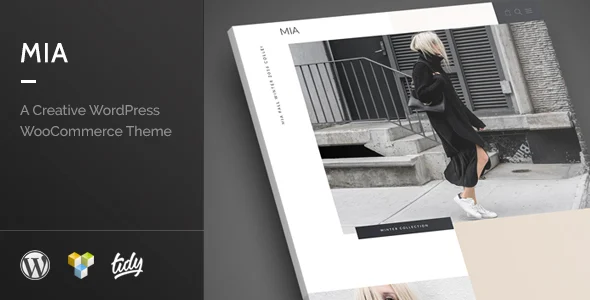
Mia Creative Fashion WordPress WooCommerce Theme Overview & Storefront Architecture
Mia is a creative fashion WordPress WooCommerce theme, engineered for fashion retailers and design agencies to launch editorial storefronts on a self-hosted WordPress stack. The package addresses the bottleneck of hand-coding product grids, lookbook layouts, and catalog filtering by bundling a drag-and-drop page builder engine, an advanced product filter module, and an options panel that governs color and typography without direct template edits. Within agency delivery pipelines, it functions as the presentation layer spanning WordPress 4.5 through 5.1.x and WooCommerce 2.6.x through 3.5.x, letting teams stage, restyle, and ship client stores from a single install.
Technical Specifications & Deployment Matrix
| Engineering Metric | Deployment Specification |
|---|---|
| Base Technology / Framework | WordPress 4.5.x – 5.1.x running WooCommerce 2.6.x – 3.5.x |
| Runtime / Language Requirements | Standard PHP/MySQL WordPress hosting; package ships editable PHP, CSS, and JS source files |
| Page Builder Engine | Visual Composer 4.10.x – 4.12.x and WPBakery Page Builder 5.4.x – 5.5.x (bundled) |
| Localization / Content Layer | WPML-compatible multilingual architecture; widget-ready regions registered |
| Browser / Layout Footprint | Responsive layout verified on IE9, IE10, IE11, Edge, Firefox, Safari, Opera, and Chrome |
Page Builder Pipeline & Catalog Rendering Execution
Mia renders pages through the bundled WPBakery Page Builder engine layered over the native WordPress template hierarchy. When a shopper requests a product archive or single product URL, WordPress resolves the matching template file, and the builder engine parses row, column, and module shortcodes stored in post content into the final DOM tree. Stylesheets and scripts enqueue per template context, while the advanced product filter intercepts catalog queries on the front end, narrowing the WooCommerce product loop by attribute without forcing a full page reload. Because layout state persists in the database rather than hard-coded PHP, editors restructure hero sections, product carousels, and lookbook grids directly in the visual editor, and the options panel writes design tokens — color values and font stacks — to the theme modification store so a single save propagates across every template on the next render pass. This separation of layout data from presentation logic is what allows an agency to rebuild a homepage without touching source files. For teams comparing minimal fashion baselines on the same publishing stack, Moren – Fashion WooCommerce Theme exists as an independent WordPress storefront option with its own layout system.
Core Technical Capabilities of Mia
- Advanced Product Filter: A front-end filtering layer that narrows the WooCommerce product loop by catalog attributes, letting shoppers refine large inventories directly inside the archive template rather than through separate result pages.
- Extensive Options Panel: Persists unlimited color and typography combinations through the theme modification store, applying site-wide styling changes without editing CSS files or child templates.
- Bundled Page Builder Compatibility: Layout engine verified against Visual Composer 4.10.x – 4.12.x and WPBakery Page Builder 5.4.x – 5.5.x, with page structures stored as portable shortcode data inside post content.
- WPML-Ready Multilingual Catalogs: String and template architecture is compatible with WPML, enabling parallel-language product archives, single product pages, and checkout flows from one WordPress install.
- Cross-Browser Responsive Grid: Media-query breakpoints adapt the DOM for mobile viewports, with rendering verified across IE9 through Edge plus Chrome, Firefox, Safari, and Opera.
Production Implementation & Operational Resilience
Before launch, deployments should pin the environment to the verified matrix: WordPress 4.5.x through 5.1.x paired with WooCommerce 2.6.x through 3.5.x, since the theme’s template overrides target the 2.6 – 3.5 WooCommerce template structure. In agency staging, importing the demo dataset first maps the content architecture, but teams must plan a media replacement pass — the documentation states that placeholder images may populate demo data, so production stores require original or licensed photography. The shipped PHP, CSS, and JS files give front-end engineers full access to run stylesheets and scripts through an existing minification and bundling chain. The CSS effect layer — including the smooth scrolling behavior — is decorative atop the structural grid, so engines without modern CSS support still receive the underlying layout rather than a broken render.
Secondary development should route through the options panel and widget areas instead of editing parent template files; the included documentation maps each customizable aspect of the codebase for exactly this workflow. Merchants standardizing on Shopify rather than WordPress cannot port this codebase across runtimes — for that decoupled storefront path, icap – Caps, Fashion Clothing Shopify Theme operates as a separate Liquid-based alternative outside the WordPress ecosystem.
Frequently Asked Questions
Does the demo import include the placeholder imagery shown in the preview?
No. Placeholder images may be used for the demo data, meaning imported datasets can contain dummy media. Production stores must source and upload original product photography before launch, as the theme package itself ships PHP, CSS, and JS files rather than stock imagery.
Are widget-ready regions available for sidebar and footer content?
Yes. The theme registers widget areas that accept WordPress core and custom widgets, so administrators can compose sidebar, shop archive, and footer regions from the admin Appearance screen without modifying PHP templates or re-rendering builder layouts.
Has the codebase been updated for recent WordPress releases?
Version 3.0, dated 04/02/2019, shipped updates for the then-latest WordPress version alongside fixes and improvements. The verified compatibility bracket therefore ends at WordPress 5.1.x, and deployments on newer cores require local testing before production rollout.
-
2.0 LatestOct 25, 2026