MetaMask Authenticator for WordPress WooCommerce
MetaMask Authenticator Overview & Wallet-Based Authentication Layer
MetaMask Authenticator is a VueJS-driven WordPress plugin engineered for agencies and store operators who need one-click cryptocurrency wallet login and registration on WordPress and WooCommerce deployments. The package removes password-based onboarding friction on NFT marketplaces, ICO platforms, and crypto membership sites by letting visitors authenticate through a MetaMask browser wallet in a single click. In production workflows, it operates as a drop-in authentication extension that stores each wallet address as WordPress user data and attaches to default, WooCommerce, and page-builder-driven login and registration forms.
Technical Specifications & Deployment Matrix
| Engineering Metric | Deployment Specification |
|---|---|
| Base Technology / Framework | VueJS frontend layer inside a PHP WordPress plugin (JavaScript JS, CSS, PHP, SQL deliverables) |
| Runtime / Compatibility Floor | WordPress 6.5.x through 6.9.x; WooCommerce 7.x.x through 9.x.x |
| Builder / Ecosystem Interoperability | Elementor, Elementor Pro, Visual Composer, WPBakery Page Builder, WPML; verified theme cores: Enefti, iBid, Cryptic, Numismatico |
| Client Browser Envelope | Firefox, Safari, Opera, Chrome, Edge (MetaMask extension supplies the wallet provider) |
| Database / Persistence Footprint | Wallet address persisted as WordPress user meta; registered wallets listed in the dashboard Users table with the address acting as username |
Wallet Signature Authentication & Execution Pipeline
The core mechanism binds a MetaMask wallet address to a WordPress user account during login and registration.
MetaMask injects a JavaScript provider into the browser environment, and the plugin’s VueJS layer communicates with that provider to enumerate connected accounts. Where several accounts exist in a visitor’s wallet, a selection step lets the visitor choose which address to authenticate with. The chosen address is dispatched to the PHP backend, where the engine either matches it against an existing user record or provisions a new account, writing the wallet address as user meta and surfacing it as the username inside the dashboard Users list. Authentication never depends on a password field; the wallet address acts as the identity vector.
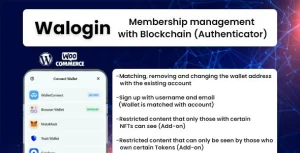
On the presentation side, the module appends a MetaMask login button beneath the default WordPress login form and a register button beneath the WooCommerce registration form, so no template surgery is required to expose the wallet flow. Inside the WooCommerce My Account area, an authenticated shopper can link a wallet to an existing customer record or unlink it later, which matters when migrating legacy customers onto wallet-based identity. For teams evaluating standalone blockchain-membership alternatives outside this plugin, Walogin approaches the same wallet-login problem from a broader membership-management angle.
Core Technical Capabilities of MetaMask Authenticator
- One-Click Wallet Authentication: Login and registration both complete through a single MetaMask interaction, removing password-entry steps from the standard WordPress and WooCommerce form pipelines.
- Persistent Wallet-to-User Binding: Each address is stored as user meta, making every registered wallet queryable and visible in the Users administration table with the address functioning as the username.
- Programmatic Wallet Detection: The mtm_metamask_user_has_metamask($user_id) conditional function lets developers branch logic — gating content, checkout steps, or membership tiers — on whether a given user has a linked wallet.
- Multi-Account Wallet Selection: Visitors holding multiple accounts inside one MetaMask wallet can pick the specific address used for the session, preventing accidental sign-ins with the wrong identity.
- NFT Ecosystem Interoperability: The codebase is built to sit alongside the Enefti NFT Marketplace core, the WordPress NFT Creator plugin, and the NFT Bulk Minting addon, supporting marketplace builds where WordPress and on-chain identity must align.
Production Implementation & Operational Resilience
The plugin is verified against WordPress 6.5.x through 6.9.x and WooCommerce 7.x.x through 9.x.x, and the documentation confirms compatibility with any theme, since the buttons attach to core form markup rather than theme-specific templates. Builder-driven sites are covered as well: Elementor, Elementor Pro, Visual Composer, and WPBakery Page Builder are listed as compatible environments, alongside WPML for multilingual deployments. One documented boundary is block-editor output — the package is not Gutenberg-optimized, so authentication buttons target classic form structures, WooCommerce account pages, and builder-rendered forms rather than native block-based login blocks.
Operationally, the client layer requires a MetaMask-capable browser; Firefox, Safari, Opera, Chrome, and Edge are the verified targets, and visitors without the extension fall back to the standard credential forms. On memory-constrained hosts, the author documents a memory-limit adjustment tutorial worth consulting before large user imports. Because the injected buttons render inside the native wp-login and WooCommerce form markup, teams restyling that surface typically pair the module with LoginPress, which customizes login page presentation, reCAPTCHA, and social-login affordances around the wallet flow. For secondary development, the user-meta storage model and the documented conditional function give developers stable extension points — conditional membership gating, export routines, or custom checkout checks can read the wallet record directly without modifying the authentication core.
Frequently Asked Questions
Does the plugin require WooCommerce to function?
No, it operates on the default WordPress login form as well; when WooCommerce is present, the wallet buttons additionally attach to the WooCommerce login and registration forms and the My Account area.
Is the plugin compatible with themes outside the author’s own theme collection?
Yes, the documentation states it works with any theme; verified pairings include the Enefti, iBid, Cryptic, and Numismatico theme cores, but button injection targets standard form markup rather than theme-specific templates.
Can developers programmatically check whether a user has a linked MetaMask wallet?
Yes, the mtm_metamask_user_has_metamask($user_id) function returns a checkable result, allowing theme or plugin code to conditionally gate content, checkout behavior, or membership logic on the presence of a stored wallet address.
Is the plugin optimized for the WordPress block editor?
No, the listing explicitly marks the package as not Gutenberg-optimized; authentication buttons attach to classic form structures, WooCommerce account pages, and compatible page-builder forms instead of native block-based login blocks.
-
2.0.1 LatestOct 31, 2026