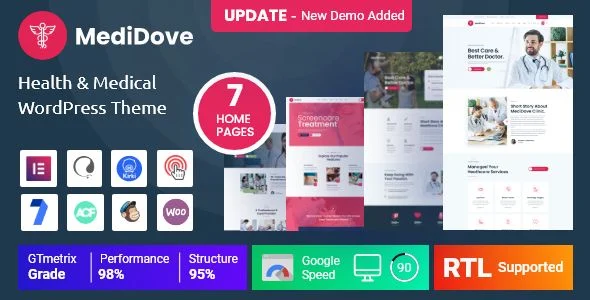
MediDove – Health & Medical WordPress Theme
MediDove Health & Medical WordPress Theme Overview & Front-End Rendering Architecture
MediDove is a WordPress theme engineered on Bootstrap 4.x and the Elementor page builder engine, built for agencies and clinic operators deploying hospital, dental, gynecology, pediatric, therapy, and laboratory websites. The package removes the bottleneck of hand-coding medical service layouts, doctor profile grids, and department pages by shipping seven prebuilt demo homepages, thirty-five plus inner pages, and forty custom Elementor widgets that render through the native WordPress template hierarchy. In production agency workflows, it operates as the presentation layer of a self-hosted WordPress stack, with WooCommerce, WPML, and Contact Form 7 compatibility handling commerce, localization, and form intake respectively.
Technical Specifications & Deployment Matrix
| Engineering Metric | Deployment Specification |
|---|---|
| Base Technology / Framework | Bootstrap 4.x, Elementor page builder, HTML5 / CSS3, jQuery, 1170px grid layout |
| Runtime / Language Requirements | WordPress 6.2.x through 7.1.x, PHP template files, MySQL via standard WordPress schema |
| Data Exchange / Communication Protocols | WooCommerce 8.x / 9.x, Contact Form 7, WPML and Polylang, translation-ready POT file |
| Front-End / Engine Dependencies | OWl Carousel, Slick, Magnific Popup, Google Fonts, Flaticon, Gutenberg-optimized markup |
| Persistence Footprint | Custom post types for services, members, and testimonials; Kirki Customizer settings; layered PSD source files included |
Elementor-Driven Template Pipeline & Core Functional Capabilities
MediDove delegates page composition to Elementor, the drag-and-drop editor that stores layouts as structured data and renders them into the DOM on both the frontend canvas and the live editing backend. Inbound requests traverse the standard WordPress template hierarchy, where theme templates are overridden by Elementor-rendered content whenever a page is assigned to the builder. The one-click demo importer populates posts, pages, widgets, and customizer settings in a single operation, which reduces a multi-day content modeling task to minutes. Header and footer variants—five plus header styles and four footer styles—are managed through the WordPress Customizer, while dynamic color and typography controls propagate changes across the stylesheet without manual CSS edits. For agencies weighing parallel healthcare stacks, Medicare exists as an independent alternative built around doctor and clinic layouts with its own demo importer.
Architectural & Functional Highlights
- Custom Elementor Widget Library (40+): Purpose-built widgets for medical niches—departments, doctors, testimonials with rating fields, and service grids—register their own Elementor categories and render shortcodes-to-DOM without third-party add-on plugins.
- Custom Post Type Architecture: Dedicated post types for services, team members, and testimonials, with category taxonomy support added at version 2.0.2, allow structured content entry separate from standard posts and pages.
- Kirki-Powered Customizer Layer: Color, typography, page title font sizing, topbar background, slider height, and breadcrumb height controls write to the theme mod layer, letting administrators restyle the site from a single settings surface.
- RTL and Multilingual Rendering: A built-in RTL direction option and WPML plus Polylang compatibility enable Arabic and other right-to-left deployments; an Arabic language demo is bundled as a working reference.
- WooCommerce Presentation Layer: A redesigned quick view popup (version 4.0.1) fixes duplicate product image output, restores quantity plus/minus steppers, and centers the modal, while the My Account area received updated navigation, dashboard, orders, and address form styling.
Production Implementation & Operational Resilience
Deployment on agency staging environments follows a predictable sequence: install the theme package, activate the bundled plugins (Elementor, Advanced Custom Fields Pro, WooCommerce support files), then run the demo importer to seed content. The codebase is validated across Internet Explorer 11, Firefox, Safari, Opera, Chrome, and Edge, and the responsive layout is tested against tablet and mobile viewports as part of the release checklist. Error handling is documented through an extensive changelog—gallery post formats that store images as IDs or URLs previously triggered a fatal error, now corrected, alongside fixes for logged-in user comment forms and sidebar positioning on single posts. Where client engagements require recurring billing for memberships or treatment plans, layering WooCommerce Subscriptions onto the storefront extends checkout into scheduled renewal handling without theme-level code changes.
Secondary development stays within standard WordPress extension boundaries: customizer-driven styling, custom post type registration, and Elementor widget overrides are all documented surfaces, and the included POT file plus translation-ready strings keep localization workflows inside Poedit or WPML. The 1170px Bootstrap grid constrains layout math, so pixel-precise design deviations should be scoped through child-theme CSS rather than framework overwrites. Preloader and sticky menu toggles are exposed as customizer options rather than hardcoded behaviors, which keeps front-end state changes reversible. For decoupled or differently-scoped clinic builds, Docmet stands as a separate standalone theme path with its own booking-oriented page set, independent of this codebase.
Frequently Asked Questions
Does the package include editable layered PSD design source files alongside the code?
Yes, the deliverable bundle contains layered PSD files in addition to PHP templates, HTML files, CSS stylesheets, and JavaScript files, giving designers a reference source for mockups and image asset re-composition.
Can Arabic or other right-to-left language sites run without building a separate RTL child theme?
Yes, an RTL compatibility option ships inside the theme itself, and an Arabic language demo version is included, so right-to-left rendering requires only the standard WordPress language configuration rather than custom stylesheets.
Does the WooCommerce quick view popup include working quantity controls and a single product image?
Yes, version 4.0.1 rebuilt the quick view popup with a modern layout, scrollable content, side-by-side quantity stepper and add-to-cart controls, centered positioning, and a fix eliminating the previously duplicated product image.
-
4.0.1 LatestOct 30, 2026