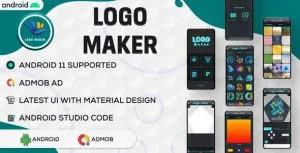
Logo maker app android , native app
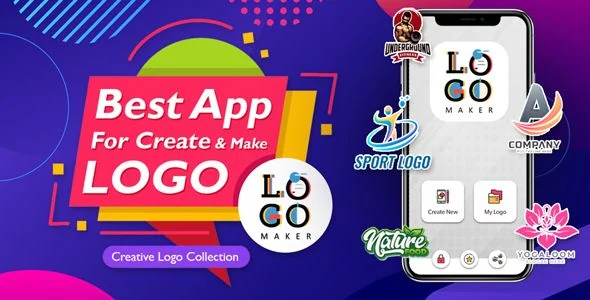
Logo Maker Android App Overview & On-Device Brand Design Runtime
Logo Maker Android App is a native Java application source package, engineered for Android studios and mobile agencies to ship a self-contained logo, poster, and business card design product without any server-side dependency. The package addresses a concrete delivery bottleneck: on-device graphic composition usually forces teams to adopt cross-platform engines or cloud rendering services, whereas this codebase executes the entire template, text, sticker, and texture pipeline locally on the handset. In production workflows, it functions as a rebrandable white-label foundation — teams import the project into Android Studio, restyle the bundled template library, and publish a branded design tool under their own store listing.
Technical Specifications & Deployment Matrix
| Engineering Metric | Deployment Specification |
|---|---|
| Base Technology / Framework | Native Android application written in Java |
| Runtime / OS Compatibility | Android 6.0, 7.1.x, 7.2.x, 8.0, 8.1, and 9.0 |
| Source Deliverables | .java source files, .db database file, and a prebuilt .apk installable build |
| Dependency Footprint | Fully offline execution — no documented external API or network rendering service |
| Persistence Layer | Bundled .db database housing template assets, art elements, fonts, and texture references |
Template-Driven Composition Engine & Execution Pipeline
The core mechanism is a local composition pipeline: the editor reads template records from the bundled database, renders editable layers, and synchronizes user modifications through an undo/redo state stack before export.
When a session starts, the application resolves the selected template from the .db asset store and instantiates its design elements as individually addressable objects — text blocks, photo stickers, color fields, and background textures. Each edit gesture dispatched by the user mutates one layer at a time, and the change is pushed onto the undo/redo stack, allowing the editor to revert or reapply transformations deterministically without re-parsing the whole composition. Text layers accept multiple font families and configurable text effects, while image layers support direct loading from the device gallery, so imported photography can sit alongside vector art inside the same canvas state. Finalized designs are rendered and exported through standard Android share intents, pushing the output to installed social media targets or back to the device gallery.
Core Technical Capabilities of Logo Maker Android App
- Bundled template and asset library: A catalog of professional logo templates, stickers, colors, and textures is persisted in the packaged .db file, letting the app operate with zero network retrieval after installation.
- Undo/redo state management: Every edit event is recorded on a reversible state stack, giving designers non-destructive iteration across text, sticker, and background mutations during a single session.
- Multi-font text engine with effects: Text layers expose varied typeface families plus per-layer visual effects, rendered natively rather than through pre-baked image assets.
- Gallery ingestion pipeline: Users load their own images from device storage into the composition canvas, merging imported photography with template-driven design elements.
- Export and share dispatch: Completed logos are pushed through Android share intents to installed social applications, and the editor doubles as a visiting card and business card generator using the same layer model.
Studios that need to accelerate the surrounding interface work can treat UIUX PRO as an independent Material Design component source when extending adjacent screens, since its app screens and code snippets operate on the same native Android toolchain as a parallel development asset.
Production Implementation & Operational Resilience
Deployment begins by importing the Java sources into Android Studio, resolving the project against the documented API range, and validating behavior on devices running Android 6.0 through 9.0. Because the asset catalog ships inside the .db file, teams performing a rebrand can modify template records and image resources directly within the database and drawable folders rather than wiring a backend — the entire content layer lives in the package. The included .apk build allows QA to verify the reference behavior on physical hardware before any source modification, which shortens the acceptance loop when reproducing the original rendering output.
Operationally, the architecture carries boundaries that release planners should respect. Compatibility is documented only through Android 9.0, so newer OS revisions require fresh device-level regression passes before publishing; the source has no verified targets beyond that matrix. Memory pressure is a design consideration rather than a defect risk: high-resolution gallery imports and multi-layer textures with applied effects increase bitmap allocations, so device-tier testing across low-RAM handsets belongs in the pre-release checklist. The undo/redo stack bounds session recovery — it protects in-session edits but is not documented as a cross-session draft persistence mechanism, so a terminated process resets composition state. Error containment is local by construction: with no network calls in the documented pipeline, there are no cross-origin, CORS, or backend timeout failure classes to instrument, and resilience engineering concentrates on rendering performance and export path handling instead.
For teams assembling a broader mobile productivity portfolio, Resume Maker represents a separate native Android codebase covering the document-generation vertical, deployable alongside this design tool as a parallel product line rather than a merged runtime. Agencies targeting the casual gaming segment can similarly evaluate 2048 Brain as an independent Android Studio project outside this application’s scope.
Frequently Asked Questions
Does the package include a prebuilt APK for direct device testing?
Yes, the deliverables contain an installable .apk file alongside the .java sources and .db database, allowing verification of the reference build on a physical device before any code-level customization is started.
Is the template and asset library stored locally inside the app?
Yes, the catalog of logo templates, stickers, fonts, colors, and textures is persisted in the bundled .db database file, so the editor functions offline without documented dependency on remote content delivery.
Can users import their own images into the logo composition?
Yes, the editor supports loading designs and photos through the device gallery, merging user-supplied imagery with template layers, text blocks, and sticker elements inside a single canvas session.
Is Android 10 or later officially covered by the compatibility matrix?
No, the documented compatibility range spans Android 6.0 through 9.0 only; newer OS versions fall outside the verified matrix and require independent device testing before any store submission.
Highlight Cover Maker for IG – Story Maker – Logo Maker – Cover Highlights for Instagram
Al-Hamra Logo Quiz Offline Android Source Code with Admob
BGMI Logo Maker – Esports Logo Maker – Esports Gaming Logo Maker – Create Gam Logo – LOGO Genrator