Limma – IT Solutions & Services Company Elementor Template Kit
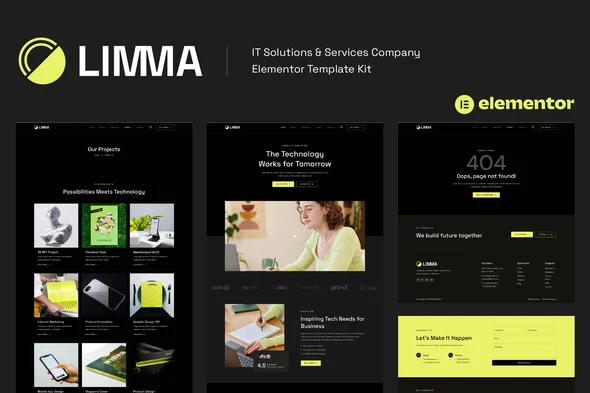
Limma IT Solutions & Services Template Kit Overview & Front-End Design System Role
Limma IT Solutions & Services Template Kit is an Elementor-based design package built for IT companies, SaaS providers, software startups, and web agencies that need to ship a production website without writing custom code. The kit removes the repetitive layout-construction bottleneck by supplying 13 pre-built pages and 15 reusable templates whose layout data imports directly into the Elementor editor through the Template Kit Import plugin. Within an agency delivery pipeline, it functions as a deployable front-end design system covering services, project showcases, pricing, team, blog, contact, and 404 surfaces for client handover.
Technical Specifications & Deployment Matrix
| Engineering Metric | Deployment Specification |
|---|---|
| Base Technology / Framework | Envato Template Kit — Elementor layout data (JSON payload), not a WordPress theme |
| Runtime Requirements | WordPress with Hello Elementor theme active; compatible with Elementor 3.6.x, 3.8.x, and 3.10.x |
| Import / Data Exchange Protocol | Template Kit Import plugin; zip archive uploaded via Tools, Template Kits without extraction |
| Front-End Dependencies | ElementsKit Lite, Elementor Header Footer & Blocks, WPForms Lite, DethemeKit for Elementor (all free) |
| Persistence Footprint | Imported layouts stored under Elementor Saved Templates; no custom data tables; adequate wp_memory_limit recommended for large archive imports |
Elementor Design Token Architecture & Import Pipeline
The kit operates as a JSON layout payload that Elementor parses and renders inside its visual editor. Installation follows a strict sequence: the Global Kit Styles template is imported first, which seeds the site-wide design tokens — global typography scales, color palettes, and spacing variables — that every subsequent page inherits. Individual templates are then imported one at a time in the listed order, each landing in the Elementor Saved Templates library where it can be re-instantiated across unlimited pages.
Page assembly happens through the standard Elementor workflow. A new page is created, switched to Elementor Full Width with the page title hidden via the builder’s gear-icon settings, and the desired template is pulled from the My Templates tab. The homepage is assigned as a static front page under the Reading settings. Header and footer regions follow a separate path: the corresponding templates import into the Saved Templates library, then the ElementsKit Header Footer module binds them site-wide by creating a new header record, leaving the Entire Site scope selected, and toggling activation on before loading the imported template content. Because the layout engine relies on Elementor’s responsive container behavior rather than hard-coded dimensions, output adapts across viewport sizes and renders consistently in Chrome, Firefox, Safari, and Opera.
Core Technical Capabilities of Limma
- Global Design Token Layer: The Global Kit Styles import centralizes typography and color definitions so a single settings change propagates across all 13 pages without per-section edits.
- Reusable Template Library: All 15 templates persist in Elementor’s Saved Templates repository, enabling the same service, project, or team layout to be re-deployed and re-themed across multiple pages.
- Free-Plugin Execution Stack: Every functional surface — headers, footers, and contact forms via WPForms Lite — runs on free plugins, removing the Elementor Pro dependency from the deployment budget.
- Site-Wide Header/Footer Binding: ElementsKit’s Header Footer module applies imported navigation chrome to the entire site through an activation toggle, while Elementor Pro users can alternatively manage these regions under the Theme Builder.
For delivery scopes that demand a complete theme runtime with bundled demos and WooCommerce storefronts rather than a design-only kit, Micron – IT Solutions & Services WordPress Theme operates as an independent parallel path for the same IT-services vertical.
Production Implementation & Operational Resilience
Pre-deployment preparation determines import reliability. The permalink structure must be set to Post Name before import, and Hello Elementor must be installed and activated as the base theme, which in turn prompts the Elementor installation when absent. Safari users need the browser’s automatic “open safe files after downloading” preference disabled so the kit archive reaches WordPress unextracted. Once uploaded, an orange banner at the top of the Template Kits screen exposes an Install Requirements action that provisions every plugin the layouts depend on — resolving dependency drift before any template is parsed.
Operationally, the kit is self-contained design data, so resilience concerns center on content assets rather than server logic. The preview photography is drawn from an Envato Elements collection; each image must be separately cleared for the client’s production use or replaced with equivalent assets, which is a simple media-swap inside the Elementor editor since layouts reference the media library rather than embedded binaries. Customization stays within style-override boundaries: colors, fonts, and section arrangements are editable through the visual editor, while structural changes remain confined to Elementor’s widget and container model. For teams standardizing on a full theme stack instead of kit-based assembly, Techkit – Technology & IT Solutions WordPress Theme stands as a separate, independently deployed option for technology and IT-services sites.
Frequently Asked Questions
Does this kit require Elementor Pro to build a complete site?
No, the entire package — all 13 pages, 15 templates, headers, footers, and contact forms — runs on the free versions of Elementor, ElementsKit Lite, WPForms Lite, DethemeKit, and the Header, Footer & Blocks plugin.
Can Limma be activated directly as a WordPress theme?
No, this is an Envato Template Kit containing Elementor design data only. It requires the Hello Elementor theme as the runtime base and is installed through the Template Kit Import plugin, not the Appearance themes screen.
Can the demo images be published on a live client site as-is?
No, all preview imagery comes from an Envato Elements collection and must be separately cleared for the client’s commercial deployment, or substituted with the client’s own photography through the Elementor media panel.