Lawncare – Lawn Garden Care Service Elementor Template Kit
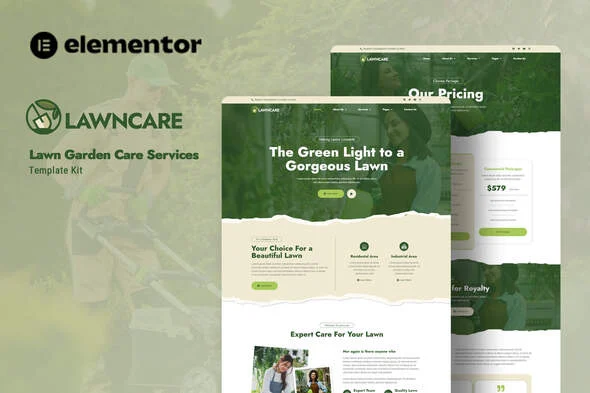
Lawncare Elementor Template Kit Overview & Service Website Architecture
Lawncare Elementor Template Kit is an Elementor-based template kit engineered for landscaping contractors, gardeners, and lawn maintenance providers to publish a complete service website without hand-building each layout. The kit removes the bottleneck of reconstructing common service-business page structures by supplying importable design data for home, about, team, services, service detail, rate card, FAQ, blog, single post, 404, and contact pages. Within agency delivery workflows it operates as a deployment accelerator: import the templates, map them to WordPress pages, replace brand assets, and hand over a finished client site in a fraction of the standard build schedule.
Technical Specifications & Deployment Matrix
| Engineering Metric | Deployment Specification |
|---|---|
| Base Technology / Framework | Envato Template Kit built for Elementor 3.10.x page builder |
| Runtime / Environment Requirements | WordPress, free Elementor plugin, Hello Elementor theme, Envato Elements plugin |
| Data Exchange / Import Protocol | Single ZIP of Elementor template definitions uploaded via Envato Elements plugin, imported one template at a time |
| Front-End / Plugin Dependencies | Elementor, ElementsKit Lite, Jeg Elementor Kit, Metform |
| Persistence / Data Footprint | No custom database schema; templates stored under Elementor Templates > Saved Templates |
| Typography Stack | Jost and Roboto font families bound to global typography tokens |
Import Pipeline, Design Tokens & Layout Execution
The import pipeline is the kit’s core execution mechanism, and its sequence directly determines rendering fidelity. The Global Kit Styles must be imported first, because this step registers the site-wide design token layer — the global color palette and the Jost/Roboto typography scale that every page template references at render time. Skipping or reordering this step causes child templates to fall back on inconsistent token resolution, producing visual drift between pages. Individual templates are then imported one at a time and stored in the Elementor template library, where they persist as reusable entities rather than one-off page copies. Each WordPress page is set to Elementor Full Width with the page title hidden, so the template’s container structure controls the entire viewport without theme chrome interference. Layouts are composed of Flexbox-based Elementor containers, and because typography and colors resolve through global tokens, a single token edit cascades across every imported template — the correct boundary for brand-level restyling without touching individual widgets. Service-sector agencies running parallel verticals apply this identical pipeline when deploying Waxy alongside Lawncare, since both kits share the Envato Elements import architecture and the same saved-template reuse model.
Core Technical Capabilities of Lawncare Elementor Template Kit
- Global Kit Styles token layer: Site-wide colors and the Jost/Roboto type scale are registered once and referenced by all templates, so brand-wide restyling reduces to token edits instead of per-page widget changes.
- Theme-independent header and footer blocks: The bundled Jeg Elementor Kit plugin builds headers without Elementor Pro, applying an “All Site” display condition that overrides the native theme header across every route.
- Metform contact form integration: Contact blocks ship as Metform templates; after importing the form block, the Navigator locates the Metform widget, inserts the saved form template, and binds it to the page without external form services.
- Cross-theme portability: Optimized for Hello Elementor, the kit renders correctly under most themes supporting Elementor, giving agencies freedom in staging environments where a client theme is already active.
- Reusable saved-template architecture: Every imported template persists under Templates > Saved Templates and can be re-inserted into unlimited new pages, keeping multi-page builds consistent and repeatable.
Production Implementation & Operational Resilience
Before import, the environment requires several verifiable checks. WordPress permalinks must be set to Post Name under Settings > Permalinks, since default query-string permalinks break template asset resolution on some hosting stacks. Hello Elementor should be installed and activated, and Elementor plus the Envato Elements plugin must sit at their latest versions. The kit ZIP must be uploaded unmodified — unzipping it locally breaks the import manifest, and Safari users need “Open safe files after downloading” disabled in browser preferences to prevent automatic extraction. After upload, the orange banner in the kit viewer must be actioned via Install Requirements to pull in ElementsKit Lite, Jeg Elementor Kit, and Metform. Hosting environments should carry a PHP wp_memory_limit of at least 128M — 256M on shared stacks — because importing larger template JSON payloads in a single request can exhaust default allocations and abort mid-import. Once pages are live, pairing the deployment with WP Rocket applies static page caching and deferred JavaScript execution, which mitigates the render cost Elementor’s widget markup adds to first paint. Customization boundaries are structural: this kit contains layout data only, so extension means overriding global tokens, swapping images, and editing containers — not writing template PHP. Demo images originate from an Envato Elements collection and require separate licensing or replacement before production use.
Frequently Asked Questions
Does Lawncare require Elementor Pro to import and function?
No, the kit runs on the free Elementor plugin with Hello Elementor and the Envato Elements plugin. Elementor Pro is only relevant if you prefer managing headers and footers through Theme Builder instead of the bundled Jeg Elementor Kit plugin.
Can contact forms be imported without rebuilding fields manually?
Yes, Metform block templates ship with the kit. Import the metform blocks first, then open the page template, enable the Navigator, select the Metform widget, and insert the saved form template from the My Templates tab.
Does the kit work with WordPress themes other than Hello Elementor?
Yes, any theme supporting Elementor can render the templates. Hello Elementor is the optimization target, so testing full-width rendering and title suppression on alternate themes is advised before client delivery.
Are the demo images cleared for production deployment?
No, demo images come from an Envato Elements collection and need separate licensing for commercial use. Substituting your own photography or licensed assets before handover avoids downstream rights conflicts.
Should the downloaded kit ZIP be extracted before upload?
No, the ZIP must be uploaded intact through Elements > Installed Kits. Extraction — including Safari’s automatic “Open safe files” behavior — corrupts the import sequence and prevents templates from registering correctly.