Kumo – Angular Multipurpose Fashion & eCommerce Template
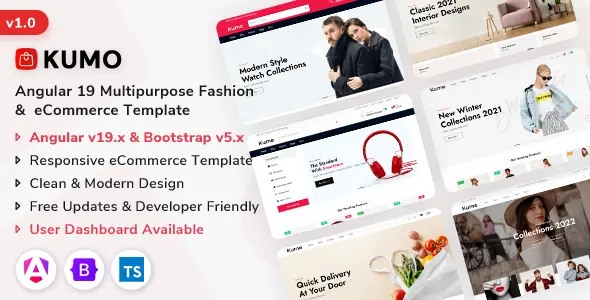
Architectural Analysis & Runtime Mechanics of Kumo
Kumo – Angular Multipurpose Fashion & eCommerce Template provides an Angular eCommerce template engineered for front-end engineers, retail digital architects, and enterprise agency teams to construct high-throughput apparel storefronts. The architecture utilizes standalone components and signal-based reactivity to bypass global change detection passes, cutting DOM reconciliation overhead and maintaining minimal node depth across catalog views. Asynchronous catalog streams execute through typed RxJS pipe transformations and non-blocking HTTP interceptors, hydrating product matrices without triggering rendering pauses or thread contention.
Component assembly mounts via dependency injection and modular service contracts, allowing developers to bind headless REST endpoints or GraphQL nodes directly into pre-built storefront views. A centralized environment configuration file governs backend API endpoints, currency formatting locales, catalog pagination thresholds, and layout presentation modes without altering source code modules.
Core Engineering Capabilities & Features in Kumo
- Dynamic Variant Swatch Selector: The product display module evaluates color and size attributes via localized reactive signals, swapping gallery image buffers and inventory state flags without triggering complete DOM tree redraws.
- Faceted Filter and Drawer Controller: The multi-criteria sidebar dispatches debounced input events into an RxJS state pipeline, executing filter algorithms client-side and appending query parameters to URL navigation routes.
- Quick-View Modal Subsystem: Triggering item preview actions lazy-loads product inspection modules inside an Angular CDK dialog container, isolating component lifecycle hooks and preventing parent view scroll leakage.
- Reactive Order State Pipeline: Client-side signals track bag items, promotional code applications, and aggregate subtotals across browser storage with synchronized state updates across all navigation header components.
Practical Production Implementations
- Direct-to-Consumer Apparel Flagship: High-volume fashion brands deploy the application onto edge serverless infrastructure, delivering catalog browsing with sub-second page transitions during peak product launches.
- Multi-Brand Boutique Marketplace: Retail distributors assemble multi-category department portals, wiring independent vendor catalogs into the unified responsive layout matrix with localized currency routing.
- Headless Fashion Commerce Frontend: Enterprise retailers integrate the templates with external commerce APIs, decreasing frontend time-to-market while achieving high Core Web Vitals audit scores.
Runtime Specifications & Environment Compatibility
Kumo complies with modern ECMAScript standards and compiles under Node.js 18.x and 20.x runtimes using Angular CLI and modern build tooling. Production builds yield optimized, tree-shaken script chunks that register First Contentful Paint times below 1.0 second and maintain a zero Cumulative Layout Shift score across standardized Lighthouse performance audits.
Cross-browser rendering tests verify identical UI behavior across modern Blink, Gecko, and WebKit rendering engines without vendor prefix polyfills. Operating as a decoupled Angular eCommerce template, the frontend infrastructure deploys smoothly to Vercel, Netlify, AWS S3 with CloudFront, or containerized Docker environments communicating with external commerce microservices.
Frequently Asked Questions
Does the template include a pre-configured backend database?
No, the codebase operates strictly as a decoupled frontend client, providing mock JSON datasets and typed HTTP client services ready for integration with external REST or GraphQL commerce backends seamlessly.
How does the application handle state persistence across user reloads?
LocalStorage state persistence synchronizes reactive signal stores upon each state change, automatically rehydrating customer display settings, saved wishlist arrays, and active bag selections during the initial client application bootstrap sequence.
Can developers customize the primary color palette and typography tokens?
Yes, global variables defined in the root stylesheet configuration govern primary brand colors, typography scaling rules, and component border radiuses, updating all UI elements uniformly across both desktop and mobile viewports.
How does image optimization prevent layout shifting during catalog browsing?
The NgOptimizedImage directive enforces explicit container aspect ratios and fetches responsive asset sets, prioritizing viewport-critical hero banners while lazy-loading secondary catalog thumbnails to eliminate cumulative layout shift across mobile screens.
Can individual route views be loaded on demand?
Yes, Angular route definitions use dynamic import syntax to lazy-load standalone page components, isolating complex catalog views and customer account dashboards until the visitor explicitly navigates to those specific route endpoints.