Kids Drawing – Android (Kotlin)
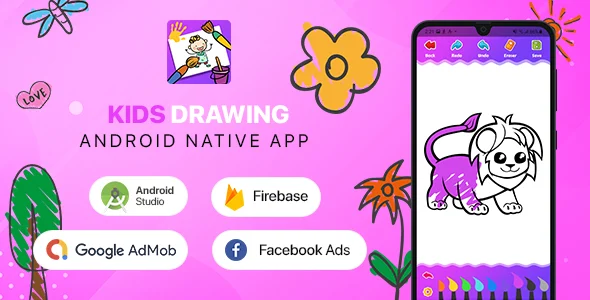
Kids Drawing Android Kotlin Overview & Mobile Source Code Foundation
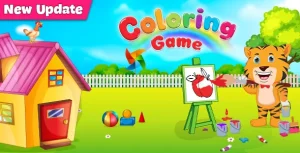
Kids Drawing Android Kotlin is a native Android application source code project, engineered for app publishers and agencies to deploy a children’s coloring and painting product on Google Play. The codebase removes the operational bottleneck of writing a touch-optimized drawing engine from scratch by shipping a Kotlin project with brush, magic brush, pencil, sticker, and text-rendering pipelines already implemented. In production delivery workflows it operates as a reskin-and-ship foundation: a team imports the Android Studio project, swaps artwork assets and store metadata, signs the build, and publishes without authoring the canvas layer.
Technical Specifications & Deployment Matrix
| Engineering Metric | Deployment Specification |
|---|---|
| Base Technology / Framework | Kotlin, built in the Android Studio IDE |
| Runtime / OS Range | Android 7.0 through Android 15.0 |
| Build Toolchain | Gradle 8.13, Android Gradle Plugin 8.11.1, Kotlin 2.0.0 |
| Source Artifacts | .apk, .db, .java, .xml files included |
| Monetization / Messaging | Google Ads, Facebook Ads, Firebase Push Notification |
Drawing Engine Mechanics & Execution Pipeline
The application routes every touch event through a canvas rendering pipeline that maps pointer coordinates to brush geometry in real time. When a child selects a tool from the palette, the activity attaches the corresponding stroke renderer: the standard brush and pencil interpolate path points into painted segments, the magic brush applies decorative multi-pattern emission along the drag path, and the fill tool performs flood-fill color assignment across bounded image regions. Each committed action is pushed onto a stroke-history stack, which is what powers the single-click undo and redo commands; selecting either re-renders the canvas from the recorded state sequence rather than storing destructive edits. Completed artwork is serialized to a bitmap, written to device storage through the save routine, and dispatched externally via Android share intents to Facebook, WhatsApp, and other installed social targets. Text and sticker overlays are composited onto the same canvas layer so export output matches the on-screen preview exactly.
Because the project ships as a fully commented Kotlin codebase, studios that already publish other ready-made Android products — such as Classic Radio — can apply the same import, reskin, and store-submission pipeline here without learning a second architecture.
Core Technical Capabilities of Kids Drawing Android Kotlin
- Multi-Tool Rendering Engine: Brush, magic brush, pencil, fill-color, sticker, and text tools operate on a shared canvas, letting every tool interoperate within one drawing session without state conflicts.
- Undo / Redo / Eraser Stack: A stroke-history mechanism enables one-click undo, redo, and eraser operations, restoring prior canvas states by replaying the recorded action sequence.
- Export & Social Distribution: Artwork is saved as an image and shared through native intents to Facebook, WhatsApp, and other social apps, with an in-app share function for the app itself and a Play Store rate prompt.
- Engagement & Monetization Hooks: Google Ads, Facebook Ads, and Firebase Push Notification are wired into the project, with the constraint that ad-driven builds must target a 16+ audience rather than a children’s audience.
- Modernized Toolchain: Version 2.1 upgrades Gradle to 8.13 and AGP to 8.11.1, replaces deprecated API calls, and manages status bar icon color for current Android releases.
Production Implementation & Operational Resilience
Deployment starts in Android Studio: clone the project, resolve dependencies against Gradle 8.13, and confirm the installed JDK matches the AGP 8.11.1 requirement before generating a signed App Bundle. The runtime ceiling of Android 15.0 means targetSdk can be set to the current Play Console mandate without code changes, since version 2.1 already removed deprecated calls and adjusted status bar icon coloring. The included .db file and .xml resources define the drawable catalog and layout definitions, so content expansion reduces to adding image assets and registering them in the existing data structure rather than reworking navigation logic.
Two operational boundaries deserve attention. First, the ads restriction is a policy-level constraint, not a code defect: Google Play’s Families policy prevents monetizing child-directed builds with standard ad units, so publishers must choose between the kids category and the 16+ ad-supported listing. Second, Firebase push delivery requires binding the project to your own Firebase console and provisioning the messaging configuration before release, mirroring the dashboard-managed configuration pattern used by companion Android products like Weatherize. Error paths in the drawing flow degrade gracefully: invalid tool transitions are ignored by the renderer, and share actions fall back to the chooser when a target app is absent. Documentation is bundled with the source, and the commented Kotlin files make secondary development — new brush textures, additional sticker packs, or rebranded UI themes — a matter of editing clearly labeled modules.
Frequently Asked Questions
Does the project compile against the latest Gradle toolchain?
Yes, version 2.1 upgrades the Android Gradle Plugin to 8.11.1 and Gradle to 8.13, with all bundled plugins updated to their current releases; developers should run a recent Android Studio stable build with a compatible JDK before generating a signed release artifact.
Can I enable Google Ads while targeting a children’s audience?
No, the app does not support ads for a kids-directed audience; activating Google Ads or Facebook Ads requires targeting users aged 16 and above, which changes the store listing category and restricts ad-unit eligibility under family policy rules.
Will the app install and run on Android 15 devices?
Yes, the supported runtime spans Android 7.0 through Android 15.0, and version 2.1 replaced deprecated code and managed status bar icon color so builds pass current targetSdk requirements without additional migration work.
Is Firebase push notification ready out of the box?
Yes, Firebase messaging integration ships in the source; you must bind your own Firebase project credentials, rebuild the app, and verify token registration on a physical device before dispatching notification campaigns to production users.
Are undo, redo, and eraser available during every drawing session?
Yes, all three operations execute with a single click from the main interface, implemented through the stroke-history stack that reconstructs prior canvas states, so children can correct mistakes without restarting the artwork.