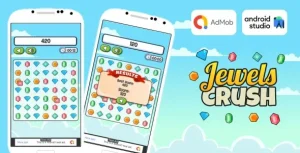
Jewels Temple Quest Clone – Android Studio Match 3 Game with AdMob Ads + Ready to Publish
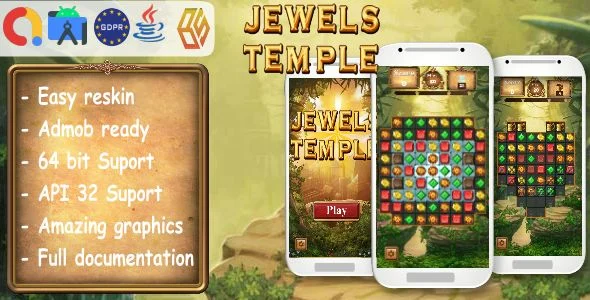
Jewels Temple Quest Clone Overview & Android Match-3 Engine Architecture
Jewels Temple Quest Clone is a Java-native Android Studio Match 3 puzzle game source package, engineered for mobile studios and independent publishers to deploy a level-based jewel-matching title directly to Google Play. The package eliminates the largest production bottleneck in casual game delivery: authoring a complete match-3 input dispatcher, board-state engine, and monetization layer from scratch. In agency and publisher workflows, it functions as a build-ready Gradle project that moves from import to signed APK once the package identifier, AdMob identifiers, and graphic assets are swapped.
Technical Specifications & Deployment Matrix
| Engineering Metric | Deployment Specification |
|---|---|
| Base Technology / Framework | Native Java, Android Studio Gradle project |
| Runtime / Language Requirements | Android Studio Chipmunk 2021.2.1 Patch 1, latest Android SDK |
| Target API / Device Compatibility | API 32, Android 9.0 through Android 12.0, 64-bit architecture support |
| Monetization / Communication Layer | AdMob Rewarded Video, Google Play Games Services (App ID, Leaderboard ID) |
| Asset Persistence Footprint | Layered PSD and Layered PNG sources, audio files, demo APK, documentation file |
Match-3 Core Loop & Execution Pipeline
The engine executes a tile-swap validation pipeline: player input triggers a board-state comparison, matched jewel groups of three or more are destroyed, and remaining tiles cascade downward to refill the grid.
Each stage in the level progression applies distinct format rules and movement restrictions, meaning the puzzle logic layer reads per-stage configuration rather than hardcoding a single win condition. This stage-driven design allows difficulty curves and board layouts to be adjusted without rewriting the underlying match detector. Because the code ships as native Java inside a standard Gradle structure, every gameplay class, layout XML, and resource manifest is directly editable from the Android Studio IDE, and the build chain compiles against API 32 with 64-bit binary output, satisfying Google Play’s current architecture submission requirements.
Core Technical Capabilities of Jewels Temple Quest Clone
- AdMob Rewarded Video Integration: The monetization module is wired into the AdMob SDK with a dedicated rewarded video placement, requiring only identifier substitution during the reskin phase to route ad revenue to the publisher’s account.
- Google Play Games Services Synchronization: Leaderboard wiring is pre-configured; the developer supplies the Games App ID and Leaderboard ID, after which score submissions synchronize with the Play Games backend at runtime.
- 64-Bit Build Compliance: The Gradle configuration emits 64-bit binaries against API 32, aligning with Google Play’s submission policy for native Android applications without additional build-flag engineering.
- Full Reskin Asset Chain: Layered PSD and Layered PNG files accompany the project, so icon sets, board graphics, and audio can be replaced through the resource directories without touching game logic classes.
- Stage-Gated Level Progression: Levels are structured with differing formats and restrictions, providing a puzzle variety framework that operates through configuration rather than per-level code branches.
For studios evaluating standalone alternatives on a different engine runtime, Monster Clicker offers a parallel Unity 2018 source path with its own AdMob stack, serving as an independent production option outside the Android Studio toolchain.
Production Implementation & Operational Resilience
Deployment follows a defined seven-step chain: install the latest Android SDK, open the Gradle project in Android Studio Chipmunk 2021.2.1 Patch 1, change the package ID, rename the application and replace icons, graphics, and sounds, configure Google Play Games Services, set the AdMob identifier values, and assemble the release APK. The IDE version requirement is a hard environmental boundary; the source targets that specific Chipmunk patch release, so build environments should be pinned before import to avoid Gradle plugin resolution mismatches.
Because the package is self-hosted source rather than a compiled distribution, error diagnosis happens at the Java class and XML layout level inside the IDE, with the included documentation file covering the reskin and identifier-configuration sequence. Runtime behavior on device spans Android 9.0 through 12.0, verified against API 32. The bundled demo APK allows functional validation of gameplay, ad placements, and leaderboard flow on physical hardware before any source modification begins, which shortens the pre-deployment QA loop considerably.
For teams pursuing a decoupled cross-platform route outside the Android build chain, Wooden Puzzle Kids exists as a separate Unity 2019 LTS template with its own AdMob configuration and reskin workflow, operating as an autonomous alternative rather than a mergeable module.
Frequently Asked Questions
Are layered graphic source files included for full reskinning?
Yes, the deliverable contains Layered PSD and Layered PNG files alongside the Android Studio project, allowing complete replacement of icons, board graphics, and visual assets without recreating artwork from scratch.
Is a demo APK bundled for testing on a physical device?
Yes, a demo APK ships with the package. It lets developers verify gameplay behavior, rewarded video placements, and Google Play Games leaderboard flow on real hardware before modifying any source code or rebuilding the project.
Do I need to register the app with Google Play Games Services before release?
Yes, the implementation requires a Google Play Games App ID and a Leaderboard ID configured in the project, so the application must be registered in the Play Console and its identifiers substituted before a production build.
Does the codebase require a Kotlin migration to compile?
No, the game logic is written in native Java and builds as a standard Android Studio Gradle project, so no Kotlin conversion is needed; the project compiles directly under the specified Chipmunk IDE version.