iOS Live TV ( TV Streaming, Movies, Web Series, TV Shows & Originals)
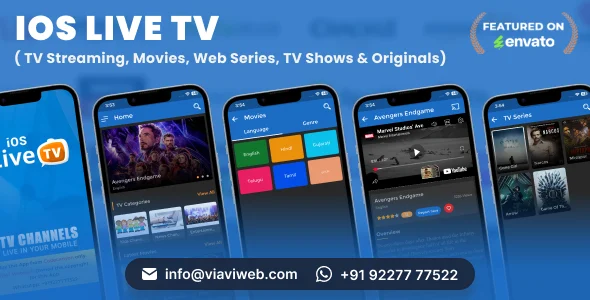
iOS Live TV Overview & Streaming Architecture
iOS Live TV is a Swift and Objective-C universal iOS application source package, engineered for agencies and independent developers who need to ship an OTT-style streaming product across iPhone and iPad. The codebase removes the recurring bottleneck of assembling a video delivery pipeline by shipping pre-integrated playback for m3u8, MP4, YouTube, and embedded web streams alongside a PHP-driven server backend. In production delivery workflows, the package operates as a deployable foundation: content operators manage categories, channels, movies, and series through the admin panel while the client consumes that catalog over a secure JSON API.
Technical Specifications & Deployment Matrix
| Engineering Metric | Deployment Specification |
|---|---|
| Base Technology / Framework | Swift with Objective-C libraries, universal iPhone/iPad build, Xcode 16.3 source |
| Runtime / Language Requirements | iOS 12 through iOS 15 |
| Data Exchange / Communication Protocols | Secure API URL over JSON service; m3u8, MP4, YouTube, and embedded URL stream ingestion |
| Front-End / Engine Dependencies | CocoaPods-managed SDKs: YouTubePlayerKit, Google Cast SDK, Firebase, Google Mobile Ads, Facebook Audience Network, OneSignal |
| Database / Persistence Footprint | Server-side PHP layer with MySQL-backed admin panel; per-user favourites and recently viewed state synchronized via API |
Content Pipeline, Playback Dispatch & Execution Flow
All content operations route through the PHP admin panel, which publishes category, channel, movie, and series records as JSON payloads that the client parses and binds to interface views. The catalog is modeled hierarchically: channels attach to categories with featured and recently-added flags, movies carry language and genre metadata, and web series are structured as seasons containing ordered episodes. Each video record declares a stream type, and the runtime selects the correct rendering engine based on that declaration.
Playback dispatch works by stream classification: native m3u8 and MP4 sources load through the AVPlayer-backed controller, YouTube identifiers resolve through the YouTubePlayerKit module that replaced the retired XCDYouTubeKit library, and embedded destinations such as Dailymotion or Vimeo render inside a WKWebView control. The mini auto player keeps video running inside detail screens before a full-screen transition, while Cast sessions hand m3u8 and MP4 streams to Chromecast hardware over the local network. Users can rate and comment on channels, mark favourites, and switch episode quality with language-matched subtitle tracks at runtime.
Architectural & Functional Highlights
- Multi-engine stream dispatch: a single video model routes m3u8/MP4 to AVPlayer, YouTube links to YouTubePlayerKit, and embed URLs to WKWebView, eliminating per-source controller wiring during content entry.
- Structured catalog with quality and subtitle variants: movies and episodes support multiple video qualities plus per-language subtitles, supplied either as server URLs or direct file uploads from the admin system.
- Admin-governed monetization: AdMob and Facebook banner/interstitial slots toggle from the panel, and interstitial frequency is defined by a click-count threshold configured server-side.
- Push and engagement services: OneSignal notifications dispatch from the admin dashboard, with an in-app settings switch that lets end users disable push delivery locally.
For teams evaluating a streaming product that avoids maintaining a self-hosted PHP backend entirely, Live Tv Streaming App without Hosting (Admob, Firebase) follows an independent Firebase-hosted delivery path on a separate codebase, serving as a parallel option rather than an extension of this Swift package.
Production Implementation & Operational Resilience
Deployment begins with the CocoaPods workspace, which assembles the arm64-compatible simulator binaries introduced in the June 2025 update, followed by pointing the client at your PHP endpoint. Validation runs on the real device tier are mandatory: several bundled libraries fail inside the simulator, and video playback is intermittently unreliable there, so acceptance testing must target physical hardware. The Cast button itself is conditionally rendered only when the device detects a Chromecast unit on the same Wi-Fi network, which prevents dead UI controls in unsupported environments.
App Store submission carries one hard infrastructure prerequisite: the hosting server must expose IPv6-capable links, or the review will fail. Account lifecycle handling includes login, registration, password recovery, and user-initiated account deletion, matching current store policy expectations. The interface ships in light mode only, so dark-mode theming falls outside the delivered scope. Secondary development is realistically bounded by the modular layering between the JSON service and the playback engines; teams adding new stream sources implement them as additional dispatch branches rather than rewiring controllers. Email delivery for password flows depends on the SMTP settings configured in the admin panel. For studios that also ship audio products on a decoupled track outside this codebase, Listen – Online Music Streaming App provides a separate streaming template oriented toward music platforms.
Frequently Asked Questions
Does the Chromecast button appear when running the app in the iOS simulator?
No, the Cast control renders only on a real device whose Wi-Fi network contains a connected Chromecast unit. If no Cast receiver is detected on the network, the button is suppressed rather than shown as inactive.
Can movies and series metadata be imported from IMDB instead of entered manually?
Yes, the admin panel supports importing movie and series records from IMDB, added in the September 2020 revision. This reduces data-entry effort when populating large catalogs during initial deployment.
Does the application provide both light and dark mode interfaces?
No, the delivered user interface is light mode only. Teams requiring a dark theme would need to implement that layer through secondary UI development beyond the shipped screens.
Is an iOS simulator build sufficient for final acceptance testing?
No, the documentation states that some libraries do not function in the simulator and video playback can fail there. Verification on physical iOS hardware is required before submission.
6 App Template| eCommerce Food Grocery Delivery App| Cab Booking| Peer to Peer Delivery App| DeliQ
TunerFM – iOS Radio & Live TV App (Multi Frequency)
Radiofy – Online Radio Streaming App for iOS | Swift & SwiftUI