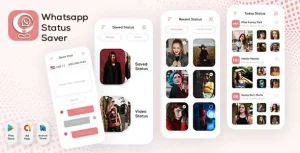
Insta Downloader – Quick Downloader – Social Media Image & Video Download – all in one insta Downloa
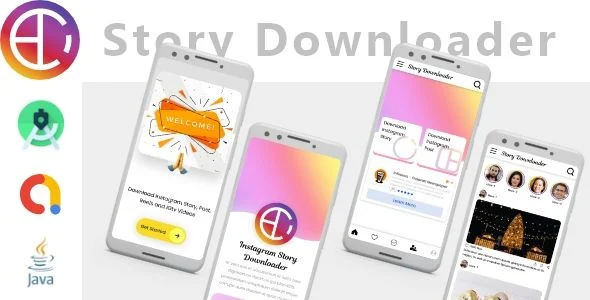
Insta Downloader Overview & Mobile Media Extraction Architecture
Insta Downloader is a native Android social media downloader application, engineered for mobile developers and agencies to retrieve, persist, and organize images, videos, stories, and statuses directly on end-user devices. The package addresses a concrete engineering bottleneck: converting ephemeral social media content streams into locally stored media files without requiring server-side processing or intermediary cloud storage. In practical delivery workflows, the codebase functions as a deployable, rebrandable Android project that can be compiled into a distribution-ready APK, reskinned for client brands, and published as a standalone utility app on the Google Play storefront.
Technical Specifications & Deployment Matrix
| Engineering Metric | Deployment Specification |
|---|---|
| Base Technology / Framework | Native Android application written in Java |
| Runtime / OS Compatibility | Android 9.0, 10.0, 11.0, and 12.0, plus additional supported versions |
| Deliverable File Formats | .apk (compiled binary), .java (source logic), .xml (layouts and manifests), .db (local persistence structure) |
| Media Handling Scope | Instagram images, videos, stories, plus status saving and gallery management |
| Local Persistence Footprint | On-device database (.db) and gallery storage for saved media assets |
Content Detection Pipeline & Execution Flow
The core mechanism is a URL-driven extraction pipeline: the user pastes or shares a social media post link, and the application parses the inbound URL to resolve the underlying media payload. Once a link enters the input layer, the request handler validates the target format, dispatches a network fetch against the media host, and isolates the direct image or video resource from the surrounding page structure. The resolved media stream is then serialized to device storage, registered in the local database, and surfaced in the built-in gallery module so the user can browse, replay, and manage saved items without leaving the app.
Because the .db file ships alongside the source tree, the persistence schema is inspectable: developers can audit how saved-media records are keyed, extend the table structure to add metadata columns, or migrate the schema during rebranding passes. The story and status saver modules operate on the same storage layer, writing ephemeral content into durable local records before the source expires on the remote platform. Hashtag support is integrated into the feature set, allowing the app to reference trending tag data during the browsing workflow.
Architectural & Functional Highlights
- Multi-Format Media Extraction: The engine handles both static image payloads and full video streams from Instagram posts, dispatching separate fetch paths per media type and writing each result to the appropriate device storage directory.
- Story & Status Saver Module: Ephemeral stories and statuses are captured and persisted into the local .db schema, converting time-limited content into permanent gallery entries that survive beyond the platform’s expiration window.
- Integrated Gallery Manager: Saved assets are indexed and rendered through a native gallery view, giving users a single surface to sort, view, and delete downloaded media without external file managers.
- Full Source Tree Access: The .java and .xml deliverables expose the complete activity logic and layout hierarchy, so agencies can rename packages, swap branding assets, and adjust UI strings before store submission.
- Broad Android Version Coverage: Compatibility spans Android 9 through 12, covering the majority of the active device ecosystem and reducing per-version conditional code branches.
Production Implementation & Operational Resilience
For agency staging environments, the delivered .apk allows immediate device-level verification before any code modification: QA teams can install the binary on physical Android 9–12 handsets or emulated profiles and validate download behavior against live social media URLs. When teams move to custom builds, the Java source compiles through standard Android Studio toolchains, and the XML layouts can be restyled directly — color tokens, string resources, and drawable assets are all replaceable within the standard resource directory structure.
Error handling follows a client-side pattern: invalid or unsupported URLs are rejected at the input-validation stage before a network fetch is dispatched, preventing wasted requests and malformed storage writes. Because all persistence is local — the .db file plus device gallery storage — the architecture has no server dependency, which removes backend hosting costs and CORS-style network configuration from the deployment equation. The operational boundary developers must respect is that media resolution depends on the upstream platform’s content delivery structure; when a host changes how media is exposed, the fetch logic in the .java layer must be updated and the app republished. Retrofit of persistence behavior requires a schema review of the .db file to keep existing saved-media records intact across app updates.
For studios exploring separate standalone alternatives on adjacent download verticals, Twitter Video Downloader covers the same URL-extraction pattern for a different platform, shipping with AdMob, FAN, AppLovin, Firebase, and OneSignal configurations. Teams building broader social products rather than download utilities may instead evaluate Newgram App as an independent Instagram-clone codebase for photos, videos, and story sharing.
Frequently Asked Questions
Does the package include the compiled APK in addition to the editable source code?
Yes, the deliverables contain a ready-to-install .apk file alongside the .java source files, .xml layouts, and .db persistence structure, so teams can test the binary immediately and modify the codebase afterward.
Can saved stories and statuses be accessed after they expire on the source platform?
Yes, the status saver and story modules write captured media into local device storage and the .db index, so persisted entries remain viewable in the built-in gallery after the original content disappears from the platform.
Is a backend server required to operate the application in production?
No, all media resolution, storage, and gallery management execute on the Android device itself using local persistence, so deployment involves no server-side infrastructure, hosting, or remote database configuration.
Does the app run on Android versions older than 9.0?
No, documented compatibility covers Android 9.0 through 12.0 plus an unspecified other tier; behavior on earlier Android versions is not verified in the source documentation and should be tested before targeting legacy devices.
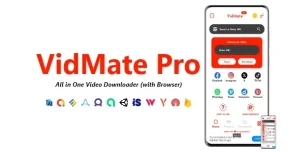
VidMate Pro – All in One Video Downloader (with Browser) | ADMOB, FIREBASE, ONESIGNAL
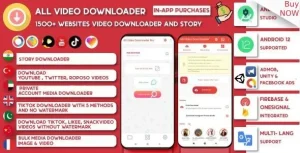
All Video Downloader & StorySaver | 1800+ Websites Twitter, Instagram, Likee, Tiktok,FB
iBEATZ – Android Music Downloader and Player with Youtube Music Source