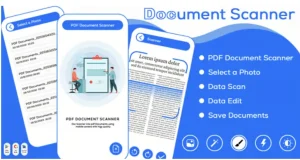
Image to PDF – Compress PDF – Photo Editing – converted PDF – Photo Editor – Photo Filter

Product Description
The Image to PDF plugin is a multifunctional tool designed to compress PDF – Photo Editing – converted PDF – Photo Editor – Photo Filter in your WordPress dashboard. This suite is perfect for bloggers, photographers, and businesses managing digital documents. It streamlines workflows by consolidating multiple functions into one package, eliminating the need for external apps and saving you time.
Forget juggling multiple online converters and desktop software. This plugin brings all the power you need directly into your WordPress environment. By centralizing these tasks, you can maintain an efficient workflow, whether converting a single receipt or processing an entire photo gallery. This integration boosts productivity and keeps you focused on your content, not on managing disparate files across different platforms.
Key Features
This toolkit gives you complete control over your images and documents. It includes a seamless image-to-PDF engine supporting various formats and an advanced compression system to reduce file sizes without quality loss. An integrated photo editor provides essential tools for cropping, resizing, and applying artistic filters. Other functions include bulk processing for handling multiple files at once, customizable output settings for paper size and orientation, and the ability to add watermarks for brand protection.
Use Cases
This versatile Image to PDF – Compress PDF – Photo Editing – converted PDF – Photo Editor – Photo Filter tool is ideal for many applications. Bloggers can bundle tutorial images into a single, downloadable guide for their audience. E-commerce sites can create compressed product catalogs for easy sharing with suppliers or customers. For corporate use, it’s perfect for converting scanned invoices, contracts, and important records into optimized, archivable PDF files directly from the company website.
Creative professionals will find the comprehensive compress PDF – Photo Editing – converted PDF – Photo Editor – Photo Filter features invaluable for their daily tasks. Photographers can quickly prepare client proofs by applying unique filters, adding a watermark for protection, and converting an entire album into a single, professional document. Similarly, graphic designers can package their portfolio pieces into a convenient PDF for review, all without ever leaving their WordPress dashboard and disrupting their creative flow.
Benefits
The primary benefit of using Image to PDF is the significant boost in productivity and workflow simplification it delivers. Having an all-in-one solution inside WordPress eliminates the need for expensive third-party software subscriptions and reduces the number of steps required to manage digital assets. This consolidation saves money and frees up your valuable time to concentrate on core business activities, content creation, and client engagement.
By integrating the Image to PDF – Compress PDF – Photo Editing – converted PDF – Photo Editor – Photo Filter plugin, you actively enhance your website’s functionality and provide tangible value to your team or end-users. The ability to serve smaller, compressed files can lead to faster page loads and improved site performance. Features like watermarking strengthen your branding, while the streamlined process creates a more professional and efficient user experience. It is a strategic addition that pays for itself in efficiency.