iHome | Smart Home Mobile App UI Template Screens in Figma
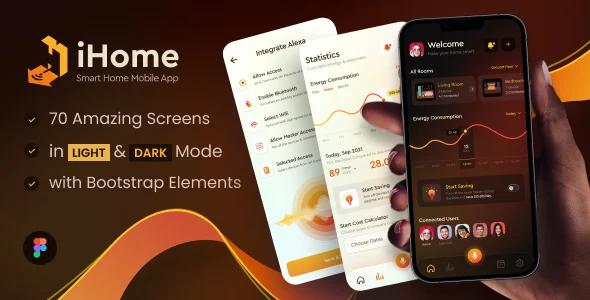
Product Overview
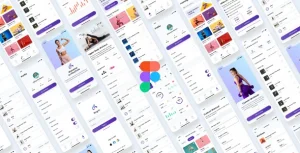
iHome delivers a robust set of Smart Home Mobile App UI Template Screens in Figma, serving as an essential resource for UI/UX designers, product managers, and developers. It provides a solid foundation for building intuitive smart home application interfaces, encompassing everything from device control dashboards to complex data visualizations.
Upon opening the Figma file, you’ll immediately notice the logical organization. Pages are clearly structured into categories like ‘Splash Screens,’ ‘Onboarding,’ ‘Authentication,’ ‘Dashboard,’ ‘Device Control,’ and ‘Settings.’ Each screen functions as a high-fidelity design component, readily available for direct use or modification.
Highlights & Value
- Structured Layers: Layers are well-named and grouped, simplifying navigation and customization significantly. This directly reduces the time spent identifying individual elements within complex screens.
- Component Library: Features a consistent design system with reusable components for buttons, input fields, and icons, ensuring uniformity across all app screens and maintaining visual coherence.
- Responsive Variants: Many components include pre-built variants for different states (e.g., active/inactive buttons, filled/empty input fields), which directly supports interactive prototyping and user flow demonstrations.
- Dark Mode Included: Dedicated dark mode screens are provided, crafted beyond simple color inversions, thoughtfully addressing user preferences and offering immediate implementation.
Real-World Use Cases
- Rapid Prototyping: Quickly link predefined screens to assemble interactive prototypes for stakeholder review, effectively bypassing initial wireframing and accelerating feedback cycles.
- Design System Foundation: Adapt the existing component library as a baseline for a custom smart home app’s design system, ensuring scalability and consistency from the project’s inception.
- Client Presentations: Showcase polished smart home app concepts to potential clients or investors, demonstrating functionality through high-fidelity, visually compelling visuals that effectively convey the user experience.
- Developer Handoff: Provide a clear, organized Figma file to developers, which minimizes ambiguity and significantly accelerates the front-end development process, leading to a smoother implementation.
Technical & Compatibility
This template is built entirely within Figma, leveraging its native features like Auto Layout, Variants, and Styles. This ensures any customizations you apply will inherit the inherent properties of the design system, thereby maintaining visual consistency throughout. The file operates seamlessly with all Figma plans, from the free tier to enterprise-level accounts, requiring no external plugins to function as intended.
The iHome | Smart Home Mobile App UI Template Screens in Figma project maintains a highly intuitive page structure. Moving from the primary ‘Dashboard’ page to a specific ‘Device Control’ screen for a smart light switch, for instance, is a straightforward process, with all states and potential interactions pre-prepared for connection within Figma’s prototype mode.