Iconic WooThumbs for WooCommerce

Iconic WooThumbs Overview & Variation-Driven Gallery Engine
Iconic WooThumbs is a WordPress plugin for WooCommerce, engineered for store owners and agencies to replace the native product image gallery with a variation-aware media engine. The core bottleneck it resolves is WooCommerce’s default limitation of binding a single featured image per product variation, which forces shoppers to guess at color, finish, or configuration differences. Within agency delivery workflows, the package functions as a drop-in gallery layer that swaps media states in real time as customers select attributes on variable products.
Technical Specifications & Deployment Matrix
| Engineering Metric | Deployment Specification |
|---|---|
| Base Technology / Framework | WordPress plugin running on WooCommerce product templates |
| Runtime / Language Requirements | PHP on the server, JavaScript for front-end gallery state handling |
| Data Exchange / Communication Protocols | Standard WordPress enqueue pipelines and WooCommerce template hooks |
| Front-End / Engine Dependencies | WooCommerce core, active theme template compatibility |
| Database / Persistence Footprint | Stores variation-to-image mapping within existing WordPress data structures |
Variation Media Binding & Execution Pipeline
The module overrides WooCommerce’s default product gallery output and binds an ordered image set to every attribute combination. When a shopper selects a variation on the front end, the JavaScript layer listens for the variation change event dispatched by WooCommerce’s attribute form, reads the mapped media set for the selected combination, and re-renders the gallery without a full page reload. Image ordering is managed per variation in the product editing screen, so merchants control exactly which photographs, angles, and video assets appear for each SKU configuration. The gallery also exposes zoom and lightbox behavior on the enlarged images, extending native media inspection without additional scripts from the theme.
Core Technical Capabilities of Iconic WooThumbs
- Multiple images per variation: Each attribute combination can carry its own ordered image stack, replacing the single-featured-image constraint of the WooCommerce core and rendering the correct stack on selection.
- Video embedding in the gallery: Product media sets accept self-hosted video files alongside hosted platform embeds, letting merchants place demonstration footage directly inside the image carousel.
- Zoom and lightbox inspection: Enlarged gallery frames respond to hover and click gestures for detailed viewing, with touch-aware behavior on smaller viewports.
- Native template replacement: The engine takes over the standard WooCommerce gallery output rather than injecting parallel markup, keeping a single source of truth for product media rendering.
- Per-variation ordering control: Media sequence is configurable per variation from the product data screen, so studios can prioritize hero shots for high-traffic SKUs without code changes.
For catalogs where variation visibility also matters at the listing level, Iconic WooCommerce Show Single Variations operates as a parallel option that surfaces individual variations in shop archives and search, addressing a different layer of the same merchandising problem.
Production Implementation & Operational Resilience
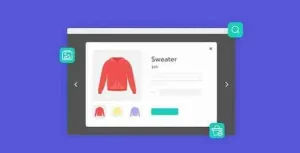
Deployment follows the standard WordPress plugin path: upload, activate, and configure the gallery behavior from the WooCommerce settings area before assigning variation media on individual products. Because the module replaces gallery template output rather than patching it with inline scripts, theme conflicts are minimized; heavily customized commercial themes that ship their own gallery systems should be regression-tested on staging before release, since two engines competing for the same template slot can produce duplicated markup. On high-traffic storefronts, image payload weight remains the primary operational boundary: variation galleries multiply the number of images attached to a single product page, so asset compression, appropriately sized thumbnails, and CDN delivery should be validated during pre-launch audits. The JavaScript state layer degrades acceptably when a shopper’s browser blocks scripts, since the underlying product form continues to submit selected attributes through WooCommerce’s native flow. Agencies migrating existing catalogs should map current featured images to their corresponding variations before enabling the override, ensuring no SKU renders without media. REST-driven product imports that write variation data will also need to account for the variation-to-image mapping structure so synchronized catalogs keep their media assignments intact. For merchandising teams that also want rapid product inspection during browsing, Iconic WooCommerce Quickview exists as a standalone companion path that adds modal previews with variation selection and cart actions, operating independently of the gallery engine.
Frequently Asked Questions
Does the gallery switch images automatically when a customer selects a product variation?
Yes, the JavaScript layer listens for WooCommerce’s variation change event and re-renders the mapped image set for the selected attribute combination without requiring a page reload.
Can videos be added to product galleries alongside images?
Yes, the media sets accept self-hosted video files and hosted platform embeds, allowing demonstration footage to sit inside the same carousel as product photographs.
Is the image order within each variation configurable?
Yes, the sequence of images and videos assigned to each attribute combination is managed from the product editing screen, giving merchants per-SKU control over which shot appears first.
Does the plugin work with simple products that have no variations?
Yes, the gallery engine replaces the native output across product types, so simple products retain the enhanced zoom, lightbox, and video behavior without requiring variable configurations.
-
5.13.2 LatestNov 3, 2026