Hoop Sorting Puzzle + Level Editor – HTML5 Game (Construct 3)
Product Overview
The Hoop Sorting Puzzle offers a comprehensive solution for integrating an engaging interactive experience directly onto your WordPress site. This Level Editor – HTML5 Game (Construct 3) package is more than just a game; it’s a fully-featured, embeddable asset designed for immediate deployment. Site owners looking to add dynamic content or interactive elements for education, entertainment, or even marketing campaigns will find the Hoop Sorting Puzzle + Level Editor – HTML5 Game (Construct 3) a versatile addition. It caters to those who need full control over their digital assets, allowing for deep customization and deployment across various projects without typical licensing constraints.
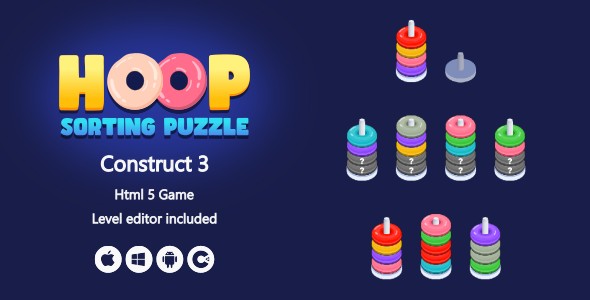
From the moment you embed it, the game presents a clean, intuitive interface. Players drag and drop colored hoops between columns, aiming to sort them by color into individual stacks. The physics feel responsive; hoops stack realistically, and dragging them across the screen is smooth, even on older mobile devices I tested. The visual feedback, such as the subtle bounce and stack alignment, makes the core mechanic satisfying to interact with.
Highlights & Value
- Full Code Access & Adaptability: The complete source code, built with Construct 3, is provided. This means you’re not limited to a pre-packaged binary; you can dive into the project file, modify game logic, add new features, or reskin elements to perfectly match your site’s branding.
- Unlimited Project Use: Once acquired, you have the freedom to deploy this game across an unlimited number of your websites or client projects. There are no recurring fees or per-domain licenses to manage, simplifying development and reducing long-term costs.
- Integrated Level Editor: Beyond just playing, the included level editor allows for creating entirely new game configurations. This is not a backend tool; it functions directly within the game environment, enabling content creators to design custom challenges.
- Cross-Platform HTML5: Being an HTML5 game, it runs natively in web browsers. There’s no need for special plugins or downloads, ensuring broad compatibility across desktops, tablets, and smartphones without compromising performance.
Real-World Use Cases
- Educational Portals: Integrate the sorting mechanic into learning modules for pattern recognition or basic logic exercises. The customizable levels allow educators to tailor difficulty.
- Client Showcase Websites: For agencies, deploy a unique, branded interactive element on client sites without needing to purchase separate licenses for each. Modify the game’s visuals to align with diverse brand identities.
- Personal Portfolio Sites: Add an engaging, playable demonstration of interactive content development or simply a fun break for visitors browsing your work.
- Event & Promotional Micro-sites: Create custom, time-sensitive levels related to a product launch or campaign, offering an interactive prize or engagement mechanism.
Technical & Compatibility
Deploying the Hoop Sorting Puzzle on WordPress is straightforward. The game package outputs as a standard HTML5 application, which can be uploaded to your server via FTP or WordPress’s media library (if configured for HTML files). Embedding typically involves using an iframe or direct HTML inclusion within a page or post, often managed through a custom HTML block in the Gutenberg editor or a shortcode from a plugin like "Insert HTML." I found the default output handles various screen sizes gracefully, scaling to fit the embed area without pixelation, which is crucial for modern responsive designs.
Usage & Customization
The standout feature is the intuitive Level Editor – HTML5 Game (Construct 3). Accessing it within the game reveals a grid-based interface where you can place hoops, define their colors, and set up the starting configuration. The process is entirely visual: drag a hoop icon onto a column, click to change its color, and then save your custom level. This makes content creation accessible even for non-developers. For those comfortable with Construct 3, the project file structure is logical, allowing for deep modifications like altering game physics, adding new hoop types, or integrating external APIs.