Happy New Year 2023 Photo Frame Editor App with Admob Ads
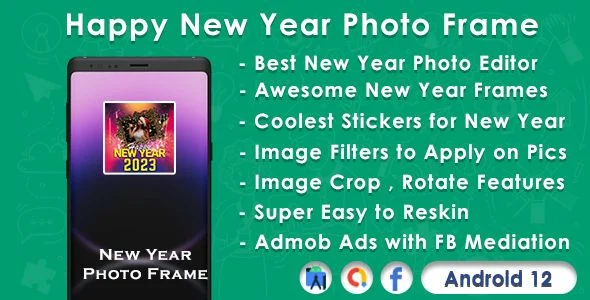
Happy New Year 2023 Photo Frame Editor App Overview & Seasonal Android Publishing Role
The Happy New Year 2023 Photo Frame Editor App is a native Android source-code package, engineered for mobile developers and app-publishing agencies to deploy a seasonal photo-frame utility during the New Year demand window. It removes the engineering overhead of building a frame-composition editor from scratch by supplying a prebuilt Java and XML codebase containing HD frame templates, image filters, sticker assets, and bundled greeting messages. In production workflows, teams reskin the interface, bind their own AdMob publisher identifiers, and submit a monetized build to the Play Store ahead of the December–January traffic spike.
Technical Specifications & Deployment Matrix
| Engineering Metric | Deployment Specification |
|---|---|
| Base Technology / Framework | Native Android application assembled from Java source files with XML layout and resource definitions |
| Runtime / OS Requirements | Documented compatibility with Android 9.0, 10.0, 11.0, and 12.0 |
| Monetization / Communication Protocols | Google AdMob SDK serving Open Ads, banner, interstitial, and native formats, with Facebook Audience Network mediation layered on top |
| Front-End / Engine Dependencies | On-device bitmap rendering, frame overlay templates, image filter pipeline, and sticker layer compositing |
| Database / Persistence Footprint | No backend or remote database; frames, wishes, and stickers are bundled locally with a stated low memory footprint |
Frame Composition Pipeline & Monetization Execution Flow
The application routes every gallery-selected or camera-captured image through a local bitmap composition pipeline. On the editing surface, the user first binds an HD New Year frame template to the bitmap, after which the filter module applies selectable image effects and the sticker module composites decorative layer elements onto the same canvas. Because every transform executes on the device, output generation does not depend on network availability; only the ad layer communicates remotely. Exported greeting cards pass through Android’s native share intent, enabling distribution over installed messaging and social channels. Monetization events sit at session boundaries: App Open ads trigger on launch, interstitials fire between composition and export steps, banners occupy persistent screen regions, and native units blend into content surfaces.
Architectural & Functional Capabilities of the Photo Frame Editor
- Four-format AdMob stack with mediation: Open Ads, banner, interstitial, and native placements are wired into the flow, and Facebook mediation support lets publishers route fill through a secondary network when primary demand is exhausted.
- Layered frame composition engine: HD frame templates, image effects, and a sticker library operate as independent layers over the source bitmap, so users can swap or reposition elements without regenerating the base image.
- Bundled content catalog: New Year wishes and greeting assets ship inside the package, removing any dependency on content APIs or remote asset hosting.
- Reskin-oriented project structure: Frame artwork, sticker graphics, and interface elements are replaceable assets, which shortens the rebrand cycle for agencies republishing the concept under a different seasonal theme.
- Current platform coverage: Compatibility spans Android 9 through Android 12, the documented OS ceiling at release, so builds run on devices from the last four major platform generations.
Studios that need a year-round photo-editing product on the same native stack can evaluate Pixel Effect as a separate standalone source package, since its pixel-based rendering path targets a different editing use case rather than the seasonal frame niche this codebase covers.
Production Implementation & Operational Resilience
Deployment begins by importing the Java and XML project into Android Studio and replacing the bundled AdMob application ID and ad unit identifiers with publisher-owned values; shipping a build that still references vendor identifiers is the most common pre-launch failure. During validation, Google’s test ad unit IDs should remain active until behavior is confirmed across Open Ads, banner, interstitial, and native placements, after which a signed release build is generated for store submission. Reskinning is bounded to asset substitution: swapping frame images, sticker graphics, string resources, and color definitions preserves the underlying composition pipeline without touching controller logic. Two operational boundaries deserve attention. First, the content catalog is compiled into the binary, so adding frames after release requires a new build rather than a remote update. Second, the concept is seasonally indexed — search demand for New Year frames concentrates in late December and early January, so publish timing directly affects install velocity. Agencies running recurring seasonal calendars can treat Happy Birthday GIF as an independent Android codebase with its own AdMob and Facebook wiring covering the birthday-sharing niche, without reusing this package’s runtime.
Frequently Asked Questions
Does the deliverable include an installable APK binary in addition to editable source files?
Yes, the package contains an .apk binary alongside the full .java source files and .xml layout resources, so teams can either evaluate the running build directly on a device or import the project into Android Studio for reskinning and rebuild work.
Is the codebase written in Java rather than Kotlin?
Yes, the included source files are delivered as .java modules with .xml resource definitions, which means maintenance stays within the standard Java toolchain and does not require Kotlin migration knowledge to reskin or extend the existing editor.
Can the app be submitted to the Play Store without adding new code?
Yes, the codebase is documented as ready to upload, meaning no feature development is required. The remaining pre-submission work is configuration: swapping in your own AdMob application ID and ad unit identifiers, then generating a signed release build.
Does the frame editor depend on a remote server or backend database?
No, frame templates, filters, stickers, and greeting text execute entirely on the device, and the package is described as memory-efficient. The only network traffic originates from ad SDK requests, so no server provisioning or content API is needed.