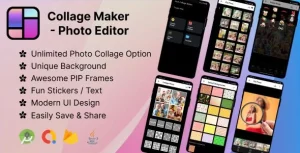
Grid Photo Collage Maker Quick – PicCollage – Photo Collage Maker – Foto Grid – Photo Editor – iMAGE
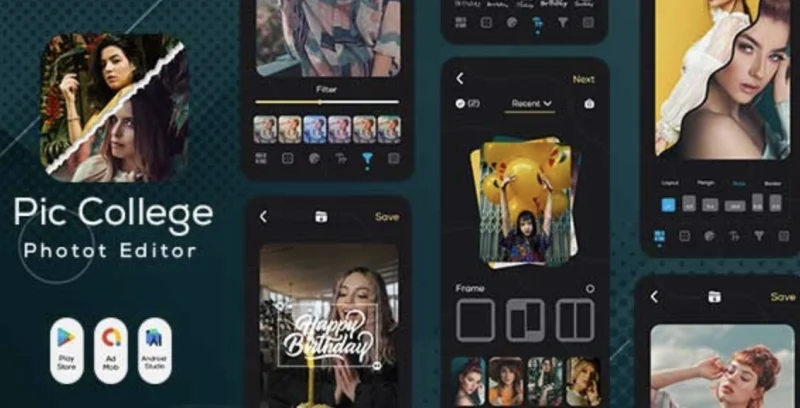
Quick Grid Photo Collage Maker Overview & Native Android Media Editing Architecture
Quick Grid Photo Collage Maker is a native Android application source package, engineered for mobile developers and app publishers to deploy a photo-and-video collage editor with grid layout composition, filter rendering, and multi-clip playback in a single build. The codebase addresses a concrete production bottleneck: merging still photography and video segments into one synchronized grid canvas, where each cell accepts zoom, pan, rotation, trim, and mute operations before export. In practice, this architecture functions as a deployable consumer app for social content workflows targeting Instagram stories, TikTok posts, Facebook banners, YouTube thumbnails, and Pinterest boards, with the full Java source, compiled .dex artifacts, and native .so libraries shipped together for immediate rebranding and store submission.
Technical Specifications & Deployment Matrix
| Engineering Metric | Deployment Specification |
|---|---|
| Base Technology / Framework | Native Android application built on Java (.java sources with .xml layout resources) |
| Runtime / Language Requirements | Android 9.0, 10.0, 11.0, and 12.0 (plus broader Android versions under “Other”) |
| Compilation Artifacts | .apk package, .dex bytecode, native .so libraries, .dat assets, and .db database files |
| Design Assets Included | Layered PSD and Layered PNG files for iconography and store graphic rebranding |
| Persistence Footprint | Local .db storage for template and configuration state; no external server dependency documented |
Grid Composition Engine & Execution Pipeline
The core mechanism is a grid composition engine that accepts up to 20 media cells per canvas. When a user opens the editor, the pipeline ingests selected photos and video clips, maps each asset into a layout slot defined by the template subsystem, and renders transform operations (scale, rotation, positional pan) per cell. Because the layout registry stores templates as data-driven structures inside the bundled .db and .dat assets, swapping a template re-binds cell geometry without touching the rendering code path itself — a separation that lets publishers add layouts as data rather than as logic.
The video path adds a second stage: each clip passes through a trim boundary and an audio-state toggle before frame synchronization aligns playback so all cells play together as one composite. Export then rasterizes the canvas to the chosen aspect ratio — including A4 and A3 print dimensions, story formats, and thumbnail ratios — and writes the finished collage or slideshow to device storage for sharing.
Core Technical Capabilities of Quick Grid Photo Collage Maker
- Mixed-Media Grid Composition: Up to 20 photo or video cells populate a single layout, with per-cell zoom, pan, rotation, flip, and crop transforms applied independently before composite export.
- Filter & Effects Rendering Layer: Aesthetic filters (Retro, Drip Art, Pixelate, Liquify, VHS-style presets) and frame, border, lace, and background decorations are applied as a non-destructive styling pass over the composed grid.
- Overlays & Sticker Subsystem: Text rendering with 200+ designer fonts, sticker placement, custom sticker creation, graffiti, cutout, mosaic, and meme-style material libraries operate as drawable overlays above the media canvas.
- Image Restoration Utilities: Enlarge, upscale, and de-noise routines recover low-quality source images so they integrate cleanly into high-resolution collages.
- Watermark Control: The export path can remove the default watermark or replace it with a custom logo and name, giving publishers full brand ownership of output media.
For developers evaluating parallel Android app source packages in a similar consumer-utility category, Wedding Invitation Card Maker demonstrates a comparable template-driven design pipeline for card creation, while Taskora represents a separate productivity-oriented Android codebase for portfolio diversification.
Production Implementation & Operational Resilience
Deployment follows the standard native Android release cycle: compile the Java sources against the Android 9.0–12.0 SDK range, verify native .so library loading for the target ABIs, and sign the release .apk for store distribution. The included .dex and .apk artifacts allow a verification build before any source modification, which is useful for confirming that the baseline media pipeline runs correctly on a given test device fleet.
Operational boundaries worth noting before customization: media ingestion relies on device-local photo and video access, so runtime permission handling for storage access must be preserved when refactoring. Heavy composites — a 20-cell grid with simultaneous video decode — are inherently memory-intensive on lower-tier hardware, and the trim/mute/unmute toggles exist precisely to reduce decode load by shortening or silencing clips. Because the template registry lives in the bundled .db and .dat files, extending the layout catalog means editing those data assets (and the layered PSD/PNG sources for any associated graphics) rather than patching render logic. The filter, sticker, and font libraries are similarly data-driven decoration layers, so a rebrand pass can replace these material sets without restructuring the composition engine. Publishers targeting a specific niche should treat the ratio system (story, square, banner, A4, A3) as the primary customization surface, since output dimensions define downstream platform compatibility.
Frequently Asked Questions
Does the package include the complete Java source code or only compiled binaries?
Yes. The deliverables contain .java sources and .xml resources alongside the compiled .apk, .dex, and native .so files, plus layered PSD and PNG design files, so the application can be rebuilt and reskinned from source.
Can one grid contain both videos and photos playing simultaneously?
Yes. The engine supports mixed-media layouts with up to 20 cells, and the editing path lets users trim clips and toggle mute or unmute so photos and videos play together in one synchronized composite.
Is a backend server required to run the collage editor?
No. The documented architecture relies on local device media, bundled .db and .dat template assets, and on-device rendering; no server-side component or hosted API is described in the package documentation.
Can the default watermark be replaced with a custom brand logo?
Yes. The export configuration permits removing the stock watermark or substituting a custom logo and name, which allows publishing outlets to apply their own branding across all generated collages.
PIP Camera Frames – Photo Editor Amazing Effects – Photo PIP – PIP Camera Collage Maker – PIP Effect
Mirror Photo Effect Reflection – Mirror Photo Editor – Collage Maker Beauty Camera – 3D Mirror Photo
Gallery – Photos & Videos (Android)