Fruit Cutter (Admob + GDPR + Android Studio)
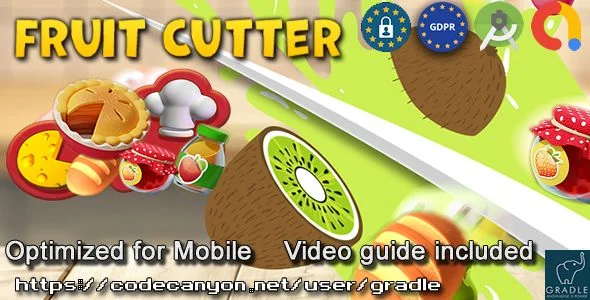
Fruit Cutter Overview & Native Android Arcade Architecture
Fruit Cutter is a native Android arcade game source code, engineered for beginner developers and solo publishers to ship a monetized, swipe-based slicing game on Google Play with minimal coding overhead. The package eliminates the operational bottleneck of third-party engine setup by shipping as a pure Android Studio project built on Java classes and XML resources, with no Unity or Buildbox dependency anywhere in the build chain. Within agency and indie production workflows, it operates as a reskin-ready asset where graphics, audio, the application package name, and AdMob identifiers are swapped through documented steps before a signed release APK is generated.
Technical Specifications & Deployment Matrix
| Engineering Metric | Deployment Specification |
|---|---|
| Base Technology / Framework | Native Android project compiled in Android Studio (2025 release line); no game engine layer |
| Runtime / Language Requirements | Java (.java) and XML source files; targets Android 9.0 through Android 15.0, with Android 16 readiness declared |
| Data Exchange / Communication Protocols | AdMob ad network requests for banner and interstitial formats; GDPR privacy policy and review URL endpoints |
| Front-End / Engine Dependencies | Android Studio only; explicit non-dependency on Unity and Buildbox |
| Build Output / Persistence Footprint | 64-bit APK supporting both ARM and x86 device architectures; phone and tablet layouts |
Touch-Dispatch Game Loop & Monetization Pipeline
The core mechanism is touch-event dispatch: player swipes are captured by the native view layer, validated against fruit hit zones in Java game logic, and rendered without any engine abstraction. Because the gameplay layer sits directly on Android view components rather than an interpreted engine runtime, the slicing interaction path stays short: input events travel from the display stack into Java handlers, collision state is resolved in-process, and score or round transitions update the UI in the same frame cycle. This flat architecture is what makes the reskin workflow practical for developers with limited publishing experience, since every behavior is reachable from standard Android Studio project navigation.
Monetization is wired through two AdMob formats. Banner units occupy persistent placement during play, while interstitial units trigger at natural session boundaries between rounds. Ad unit identifiers are isolated as replaceable values, so a publisher routes the ad traffic to their own AdMob account without editing gameplay classes. Studios diversifying a release calendar beyond arcade titles into utility verticals can evaluate Converto as a separate Android codebase that ships comparable ad-network wiring for a different app category.
Architectural & Functional Highlights
- Engine-Free Rendering Stack: All gameplay and interface logic is implemented in Java with XML layout resources, removing engine installation, engine-specific build pipelines, and engine runtime overhead from the compilation path entirely.
- Dual AdMob Format Integration: Banner and interstitial placements are pre-wired into the project, and their unit identifiers are exposed as configuration values that a publisher replaces during the setup walkthrough before release builds.
- GDPR Disclosure Configuration: Privacy policy and review URLs are defined as replaceable string values, letting publishers point consent disclosures at their own hosted compliance documents without modifying game logic.
- Documented Reskin Pipeline: The included instructions cover changing the package name, swapping graphics assets, replacing audio files, and generating a signed file, which compresses a full reskin-and-publish cycle into roughly a single working day.
Production Implementation & Operational Resilience
Deployment follows the standard Android release chain: open the project in Android Studio, rename the application package, replace the media assets and ad identifiers, then produce a signed APK through the IDE’s bundled signing flow. The build emits a 64-bit binary that covers both ARM and x86 hardware, which addresses Google Play’s architecture requirements and broadens the addressable device pool from phones through tablets. Compatibility spans Android 9.0 to Android 15.0, with the project declared ready for Android 16, so a release targeting current store requirements does not require immediate migration work.
Operational boundaries are tied to the single-IDE constraint: because the codebase avoids Unity and Buildbox, every build, debug, and signing operation runs inside Android Studio, which keeps the toolchain flat but means the workflow depends on that environment’s configuration steps. Publishers must also host their own GDPR privacy policy documents, since the project exposes the URLs but does not generate compliance content. Security-focused portfolio additions such as App Locker occupy an independent development track, relevant only to teams planning multiple Android releases from one account rather than to this game’s build pipeline.
Frequently Asked Questions
Does the Fruit Cutter project depend on Unity or Buildbox?
No, the codebase is built exclusively with Android Studio using Java and XML resources, so no third-party game engine installation, engine configuration, or engine-specific build pipeline is required to compile, debug, or reskin the project before release.
Can a 64-bit release APK be generated directly from this source?
Yes, the project produces 64-bit APKs and supports both ARM and x86 device architectures, allowing a single signed build to satisfy Google Play architecture expectations and run across phones and tablets within the supported Android version range.
Are GDPR-related values configurable without modifying core game logic?
Yes, the privacy policy URL and review URL are exposed as replaceable configuration values, so a publisher can route consent disclosures to their own hosted compliance documents without touching the Java gameplay classes or XML view hierarchy.
Is the project suitable for developers with no prior Android publishing experience?
Yes, the included documentation walks through Android Studio installation, configuration, ads integration, and signed file generation, and the project targets beginner users with simple gameplay rules and a straightforward design.