Finish The Drawing – HTML5 Game
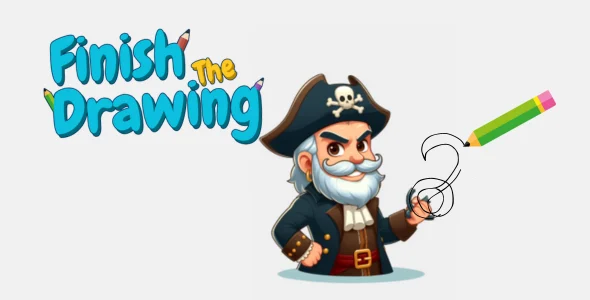
Finish The Drawing Overview & Interactive Canvas Engine
Finish The Drawing is a Construct 3-powered HTML5 puzzle game, engineered for indie studios, educational publishers, and casual game portals to deploy a drawing-completion experience across desktop and mobile browsers. Each of its 24 levels presents an incomplete illustration whose missing segment players reconstruct through direct touch or mouse strokes, turning every input into a piece of a visual puzzle. Within a production workflow, the package operates as a drop-in HTML export ready for static hosting, paired with an editable .capx source project for level extension and full reskinning.
Technical Specifications & Deployment Matrix
| Engineering Metric | Deployment Specification |
|---|---|
| Base Technology / Framework | Construct 3 (.capx event-sheet project) exported to HTML5 |
| Runtime / Browser Matrix | Chrome, Edge, Firefox, Safari, Opera, plus legacy Internet Explorer 6 through 11 |
| Rendering Resolution | FullHD 1920×1080 canvas output |
| Input Model | Dual-channel pointer handling: touch events on mobile, mouse events on desktop |
| Content Structure | 24 levels, main menu, level-select screen |
| Delivered Source Assets | JavaScript JS, HTML files, layered PNG graphics, documentation |
Because the export is a self-contained static bundle, deployment reduces to uploading the HTML output to any web server or CDN edge without a database, backend runtime, or build pipeline. For teams weighing alternate HTML5 engines before committing to the Construct ecosystem, Pocket Chain demonstrates an equivalent browser-first delivery model built on CreateJS with canvas rendering and LocalStorage persistence, which serves as a useful comparison point when scoping engine selection.
Drawing-Completion Mechanics & Execution Pipeline
The engine captures player strokes on a 1920×1080 canvas and applies them as the missing segment of each level’s incomplete illustration. Behind that interaction, Construct 3’s event-sheet architecture coordinates three subsystems: a scene loader that streams layered PNG artwork into each level, an input dispatcher that normalizes touch and mouse events into a single stroke model, and a progression controller that tracks completion state across the 24-stage campaign and the level-select interface. The menu and level-select screens act as the state hub, allowing players to revisit solved stages or enter unsolved ones without reloading the page.
Architectural & Functional Highlights
- 24-Level Progression Framework: Each level ships as a discrete drawing-completion challenge with its own artwork and scene logic, giving level designers a repeatable template for adding stages through the Construct 3 editor.
- Dual Input Normalization: Touch and mouse events are unified into one stroke-handling path, so the same event sheets drive mobile and desktop behavior without per-platform branching.
- FullHD Canvas Output: The game renders at 1920×1080, and its mobile optimization pass scales that canvas viewport down to smaller screens while preserving stroke accuracy.
- Broad Browser Compatibility: The HTML5 export runs on all popular browsers, including legacy Internet Explorer releases, which widens the addressable audience for portals with older traffic profiles.
- Complete Asset Handover: All images used in the game are included as layered PNG files, enabling pixel-level artwork replacement during reskins.
Studios expanding a casual games catalog in this genre can position the package alongside standalone alternatives rather than merged codebases; Drawmaster exists as a separate C3P plus HTML5 drawing-puzzle title for teams that need a second, physics-oriented entry in the same vertical.
Production Deployment & Implementation Considerations
Deployment Requirements: The HTML export requires only a JavaScript-capable browser and static file hosting, so staging and production environments need no server-side runtime, API gateway, or persistence layer. The editable source, however, opens exclusively inside the Construct 3 editor, meaning any team planning level changes, difficulty tuning, or artwork swaps must maintain access to that authoring tool as a pre-deployment prerequisite.
Implementation Boundaries: The deliverable set is deliberately frontend-only. There is no backend leaderboard, account system, or remote content feed described in the documentation, so operators expecting synchronized multiplayer or server-validated progress must treat those capabilities as out of scope for this codebase. The 24-level count and menu structure define the content ceiling until new stages are authored in the .capx project.
Customization Scope: Extension happens through two documented channels: editing the Construct 3 project to add levels or alter event logic, and replacing the included layered PNG assets to retheme the visuals. Publishers assembling an educational portal for younger audiences can deploy this title as one station in a broader catalog, where trezeCoins functions as an independent HTML5 learning game occupying a complementary content slot on the same static infrastructure.
Frequently Asked Questions
Does the download include the editable Construct 3 source project?
Yes, the package ships with the full .capx project file, the game exported to HTML ready for immediate use, all in-game imagery, and written documentation covering setup and project structure.
Can I edit the game without owning or accessing Construct 3?
No, the source code is a Construct 3 project and can only be opened and modified inside that editor. The pre-exported HTML build runs as-is in browsers, but structural changes require the authoring environment.
Are the original layered image files included for reskinning?
Yes, every image used across the 24 levels, menu, and level-select screens is delivered as layered PNG artwork, allowing designers to modify or replace individual visual elements without rebuilding assets from scratch.
Does the game support both mobile touch input and desktop mouse control?
Yes, the input layer handles touch and mouse events through a unified stroke model, and the mobile optimization pass scales the 1920×1080 canvas so both input methods remain fully playable across devices.