Find The Fish – HTML5 Construct 2 Game (.Capx)
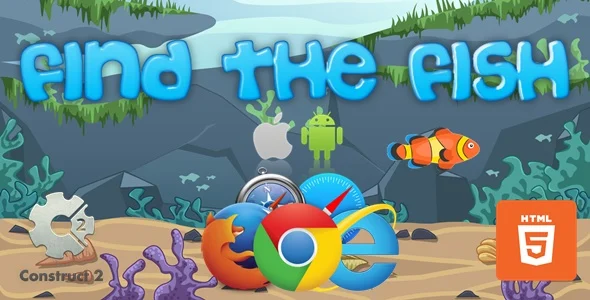
Find The Fish Overview & Casual Sea Discovery Game Architecture
Find The Fish is an HTML5 casual discovery game built on the Construct 2 engine, engineered for indie developers and content studios to deploy a score-driven underwater search experience across browsers and mobile hardware. The package removes the cost of hand-writing a canvas rendering loop, an input abstraction layer, and score persistence logic by shipping the entire editable event project alongside its export-ready runtime. Within agency and publisher workflows, it functions as a drop-in web asset for game portals, client microsites, and WebView-wrapped Android or iOS shells, with every sprite and behavioral rule open to modification.
Technical Specifications & Deployment Matrix
| Engineering Metric | Deployment Specification |
|---|---|
| Base Technology | Construct 2 game engine, project delivered as native .capx source |
| Runtime / Language Requirements | HTML5, JavaScript, CSS; any standard web server or CDN |
| Rendering Resolution | High Definition 1280×720 canvas output |
| Browser Compatibility | IE9, IE10, IE11, Firefox, Safari, Opera, Chrome, Edge |
| Persistence Footprint | Client-side high score retention across sessions |
| Monetization Hooks | AdMob ad events supported inside Construct 2; plugin not bundled |
| Input Layer | Dual control schemes: touch for mobile, pointer for desktop |
Event-Driven Execution Pipeline & Core Gameplay Mechanics
The engine drives every underwater scene through an HTML5 canvas surface governed by Construct 2’s event sheet, a condition-and-action dispatch system evaluated on each frame tick. Because the game logic lives in visual event blocks rather than hard-coded JavaScript, each interaction — locating a fish, registering a tap, updating the score counter — traces to a discrete, editable rule inside the .capx project. Score values accumulate in runtime variables, and the highest result is written to the browser’s local storage area, so returning players on the same device see their record preserved between sessions without any server-side database call.
The fun mode removes countdown constraints entirely, letting players search without a timer while the ranking system stays active for competitive play. Input handling is abstracted at the engine level: pointer events on desktop map to the same actions as touch gestures on mobile, so a single exported build serves both platform families without conditional code branches. For teams assembling a broader browser arcade beyond this title, Dunk Digger exists as an independent Construct 3 project for decoupled implementations outside this event architecture.
Core Technical Capabilities of Find The Fish
- Full Construct 2 Source Access: The download contains the .capx project file and all accompanying assets, exposing every event sheet, layer, and object for direct inspection, debugging, and behavioral edits inside the editor.
- Cross-Browser Canvas Runtime: The exported JavaScript, HTML, and CSS bundle executes across nine browser targets spanning IE9 through Edge, Chrome, Firefox, Safari, and Opera without per-vendor builds.
- High Score Persistence: Score state survives page reloads and session restarts through browser-local storage, giving the arcade loop measurable replay pressure at zero backend cost.
- Dual Input Scheme: Touch and pointer controls ship in one codebase, covering Android, iOS, and desktop play from a single exported build.
- AdMob Event Scaffolding: Ad display points are wired for AdMob within the Construct 2 environment, giving publishers defined insertion locations once their own plugin configuration is attached.
Production Implementation & Operational Resilience
Deployment requires no server-side runtime: the exported HTML, JavaScript, and CSS files are static payloads that any shared host, CDN edge, or object storage bucket can serve. Embedding follows the standard iframe pattern, isolating the game’s canvas and input listeners from the host page DOM and preventing stylesheet or script collisions with surrounding CMS markup — a practical concern when the build is dropped into a WordPress page or a portal carrying third-party trackers.
The fixed 1280×720 canvas keeps asset dimensions predictable, so reskins reduce to swapping sprite images in the .capx project and re-exporting, without layout recalculations. Error tolerance is inherited from the Construct 2 runtime, which falls back to software-based canvas drawing when a browser lacks accelerated rendering. Native distribution paths — wrapping the build in an Android or iOS WebView container — work because the runtime communicates through standard browser APIs rather than platform-specific bridges. As a separate starting point for studios evaluating a different engine for standalone puzzle deliverables, Cosmic Rotation Puzzle ships as its own Construct 3 codebase with an independent architecture.
Frequently Asked Questions
Does the exported game display AdMob ads immediately after upload?
No, AdMob integration is supported through the Construct 2 environment, but the plugin and its ad-unit configuration are not bundled. Publishers must attach their own AdMob setup inside the editor before a monetized build can render live advertisements.
Can the .capx project be opened and edited in Construct 3?
Yes, the project is Construct 3 compatible. Developers can import the .capx file into the Construct 3 editor and continue editing event sheets, layouts, and assets there, preserving existing logic while moving to the newer toolchain.
Does the game enforce a timer in every mode?
No, the fun mode runs without any time restriction, allowing players to search for fish at their own pace while the scoring system continues tracking results and retained high scores for competitive comparison.
Can players compare results with friends?
Yes, the game keeps high scores on the playing device, so participants can compare best results on the same machine. The package contains no online leaderboard backend, so cross-device ranking would require separate development work.