Fast Gallery Mosaic – WordPress Plugin
Fast Gallery Mosaic Overview & Front-End Gallery Rendering Engine
Fast Gallery Mosaic is a WordPress gallery plugin, engineered for photographers, creative agencies, and freelance developers who need to deploy mosaic image walls without hand-coding JavaScript layout logic. The package addresses a persistent bottleneck in native WordPress media handling: the core editor ships with no mosaic grid, no selectable lightbox engine, and no per-gallery color theming. Within production workflows it operates as a drop-in rendering layer that extends the standard WordPress media library, allowing a styled gallery to be assembled directly from the wp-admin environment.
Technical Specifications & Deployment Matrix
| Engineering Metric | Deployment Specification |
|---|---|
| Base Technology / Framework | WordPress plugin packaged as JavaScript JS, CSS, and PHP source files |
| Runtime / Version Requirements | WordPress 5.2.x through 6.2.x |
| Browser Compatibility Envelope | IE9, IE10, IE11, Firefox, Safari, Opera, Chrome, Edge |
| Front-End Engine Dependencies | Selectable lightbox runtimes: PrettyPhoto, Photobox, Magnific Popup, LightGallery, plus a Custom URL output mode |
| Localization / Persistence Footprint | Translation-ready via bundled .po/.mo files; gallery configuration persisted through standard WordPress options and widget storage |
Mosaic Rendering Pipeline & Execution Flow
The plugin converts standard WordPress media attachments into a themed mosaic grid through a single admin-side configuration pass. On the back end, each gallery instance is defined by selecting images from the extended media library, choosing one of five output engines, and setting layout parameters that the PHP layer serializes into the WordPress options store. When a post or widget renders, the stored configuration is parsed, thumbnails are resolved against attachment IDs, and the JavaScript layer computes the mosaic geometry across mixed tile sizes before the selected lightbox engine attaches its click handlers to each anchor element.
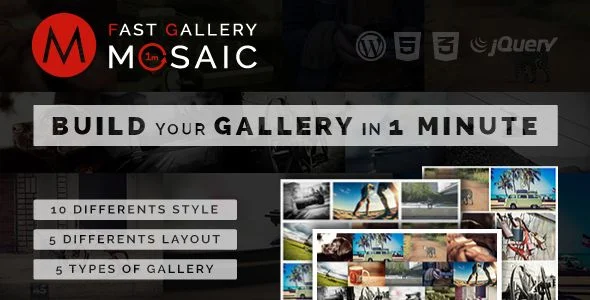
The five output engines determine what happens after a thumbnail interaction. PrettyPhoto, Photobox, Magnific Popup, and LightGallery each intercept the click event and open a full-resolution overlay slideshow driven by their respective JS libraries, while the Custom URL mode bypasses overlay rendering entirely and routes each anchor to a developer-defined destination, which suits portfolio pieces that must land on dedicated pages. Styling is controlled through ten predefined visual styles and five layout variants, and each gallery accepts a primary color with adjustable opacity plus a secondary color, so palette decisions are scoped per instance rather than globally forced.
Agencies evaluating parallel gallery architectures before committing to a rendering stack can benchmark this module against Modula Image Gallery Pro, which approaches responsive photo galleries from an independent feature set including video embedding and WooCommerce-aware output.
Core Technical Capabilities of Fast Gallery Mosaic
- Five Selectable Gallery Engines: PrettyPhoto, Photobox, Magnific Popup, and LightGallery provide four distinct overlay slideshow runtimes, while the Custom URL mode repurposes the mosaic grid as a navigation surface with per-image link targets.
- Ten Styles Across Five Layouts: The combination of ten style presets and five layout structures yields fifty visual permutations before any custom color work, reducing per-project CSS overrides to near zero for common client briefs.
- Per-Gallery Color Theming with Opacity: A primary color with configurable opacity and a secondary color are stored per gallery instance, so multiple visually distinct galleries can coexist without stylesheet collisions.
- Dual Responsive Modes with Custom Spacing: A Responsive mode and a Mosaic mode govern how the grid reflows across viewports, while a custom spacing parameter controls gutter width at the pixel level.
- Widget and Translation Support: Gallery output is exposed through the WordPress widget system in addition to standard content embedding, and bundled .po/.mo files allow front-end strings to be localized without patching source.
Production Implementation & Operational Resilience
In agency staging and client delivery environments, the architecture permits multiple gallery instances on the same page, each carrying independent engine, style, layout, and color parameters, which supports landing pages that mix hero mosaics with smaller inline grids. Custom thumbnail assignment decouples the displayed tile image from the full-resolution asset, giving developers direct control over payload size on image-heavy pages, a meaningful lever for Largest Contentful Paint on photography portfolios where dozens of tiles render above the fold.
The browser compatibility envelope extends back to IE9, which constrains the CSS feature set the front-end relies on and confirms that layouts avoid modern-only layout primitives where legacy fallbacks are required. The module is not Gutenberg-optimized, so implementation runs through the classic editor workflow, shortcodes, and widget regions rather than native block registration; teams whose builds are anchored on page builders should account for this boundary during scoping. Localization is handled through the bundled translation files, and the included video tutorials document the configuration path for handoff to client-side maintainers.
For storefront projects where the requirement shifts from editorial photo walls to product imagery, JetProductGallery covers the WooCommerce product gallery use case with slider, zoom, and video output as a separate plugin path.
Frequently Asked Questions
Can multiple galleries with different settings be embedded on the same WordPress page?
Yes, the architecture stores engine, style, layout, spacing, and color parameters per gallery instance, so several distinct galleries can render on one page without configuration conflicts or shared styling overrides.
Does the plugin operate natively inside the Gutenberg block editor?
No, the package is documented as not Gutenberg-optimized. Galleries are deployed through the classic editor workflow and the widget system rather than through registered native blocks in the block editor.
Are translation files included for localizing front-end output?
Yes, the distribution ships with .po and .mo files, allowing strings to be translated into any locale using standard WordPress localization tooling without modifying the underlying JavaScript, CSS, or PHP source files.
Can mosaic tiles open a custom destination instead of a lightbox slideshow?
Yes, the Custom URL engine is one of the five supported gallery types. It routes each thumbnail anchor to a developer-defined URL instead of invoking the PrettyPhoto, Photobox, Magnific Popup, or LightGallery overlay runtimes.