Farmey – Agriculture WordPress Theme
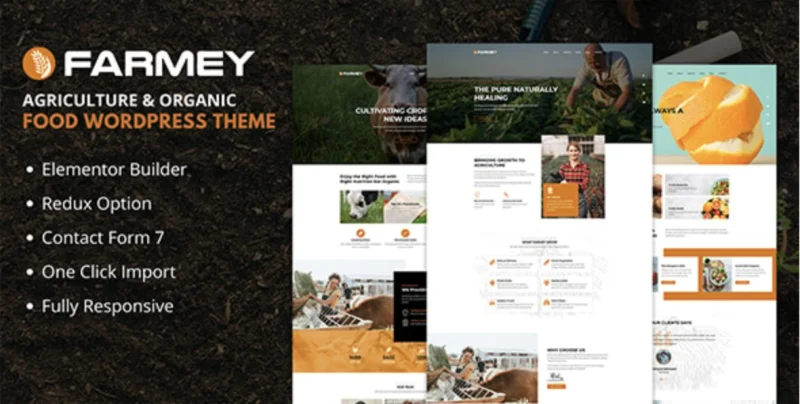
Farmey Agriculture WordPress Theme Overview & Front-End Presentation Architecture
Farmey is an Elementor-based agriculture WordPress theme engineered for agencies and farm operators to publish organic food, livestock, and produce retail sites without hand-coding presentation templates. The package resolves the structural bottleneck of assembling agriculture-specific page sets — service overviews, product grids, and business profile layouts — by shipping prebuilt templates wired into a visual drag-and-drop rendering engine. Within an agency delivery workflow, it operates as the presentation layer of a self-hosted WordPress stack: teams import the bundled demo data, adjust section composition visually, and hand off a responsive, WooCommerce-capable storefront.
Technical Specifications & Deployment Matrix
| Engineering Metric | Deployment Specification |
|---|---|
| Base Technology / Framework | WordPress theme (PHP, CSS, JS source files); Bootstrap 5.x and 4.x grid foundations |
| Runtime / Language Requirements | WordPress 4.9.x through 7.0.x environments |
| Page Rendering Engine | Elementor drag-and-drop page builder; Redux option framework for theme configuration |
| Compatible Subsystems | WooCommerce 8.x.x and 9.x.x; Contact Form 7 styling layer |
| Deliverable Package | PHP files, CSS files, JS files, child theme, demo XML content, custom widgets; widget-ready sidebars; 4+ column layout support |
Elementor Rendering Pipeline & Theme Execution Flow
The core mechanism is a template hierarchy that delegates page composition to the Elementor builder engine.
When an inbound request resolves to a page, WordPress walks its native template hierarchy and hands control to Farmey’s template files, which in turn defer section rendering to the Elementor page builder. Layout data stored by the builder is parsed into a structured DOM tree, and theme-level CSS and JS assets attach to the rendered document. Configuration values — typography, color assignments, and layout parameters — are read from the Redux option framework through the admin panel, so a change in settings propagates to every template that consumes that option key without requiring file edits. Widget regions remain active through the theme’s widget-ready architecture, allowing standard WordPress sidebar content to render alongside builder-authored sections. The One Click Demo Data Importer seeds the database with the reference content set, after which every imported section becomes editable builder output rather than locked markup. Product listing pages route through the WooCommerce integration layer, inheriting the theme’s responsive grid treatment across 8.x and 9.x releases of the commerce plugin.
Core Technical Capabilities of Farmey
- Redux Option Framework Integration: Theme-wide settings persist in a structured options model exposed through the admin panel, allowing developers to modify layout and style parameters programmatically or via the UI rather than editing template files directly.
- One-Click Demo Content Pipeline: The importer writes the reference XML dataset into the WordPress database, replicating the published demo structure and reducing staging-to-production setup to a single administrative action.
- WooCommerce Template Compatibility: Commerce templates for product archives and single product views render under WooCommerce 8.x and 9.x, with the grid supporting four or more columns and a load-more button for paginated product streams.
- Custom Widgets & Shortcode Generator: Purpose-built widgets plug into widget-ready regions, while the shortcode generator exposes reusable content modules that can be embedded in any editor context.
Production Implementation & Operational Resilience
In client staging environments, deployment begins with the theme package (PHP, CSS, JS files) followed by the demo XML import; the load-more button pattern limits initial query payload on content-heavy archives by deferring additional result sets until user action. The bundled child theme defines the recommended extension boundary: presentation overrides and function additions belong in the child layer, preserving update-safe customization of the parent codebase, whose well-structured organization is documented for developer navigation. Responsive behavior is engineered at the viewport level — every feature and page element is designed for tablet and mobile rendering, with a mobile-friendly dropdown menu and touch/swipe support for interactive regions — so layout shifts on small screens are handled by the CSS breakpoint layer rather than separate mobile templates. Cross-browser rendering is validated against Edge, Firefox, Safari, Chrome, Opera, and legacy IE10/IE11 engines, and the markup targets valid HTML5 and CSS3 output. Animate CSS effects and Font Awesome icon sets ship as bundled front-end dependencies. For agencies running parallel agriculture builds on separate stacks, Agron – Agriculture & Organic Farm WordPress Theme functions as an independent alternative codebase, and Agrarian – Agriculture Company & Organic Farm WordPress Theme covers company-oriented farm sites as a standalone option.
Frequently Asked Questions
Is Farmey optimized for the Gutenberg block editor?
No. The theme’s page composition engine is Elementor, not the WordPress block editor; the official documentation explicitly lists Gutenberg optimization as absent, so builder-driven editing should be planned around Elementor workflows.
Does the package include the demo content used to replicate the reference site?
Yes. Demo dummy content is included as XML data, and the One Click Demo Data Importer writes that dataset into the WordPress database, reproducing the reference layout structure that teams can then edit through the Elementor builder.
Does the theme provide styling for Contact Form 7?
Yes. Prebuilt CSS styling for Contact Form 7 forms is included in the package, so form shortcodes rendered in widget regions or builder sections inherit the theme’s visual treatment without custom stylesheet work.
-
1.7 LatestNov 10, 2026