Express Shop for WooCommerce with Audio & Video
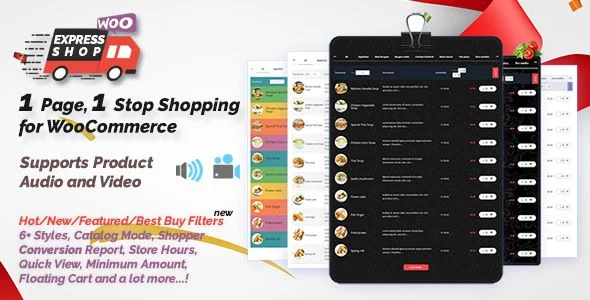
Express Shop for WooCommerce Overview & One-Page Catalog Engine
Express Shop for WooCommerce is a WordPress plugin that converts a standard WooCommerce catalog into a single-page product table where shoppers add items to the cart without page reloads. The package targets the bottleneck of multi-page category navigation by rendering every product — including variable products with attribute dropdowns — inside one shortcode-driven view with live AJAX search, price-range filtering, and audio-video preview columns. Agencies deploy it for restaurant online ordering, wholesale bulk ordering, grocery listings, and music or digital-download stores where checkout speed directly influences cart abandonment and conversion rates.
Technical Specifications & Deployment Matrix
| Engineering Metric | Deployment Specification |
|---|---|
| Base Technology | WordPress plugin built with PHP, JavaScript, HTML, CSS, and XML configuration files; operates as a WooCommerce add-on |
| Runtime Requirements | WordPress 4.9.x through 7.0.x with WooCommerce 5.x through 9.x active; compatible with IE11, Chrome, Firefox, Safari, Opera, and Edge |
| Communication Protocols | AJAX-driven add-to-cart, live predictive search, and filter requests dispatched without full page reloads |
| Front-End Dependencies | jQuery-based quick view modals (Magnific Popup), LightSlider product galleries, Gutenberg-optimized embedding, theme-agnostic rendering |
| Data Persistence | Reads native WooCommerce product schema (SKUs, stock, attributes); stores configuration in WordPress options; logs conversion statistics by day, week, month, and custom date ranges |
Single-Page Product Table Architecture & Execution Pipeline
The core mechanism works like this: a developer pastes a shortcode into any page, and the plugin queries the WooCommerce product registry, then renders a tabular catalog with configurable columns. Rendering is column-modular — thumbnail, title, description, SKU, price, stock, media, and add-to-cart columns can each be enabled or disabled from the admin panel. Product selection flows through an AJAX layer: predictive search queries titles as the shopper types, while filter tabs for Hot, New, Best Buy, and Featured products narrow the result set without reloading the document. Variable products open a responsive modal where attribute options are chosen; the selected variation, quantity, and recalculated price propagate into a floating quick cart that stays accessible during browsing. Media support attaches one or more audio files (mp3, ogg) plus custom video uploads, YouTube embeds, or Vimeo embeds to each product, making the table suitable for selling MP3 tracks, sample clips, video files, CDs, and DVDs as virtual goods. Catalog rendering also handles pagination strategy: administrators choose between Load More buttons, infinite scroll, or showing all products at once, and category grouping templates organize output by product category.
Architectural & Functional Highlights
- AJAX Add-to-Cart Pipeline: Cart mutations are dispatched asynchronously and redirect the shopper back to the same page after insertion, preserving scroll position and table state during bulk ordering sessions.
- Media Column Architecture: Dedicated audio and video columns surface playable previews inline, letting buyers evaluate digital goods — track samples, film trailers, demo clips — before committing to purchase.
- Conversion Analytics Engine: The module tracks how many visitors add products, reach the checkout page, and complete orders, then charts these stages by day, week, month, or custom range to expose abandonment drop-off points.
- Commerce Governance Rules: Minimum order totals gate checkout eligibility, store opening and closing hours restrict when orders are accepted, and catalog mode removes the add-to-cart column entirely for display-only listings.
- Template & Styling Layer: Six-plus style templates, sticky category filter sidebars, carousel category filtering, color customization, and a custom CSS area allow visual alignment with any active theme.
Production Implementation & Operational Resilience
Deployment requires WooCommerce to be installed and activated before the plugin is enabled; the table engine then attaches to any page via shortcode, with attributes such as category_ids scoping output to specific product categories. In client staging environments, localization is handled entirely from the back end — every front-end string, including filter tab labels and load-more text, can be translated without touching template files. Because the rendering layer replaces the native product loop with a table view, storefronts that still need motion content on landing pages often deploy Shader Slider WordPress & WooCommerce Plugin as an independent WebGL slider layer on the same site. Operational guardrails are built in: low-stock alerts render beside availability, out-of-stock add-to-cart buttons are disabled on page load, and the floating quick cart can be restricted to the express shop page only to avoid polluting other templates. For wholesale operators mixing one-time bulk orders with recurring deliverables, Subscriptions For WooCommerce Pro runs as a separate billing extension alongside the table on the same store. Resilience details include responsive modal layouts for variable product selection, fixed-position category filters with configurable active-state colors, and character-limited short descriptions that keep table rows at predictable heights on mobile viewports. Opening and closing hour widgets publish normal operation hours and holiday schedules, which keeps food-ordering workflows honest about availability windows.
Frequently Asked Questions
Does the plugin function if WooCommerce is not installed and activated?
No. This is a WooCommerce add-on, and the base WooCommerce plugin must be installed and active before installation; the table engine reads product, SKU, stock, and attribute data directly from WooCommerce’s native data structures.
Can shoppers purchase variable products directly from the product table?
Yes. Variable products open a responsive popup where attribute options are selected; the chosen variation, quantity, and dynamically updated price are validated and passed into the cart through the AJAX pipeline.
Can both the audio column and the video column be hidden from the product table?
Yes. Each media column can be enabled or disabled independently from the admin settings, so stores that do not sell audio or video goods can strip those columns while retaining other product table functionality.
Does the module support restricting orders to defined store hours?
Yes. Multiple opening and closing hours can be configured, and widgets display normal operation hours plus holidays — a mechanism aimed at restaurant and food-ordering workflows that accept orders only during specific windows.
-
v9.6.4 Latest