Estaty – Real Estate Marketplace Website
Product Overview
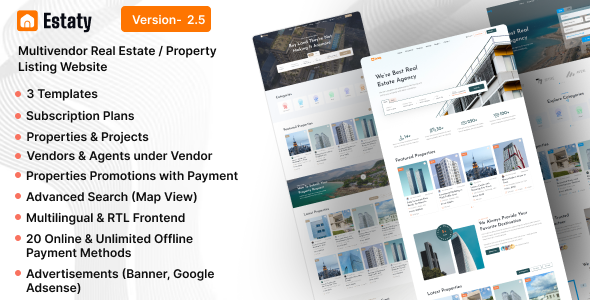
Estaty offers a solid framework for building a dynamic Real Estate Marketplace Website, designed for agencies, brokers, and entrepreneurs aiming to host multiple property listings from various vendors. It functions as a complete platform, enabling users to register, list properties, and manage their portfolio through an intuitive front-end interface, while administrators oversee the entire operation from the WordPress backend.
From the vendor’s perspective, the front-end submission process is straightforward. After logging in, a prominent "Add New Property" button leads to a multi-step form. You progress through sections covering basic details like property type and status, followed by location using a map interface that auto-suggests addresses via Google Maps. Amenities are selected via checkboxes, and a dedicated media uploader handles images and video links, ensuring all necessary information is captured before submission for review.
Highlights & Value
- Vendor Dashboard: Each registered vendor gains access to a personalized dashboard. Here, they can view their active, pending, and expired listings, edit property details, update pricing, and respond to inquiries directly. The dashboard layout is clean, typically showing property cards with quick-edit icons.
- Advanced Search & Filtering: The product includes a powerful search system. On the main property archive page, users encounter a filter sidebar that allows refinement by property type, price range (using a slider), number of bedrooms/bathrooms, and specific amenities. Results update in real-time or after a click, often displaying both a list view and an interactive map.
- Property Management & Inquiries: The listing details page prominently features agent contact information and a direct inquiry form. When a user submits an inquiry, it’s sent to the listing agent and also stored in the agent’s dashboard under a "Inquiries" tab, making communication trackable.
- User Wishlist: Registered users can "favorite" properties using a heart icon found on listing cards and detail pages. These saved properties are then accessible through their personal dashboard in a dedicated "My Favorites" section, presented as a grid of property cards.
Real-World Use Cases
- Launching a local or regional property portal where independent real estate agents can subscribe and list their properties, effectively consolidating listings in one accessible place.
- Creating a specialized niche marketplace focusing on specific property types, such as luxury estates, commercial real estate, or vacation rentals, with tailored listing fields.
- Enabling a large real estate agency to manage listings from multiple internal agents, each with their own dashboard, while presenting a unified brand experience to potential buyers.
- Providing a platform for property developers to showcase and manage new construction projects, allowing them to collaborate with various sales agents on a single site.
Technical & Compatibility
The Estaty solution is built on modern WordPress standards, ensuring compatibility with the latest WordPress core versions. It leverages Elementor Pro for front-end page building, which means layout customization is handled visually through Elementor’s drag-and-drop interface. This allows for significant flexibility in modifying page structures and content blocks without needing to write custom code.
For instance, managing a comprehensive Real Estate Marketplace Website like this requires robust payment processing. It integrates with popular WordPress payment gateways for handling vendor subscription fees or paid listing submissions. The setup for these gateways is typically found within the WordPress admin under specific Estaty settings, where you configure API keys and payment options.
-
2.5 LatestOctober 6, 2026