Emoji Maze – HTML5/Mobile Game – (C3p)
Product Overview
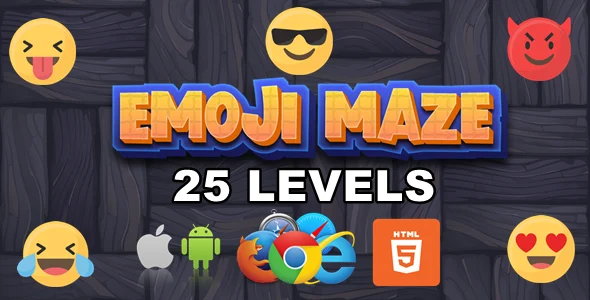
Emoji Maze offers a straightforward way to embed an HTML5/Mobile Game – (C3p) directly onto your WordPress site. This template, known as Emoji Maze – HTML5/Mobile Game – (C3p), is a pre-built browser game where players navigate an emoji through a maze. It’s ideal for webmasters adding interactive content to entertainment portals, educational sites for younger audiences, or personal blogs seeking a unique engagement tool. The package provides all necessary game files, ready for integration into an HTML frame or a dedicated page.
Highlights & Value
When implementing Emoji Maze, several practical aspects stand out:
- Players control an emoji using arrow keys on desktop or on-screen directional buttons for mobile.
- The game automatically adjusts its layout for various screen sizes, keeping the maze and controls legible.
- Level progression handles itself; clearing a maze loads the next stage without manual intervention.
- All visual assets are contained within the package, simplifying initial deployment.
Real-World Use Cases
The utility of this standalone game extends to several practical scenarios:
- Embedding it on a “Games” section of a family-friendly website provides a ready entertainment option.
- Integrating it into a learning module serves as a break activity or reward on children’s learning platforms.
- Running it as a temporary feature on a campaign landing page can boost engagement during a promotion.
- Adding it to a personal blog’s sidebar or a dedicated “Fun” page increases time-on-site and offers interaction.
Technical & Compatibility
From a setup perspective, Emoji Maze works by loading its core game files (HTML, CSS, JavaScript) within an iframe or a dedicated page template. For most WordPress installations, creating a new page and embedding the game via a custom HTML block or a shortcode pointing to the game’s index.html is the typical workflow. The game operates independently, requiring no specific WordPress plugins, and relies on standard browser capabilities, ensuring broad compatibility across modern web browsers.
Integrating the HTML5/Mobile Game – (C3p) involves placing its directory (containing index.html, js/, css/, images/) into a publicly accessible folder on your server. Then, an iframe with its src attribute pointing to this index.html file does the job. It performs consistently on various hosting environments, provided the server can serve static files. No complex database interactions or server-side scripting are necessary for the game’s operation.