Elementor Tabs addon, widget
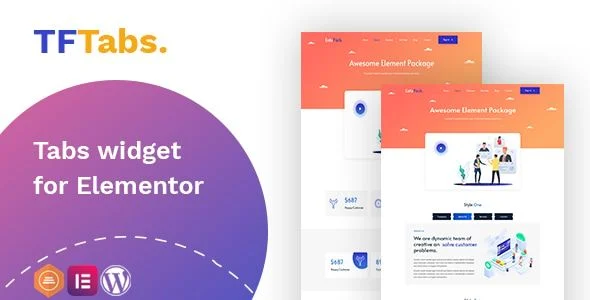
TF Tabs Widget for Elementor Overview & Tabbed Content Architecture
TF Tabs Widget for Elementor is a WordPress plugin add-on, engineered for agencies and site builders who need to organize dense content into tabbed interfaces inside the Elementor page builder. The module targets a concrete bottleneck: the builder’s default toolkit lacks a tab control combining granular state-based styling, nested layouts, and template-injected panels in a single widget. Within production workflows it operates as a drag-and-drop control that renders horizontal, vertical, and nested tab structures without authoring custom PHP, CSS, or JavaScript.
Technical Specifications & Deployment Matrix
| Engineering Metric | Deployment Specification |
|---|---|
| Base Technology / Framework | WordPress 5.3.x through 5.8.x, running the Elementor page builder as the host editing environment |
| Runtime / Language Requirements | PHP, JavaScript, HTML, and CSS source files distributed as a standard plugin package |
| Data Exchange / Communication | Widget configuration is managed through the Elementor editor; no external API calls are documented |
| Front-End / Engine Dependencies | Elementor editor and renderer; browser coverage spans IE9, IE10, IE11, Firefox, Safari, Opera, and Chrome |
| Database / Persistence Footprint | No dedicated database schema is documented; settings persist through the builder’s standard element data serialization |
Repeater-Driven Tab Rendering Engine & Execution Pipeline
The core mechanism is a repeater-based control: each tab is registered as a discrete editor item, serialized into the page’s element data, and rendered as paired navigation markup and content panels bound together by state selectors. Because the package generates markup at render time, every tab added through the drag-and-drop panel inherits the full styling pipeline without template-file edits.
Navigation construction happens at two levels. The wrapper accepts padding, margin, and background color controls, while each item exposes text alignment, typography, spacing, and hover-effect parameters. Three explicit selector states — normal, hover, and active — allow independent color, text, and styling treatment, which means the currently open tab can be visually distinguished without writing custom CSS selectors. The icon pipeline accepts custom icons, inline SVG, and uploaded images, each positionable above, to the left, or to the right of the nav label, and any tab can be flagged as the default active panel so the initial render is deterministic rather than arbitrary.
Content population supports two sourcing modes: the built-in editor for inline composition, or a saved Elementor template injected into the panel. When a tab panel must carry image-led composition, dropping Wiloke Content Image Widget for Elementor into the referenced template keeps the layout logic inside the builder’s control layer rather than in hand-written markup. The package is also positioned for posts-driven and nested tab arrangements, extending the same control set to hierarchical and content-fed scenarios.
Core Technical Capabilities of TF Tabs Widget for Elementor
- Dual content sourcing: panels accept either inline editor content or a pre-built Elementor template, letting teams compose complex panels in isolation and inject them at render time.
- State-bound navigation styling: normal, hover, and active selectors each carry independent typography, color, and style definitions, removing the need for override stylesheets.
- Multi-format icon pipeline: custom icons, SVG assets, and images attach to nav labels with configurable top, left, or right placement.
- Responsive display switching: dedicated mobile and tablet display options let designers restructure tab presentation per viewport without duplicating widgets.
- Full box-model and background control: content panels support custom typography, text color, solid and gradient backgrounds, padding, margin, border, border radius, and entrance animations.
Production Implementation & Operational Resilience
For agency staging environments, the deployment prerequisite chain is short: a WordPress 5.3.x–5.8.x host with Elementor installed and active. Version awareness matters at rollout — release 1.0.2, dated April 2, 2022, specifically patches a defect triggered on Elementor 3.6.1, so sites running that builder release should verify they have the corrected build before pushing pages live. Because no custom database tables are created, the persistence footprint stays confined to the builder’s element data, which keeps rollback and cleanup procedures straightforward during client handover.
Browser coverage down to IE9 signals that the shipped CSS and JavaScript rely on properties and methods with legacy fallbacks, an advantage for enterprise desktop audiences still running older engines. Two boundaries deserve attention: the package is not Gutenberg-optimized, meaning block-editor pages sit outside its supported runtime, and the distribution is not flagged as high-resolution source material.
Customization flows almost entirely through the widget’s own control panels — gradients, borders, radii, spacing, typography, and entrance animations are all editor-exposed — so secondary development should stay within style-control configuration and asset replacement rather than forking the source. For adjacent presentation patterns, deploying Swiper Slider Widget for Elementor keeps carousel rendering inside the same builder asset pipeline, avoiding a mixed-toolchain maintenance burden across a client site.
Frequently Asked Questions
Can a tab panel pull its content from a saved Elementor template instead of the inline editor?
Yes, the content type control accepts either the built-in editor or a pre-built Elementor template, allowing teams to compose complex panels in isolation and inject them into the widget at render time.
Does the widget render correctly in legacy Internet Explorer environments?
Yes. The documented compatibility matrix lists IE9, IE10, and IE11 alongside Firefox, Safari, Opera, and Chrome, confirming the CSS and JavaScript assets ship with fallback handling for older enterprise desktop browsers.
Is version 1.0.2 stable on sites running Elementor 3.6.1?
Yes. The April 2, 2022 release specifically fixes a bug occurring on Elementor 3.6.1, so installations on that builder version should run the patched package rather than earlier distributions of the widget.
Was this widget built for the Gutenberg block editor?
No. The package is documented as Elementor-compatible and is explicitly not Gutenberg-optimized, so tabbed interfaces inside block-editor pages fall outside its supported runtime. Deploy it only within Elementor-composed pages.
-
1.0.2 LatestOct 25, 2026