Elastic – Hosting Provider WHMCS Template
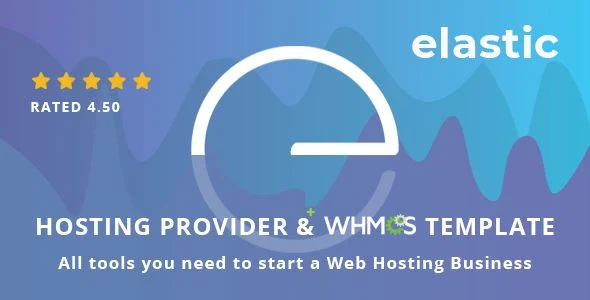
Elastic Hosting Provider WHMCS Template Overview & Front-End Delivery Architecture
Elastic Hosting Provider WHMCS Template is an HTML5/CSS3 front-end package built on the Bootstrap 4.5.3 framework, engineered for hosting providers and web agencies that need a marketing site wired directly into WHMCS billing workflows. The package resolves a recurring delivery bottleneck: reconciling a static promotional front end with a functional customer portal, which normally forces teams to maintain two visually disconnected codebases. It ships both a 20-plus-page presentation layer and a matching WHMCS client area template, so a single visual system covers domain sales, VPS configuration, and account management in production.
Technical Specifications & Deployment Matrix
| Engineering Metric | Deployment Specification |
|---|---|
| Base Technology / Framework | Bootstrap v4.5.3, HTML5, CSS3 |
| Runtime / Language Requirements | PHP-capable web server; WHMCS v8.13.0 for the client area template |
| Data Exchange / Communication Protocols | PHP/AJAX contact form transport, login integration, domain checker |
| Front-End / Engine Dependencies | Custom JS layer, Cloudicon (300 line icons), Font Awesome, Google Fonts |
| Database / Persistence Footprint | None native to the template; account and billing data is owned by the WHMCS installation |
| Delivered File Formats | PHP, HTML, CSS, and JS files; W3C-validated markup and styles |
VPS & Domain Filtering Engine and WHMCS Rendering Pipeline
The core mechanism is a JavaScript-driven filter that evaluates searches against configured VPS and domain datasets and re-renders matched plans without a full page reload. Inbound queries are parsed by the template’s script layer, matched against the plan entries declared in the markup, and the result set is redrawn inside the existing DOM container. This keeps the search-and-filter experience for VPS packages and domain listings entirely front-end, avoiding round trips that would otherwise interrupt the browsing flow.
Plan cost presentation follows the same event-driven model: billing-cycle toggles dispatch change events that recompute the displayed amounts in place, so visitors compare term costs without navigation. The custom VPS configurator extends this with an interactive slider component, where hardware selections map to recalculated figures as the slider position changes. Scalable vector graphics animations supply the visual layer for these interactions while remaining resolution-independent across displays.
Behind the presentation layer, the bundled WHMCS client area template takes over rendering once a user enters account territory. Its .tpl overrides (the changelog references files such as header.tpl and main.js) restyle the native WHMCS interface, including login flows, the domain checker, and the cart process, so the portal inherits the same layout language as the marketing pages. The package also carries full-screen login, register, and countdown states plus a video modal, which gives launch and onboarding sequences a consistent presentation shell.
Architectural & Functional Highlights
- Dynamic plan cost switching: billing-cycle controls recalculate displayed amounts directly in the DOM through event handlers, letting visitors compare term costs without page reloads.
- Interactive VPS configurator: slider inputs map server resource selections to live cost recalculation, enabling custom server builds from preconfigured component ranges.
- WHMCS client area template: template file overrides restyle login, domain checker, and cart flows to match the marketing front end, with revisions tracked against every WHMCS release from v7.6.1 to v8.13.0.
- Shortcode element library: 30-plus reusable markup blocks plus 20-plus page templates allow page assembly by composition rather than repeated hand-coded sections.
- Working PHP/AJAX contact form: submissions travel through a PHP handler with AJAX transport, delivering messages without redirecting the visitor away from the page.
Providers whose delivery stack is already WordPress-based can evaluate Nexbunker as an independent WordPress theme with its own WHMCS pairing, rather than merging two separate runtimes into this static front end.
Production Implementation & Operational Resilience
Deployment assumes a PHP-enabled host because the download carries PHP files for contact form handling and the WHMCS client area. The presentation layer stages conventionally as static assets, while the client area files install into the WHMCS templates directory, where the overrides replace default rendering. Version alignment is the primary operational boundary: the changelog maps each template revision to a specific WHMCS release, so teams should verify the installed WHMCS build matches revision 3.1 (v8.13.0) before pushing files, or select the documented revision that corresponds to their existing installation.
Browser coverage spans IE9 through IE11, Edge, Firefox, Safari, Opera, and Chrome, with the Bootstrap 4.5.3 grid governing responsive breakpoints across viewports. Retina-ready assets and vector iconography prevent degradation on high-density displays. Because markup and styles are W3C-validated, modification carries a lower risk of introducing parser-level rendering faults.
Customization stays within style-override and asset-replacement boundaries. Google Fonts can be swapped through font declarations, iconography draws from the bundled Cloudicon set and Font Awesome, and color or layout adjustments occur in the CSS layer. The included custom blog page handles announcement-scale content; for sustained editorial publishing under WordPress, Recap exists as a separate thematic blog theme rather than an extension of this codebase.
Frequently Asked Questions
Does the package bundle the Cloudicon icon set, or is it licensed separately?
Yes, the 300-icon Cloudicon line set ships inside the download alongside Font Awesome, so iconography requires no separate acquisition. Icons render as scalable vectors and can be swapped per component through the markup’s class references.
Can the current WHMCS client area template run against WHMCS releases older than v8.13?
No, revision 3.1 targets WHMCS v8.13.0 specifically. The changelog documents earlier template revisions mapped to each WHMCS release from v7.6.1 onward, so deployments on older WHMCS builds must match the corresponding template revision rather than the latest files.
Do the delivered files include editable source formats for all asset types?
Yes, the download contains PHP, HTML, CSS, and JS files, giving direct editing access to markup, styles, scripts, and form handlers. W3C-validated HTML and CSS reduce the risk of introducing rendering faults during modification.
-
2.1 LatestSeptember 24, 2026