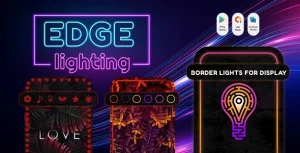
Edge Lighting Colors With Admob & Facebook Ads
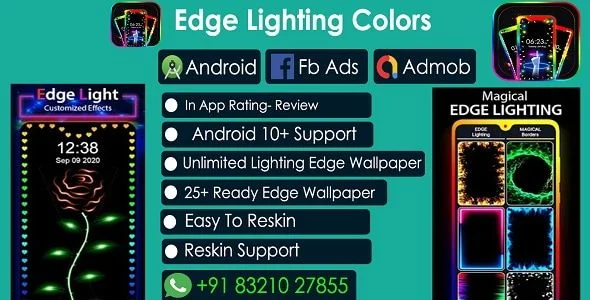
Edge Lighting Colors Overview & Android Live Wallpaper Architecture
Edge Lighting Colors is a native Android live wallpaper application source code, engineered for mobile studios and independent publishers to deploy a customizable edge-screen lighting product on Google Play. The codebase targets a concrete device-personalization bottleneck: owners of notch and infinity-display hardware need battery-conscious, always-on border animation without relying on heavyweight third-party wallpaper engines. Within an agency delivery pipeline, the package operates as a reskinnable production asset, compiled from Java and XML sources into a small-footprint APK with dual ad network wiring already in place.
Technical Specifications & Deployment Matrix
The matrix below consolidates the verifiable deployment parameters documented for this release.
| Engineering Metric | Deployment Specification |
|---|---|
| Base Technology / Framework | Native Android development with Java source code and XML layout resources |
| Runtime / Language Requirements | Android 9.0 software baseline; validated through Android 10 and Android SDK 30 |
| Included Deliverables | .apk installer, .dex bytecode, .java sources, .xml resources |
| Monetization / Ad Networks | Dual-network integration covering both AdMob and Facebook ads |
| Footprint / Persistence | Local configuration storage; APK size positioned as the smallest among edge lighting apps |
Edge Rendering Engine & Execution Pipeline
The rendering core drives an animated border overlay along the screen perimeter, repainting color cycles across home and lock surfaces without an external wallpaper engine. At runtime, the application takes over surface drawing for the device wallpaper layer: the user selects one of more than fifty edge lighting styles, and the engine translates that selection into a continuous draw loop whose stroke width, color values, and animation profile bind to parameters exposed in the settings interface.
Customization is state-driven rather than hardcoded. Adjusting border thickness rewrites the stroke dimension fed into the renderer; toggling between dashed and smooth edge modes switches the path-drawing routine applied to the perimeter; and the color picker feeds an open color space into the animation cycle. The engine also reads device display geometry to detect notch and infinity-display cutouts, allowing the border to trace the usable screen area instead of clipping beneath the cutout. Animation modules ship as selectable effects — ripple, paws, warp, bubbles, and particle systems — each altering how illuminated pixels travel along the drawn edge. A day-and-night theme switch flips the interface palette, while scheduled activation windows restrict the effect to user-defined time ranges. Always On Display support keeps the perimeter animation alive on lock screens for hardware that exposes AOD, and gesture support maps touch input to configuration actions. Users can additionally place a personal image as the underlying screen background beneath the animated border.
Monetization is wired at both network layers, so revenue generation does not depend on a single mediation provider. Because ad program policies differ per platform, teams evaluating a parallel iOS revenue track outside this Android codebase can reference how EarningKit SwiftUI structures banner, interstitial, and rewarded formats alongside StoreKit 2 subscription models as an independent monetization design.
Core Technical Capabilities of Edge Lighting Colors
- Dual Ad Network Wiring: The build integrates both AdMob and Facebook ad networks, letting publishers route inventory through either provider and reconfigure ad unit identifiers directly in source before store submission.
- Adaptive Display Geometry Handling: Notch support and infinity-display support allow the rendering engine to compute cutout boundaries per device, keeping the animated border aligned with the active screen region.
- Scheduled Activation and Always On Display: Time-windowed activation and AOD integration constrain the draw loop to defined intervals, which supports the documented battery-friendly behavior across home and lock surfaces.
- Minimal Distribution Footprint: The package is documented as carrying the smallest APK size in the edge lighting category, reducing download friction for store-listed distribution.
Production Implementation & Operational Resilience
Production deployment begins inside Android Studio: import the Java and XML sources, reconfigure the ad unit identifiers for both networks, update application identifiers and signing keys, and assemble a release build compiled against SDK 30. Because the deliverable ships as .java and .xml rather than opaque binaries alone, teams can restyle layouts, modify the settings interface, or append new animation modules directly in source. The included .apk and .dex artifacts serve as a reference build for verifying baseline behavior before any modification is applied.
Reskin economics scale through this same structure. For publishers operating multi-title AdMob portfolios on the Android Studio toolchain, Bundle 10 Games functions as a separate asset collection covering kids and adventure game formats, illustrating how a shared ad-unit reconfiguration workflow spans independent native Android products.
Operational boundaries should be stated plainly. The documented runtime baseline is Android 9.0, with validation through Android 10 and compile-target SDK 30; behavior on later OS revisions is not claimed in the source documentation. Compatibility is broad — the vendor states the app works on any Android device — yet notch rendering depends on individual manufacturer cutout implementations and benefits from physical-device testing across the intended device matrix. The documentation does not specify crash-reporting hooks or remote configuration endpoints, so teams planning production monitoring should instrument their own analytics layer during the Android Studio import. Finally, ad serving for both networks requires policy-compliant account configuration and valid unit identifiers prior to store review, since monetization output depends entirely on those external account states.
Frequently Asked Questions
Does the downloadable package include both compiled binaries and editable source files?
Yes — the deliverable contains an .apk install file, .dex bytecode, and the underlying .java and .xml sources, giving teams a working reference build they can compile, inspect, or modify directly inside Android Studio.
Does the app accept gesture input for controlling the lighting experience?
Yes — gesture support is a documented feature of the build. Touch events map to interaction and configuration actions inside the application, so users can adjust aspects of the edge lighting experience without navigating through the settings screens every time.
Can users place their own photos behind the animated edge lighting border?
Yes — beyond the fifty-plus animated lighting styles, the application lets users set a personal image on the mobile screen. The chosen photo sits beneath the rendered border, combining a static background layer with the animated perimeter overlay.
Documents Scanner App with Admob Ads (Auto edges detection)
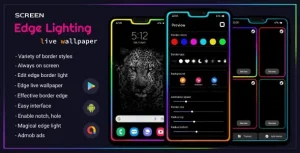
Edge Lighting – Border light – Borderlight live wallpaper – Edge lighting color – Android App
Ultimate quiz app : general knowledge quiz with admob ready to publish template