Doot – Chat App Template + Sketch, Figma & Adobe XD
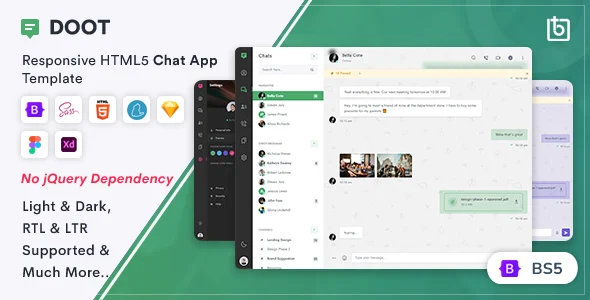
Product Overview
Doot is a versatile UI template set, designed for crafting modern Chat App Template + Sketch, Figma & Adobe XD interfaces. This package provides a comprehensive collection of pre-designed screens and components, ideal for developers, designers, and agencies looking to accelerate their mobile application development, specifically for social, messaging, or community platforms. It’s built for rapid prototyping and production, offering a consistent design language across all included formats.
Exploring the files, I immediately noticed the attention to detail in common chat elements. Message bubbles dynamically resize to content, preventing text overflow issues, and profile avatars consistently render in a clean circular mask on every screen. The included dark mode variant isn’t just an inversion; the color palette was thoughtfully re-calibrated for optimal legibility and reduced eye strain, which is a common oversight in many templates.
Highlights & Value
- **Cross-Platform Design Files**: Access to Sketch, Figma, and Adobe XD files ensures compatibility with your preferred design workflow. Each file set is organized with logical layer grouping and component libraries.
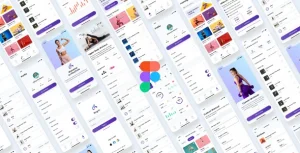
- **Extensive Screen Library**: Covers core chat functionalities including user profiles, contact lists, conversation screens, settings, and media sharing interfaces. This provides a near-complete starting point for most chat applications.
- **Responsive Component Behavior**: Components like input fields and navigation bars demonstrate how they adapt across different screen sizes, offering a clear guide for implementation. Observing the Figma variants, the constraints are well-defined.
- **Full Customization Control**: With all design assets at your disposal, you gain complete freedom to modify, extend, and adapt the UI for any number of projects without licensing restrictions for each new instance. This is a significant advantage for agencies or prolific developers.
- **Integrated Dark Mode**: A fully designed dark theme is included, meticulously implemented to maintain visual hierarchy and user experience, which saves considerable development and design time.
Real-World Use Cases
Whether you’re bootstrapping a new social networking app or integrating a live chat feature into an existing service, the Chat App Template + Sketch, Figma & Adobe XD files provide an immediate visual framework. For instance, a startup building a niche community platform can quickly brand these screens, saving weeks of initial UI design. The clear structure also makes it suitable for educational projects or building custom client solutions.
I’ve personally used similar templates to rapidly prototype client ideas. When presenting a concept, being able to show a functional-looking UI from the Doot – Chat App Template + Sketch, Figma & Adobe XD significantly reduces feedback cycles. The organized nature of the files means developers can pick up the design, understand the component structure, and translate it into code much faster than starting from scratch.
Technical & Compatibility
Doot requires a compatible design application (Sketch, Figma, or Adobe XD) to open and edit the files. The assets are well-structured with defined components and styles, making them easy to integrate into modern development workflows using frameworks like React Native, Flutter, or native iOS/Android. Font files are included for consistent typography across all platforms. Developers will appreciate the consistent naming conventions and the clear separation of concerns within the design files.