Doclinic – Medical Responsive Bootstrap Admin Dashboard
✅ Product Overview
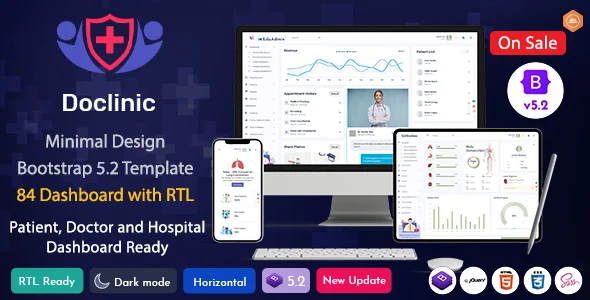
Doclinic provides a robust Medical Responsive Bootstrap Admin Dashboard, offering a comprehensive UI kit for building administrative interfaces within healthcare applications. This template kit is specifically designed for developers and agencies creating web-based solutions for clinics, hospitals, and medical practices, streamlining the setup of patient management systems, appointment scheduling, and staff portals.
Having worked with several admin templates, I found Doclinic’s structure intuitive. The pre-built pages, like the appointment calendar and patient list, rendered cleanly across desktop and mobile. Navigating the sidebar menu dynamically adjusts content areas without full page reloads, a practical detail for user experience.
✅ Highlights & Value
When building out custom medical applications, selecting a comprehensive solution like Doclinic – Medical Responsive Bootstrap Admin Dashboard truly saves development time. Instead of starting from scratch, you get a solid foundation.
- Comprehensive UI Kit: Over 100 pre-built pages and components, reducing front-end coding for common elements like forms, tables, and charts.
- Responsive Design: Elements adapt fluidly from desktops to mobile, maintaining readability.
- Bootstrap 5 Framework: Modern, maintainable codebase, easy customization for Bootstrap-familiar developers.
- Detailed Analytics Dashboards: Specialized medical-focused dashboards (patient overview, doctor activity) ready for data integration.
✅ Real-World Use Cases
This template becomes a significant asset for projects requiring a stable, well-organized backend interface.
- Clinic Management Systems: Rapidly deploy interfaces for patient records, appointments, and billing.
- Hospital Information Systems (HIS): Develop modular sections for departments like lab results or pharmacy.
- Telemedicine Platforms: Create admin control panels for virtual consultations and doctor schedules.
- Health Research Dashboards: Visualize and manage medical study data with integrated charts.
✅ Technical & Compatibility
On the technical side, the Medical Responsive Bootstrap Admin Dashboard integrates smoothly into existing development workflows. It’s a static HTML, CSS, and JavaScript template, meaning you can drop it into any PHP, Node.js, or .NET backend. The SASS files are well-organized, allowing straightforward theme customization by adjusting variables. I found the clean HTML structure easy to parse and modify when integrating with WordPress custom post types or a custom API.
Compatibility-wise, it’s a front-end template. Integration with WordPress requires custom development for backend data hooks. However, for a custom admin area or sophisticated user dashboard for a membership site, its components are effective. Included JavaScript libraries for charts and data tables are standard and play well with other scripts, avoiding common conflicts.