Debug Toolkit Pro- Error Log Viewer for WordPress
Pro feature set included (plugin or theme), ready to use immediately; no feature locks.
Product Description
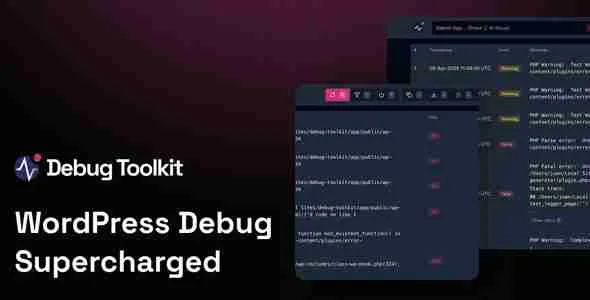
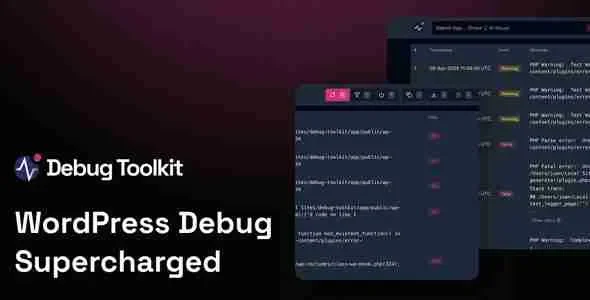
Debug Toolkit Pro streamlines WordPress troubleshooting into a fast, guided routine. The Error Log Viewer surfaces PHP notices, warnings, and fatals in clean context with filters by plugin, theme, path, or time. Safe toggles for WP_DEBUG, LOG, and SCRIPT_DEBUG let you enable diagnostics without editing files. Live updates and severity badges keep teams focused on what matters.
Error Log Viewer also tracks slow queries plus REST/AJAX responses to pinpoint bottlenecks. Timeline mode, search, and saved filters help reproduce issues and share tidy reports. Tail logs in real time, export snapshots, and set thresholds to flag spikes before customers notice.
Debug Toolkit Pro fits any stack—from single installs to multisite networks. Role-based permissions protect access, while Safe Mode prevents debug settings from leaking to visitors. Lightweight code and caching awareness keep production stable, so support resolves tickets faster with less guesswork.
Key Features
-
Centralized dashboard for logs, queries, and HTTP activity
-
Real-time tailing, filtering, search, and snapshots
-
One-click switches for core debugging constants
-
Severity markers, timestamps, and timeline visualization
-
Roles/capabilities controls and multisite compatibility
-
Performance-first architecture and clean UI/UX
Service Highlights
-
One-time payment with lifetime free updates
-
GPL license for unlimited sites
-
100% original GPL version
-
Regularly updated to the latest release
-
Automatic updates from your dashboard
-
Instant download after purchase
-
Installation guidance and technical support